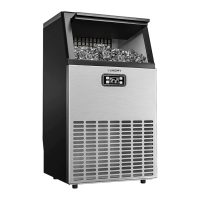
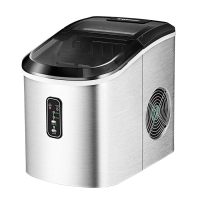
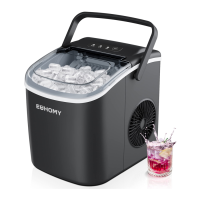
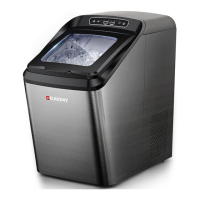
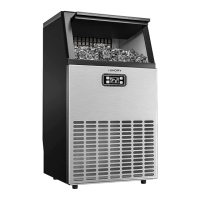
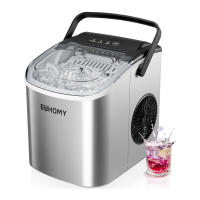
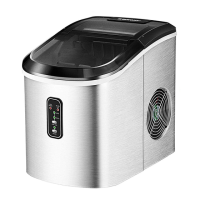
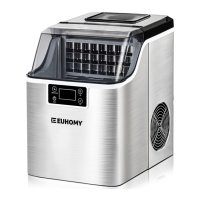
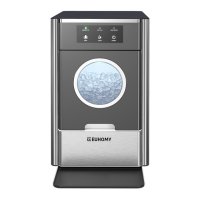
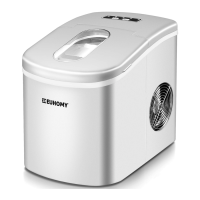
This document provides the instruction manual for the Euhomy Ice Maker, SKU: IM-09S, outlining its operation, maintenance, and safety precautions.
Function Description
The Euhomy Ice Maker is designed to produce ice cubes for household or similar purposes, such as in bars or coffee shops. It operates by freezing water to create ice, which is then stored in an internal basket. The machine is not a refrigerator and does not have a heat-control function, meaning ice cubes will melt if left in the basket for extended periods, especially in high ambient temperatures. For optimal performance, it is recommended to use purified or bottled drinking water. The ice maker is designed for ease of use with a simple control panel that indicates its operational status, including "Ice Making," "Add Water," and "Ice Full."
Usage Features
The ice maker is straightforward to operate. To begin, connect the power cord to a grounded three-hole outlet. Open the front cover, remove the ice basket, and pour potable water into the water tank, ensuring not to exceed the maximum water level indicator. Replace the ice basket, making sure the water level is below its bottom. Close the front cover and press the "Power on/off" button. The "Ice Making" indicator light will illuminate, and once it stops flashing, the machine will begin the ice-making process.
For first-time use or after a long period of disuse, it is advised to discard the ice cubes produced during the first four cycles to ensure the machine is thoroughly cleaned. The machine should be placed on a stable, level surface capable of supporting its weight, including water and ice. It can be installed in any well-ventilated room with an ambient temperature between 50°F and 100°F. Avoid installing or operating the machine in sealed spaces, closed rooms, or near heat sources like ovens and grills. It is also crucial to keep the machine away from wind, rain, mist, and electromagnetic radiation. After connecting the power cord, allow the machine to settle for 24 hours before turning it on to allow the refrigerant to settle.
The control panel provides visual cues for the machine's status. The "Ice Making" indicator (green) signifies that ice production is in progress. The "Add Water" indicator (red) lights up when the water level is low, prompting the user to refill the tank. The "Ice Full" indicator (yellow) signals that the ice basket is full, at which point the machine will automatically stop making ice. To resume operation, remove some ice cubes. If the "Add Water" and "Ice Full" indicators flash simultaneously, it indicates an error, and troubleshooting steps should be followed.
Maintenance Features
Regular cleaning and correct maintenance are essential for ensuring the ice maker's efficiency, performance, and prolonged working life. Before cleaning, always cut off the power supply and unplug the machine. Do not use solvent-based cleaning agents, as they can damage the machine or leave harmful residues. The machine should not be washed directly; instead, wipe the exterior with a damp cloth and dry both the inside and outside with a clean, soft cloth. Regularly check the drain plug to prevent leakage, ensuring it is firmly in place.
For deep cleaning or after long-term storage, prepare a disinfectant solution using 10 parts water to 1 part vinegar or citric acid. Wipe the interior, including the hand-touchable evaporator (icing column), with this solution. Then, add water for ice-making, run four ice-making cycles, and discard all the ice cubes produced. Drain the remaining water and reinsert the drain plug. Finally, use a clean, soft cloth to wipe any remaining water spots.
If the ice cubes have a strange taste, a foul smell, or if there's a mildew odor, perform the deep cleaning steps described above.
The ice maker may produce various normal sounds during operation, such as the beating or sharp sounds of the compressor, water splashing from the evaporator into the tank, the gurgling of flowing refrigerant, the sound of air being compressed by the condenser fan, and ice falling into the box during the deicing cycle. If the machine makes unusual noise, especially from the water pump, turn it off, clean the filter in the water tank, and then restart to see if the noise disappears. Closing the lid can help reduce faint operational sounds.
For storage, if the ice maker will not be used for a long time, cut off the power supply, drain all remaining water through the drainage outlet, and dry the interior with a clean, soft cloth. If the machine needs to be restarted after being unplugged, wait at least 5 minutes before turning it on to protect the compressor.
The ice maker is designed to temporarily store ice, but it is not a freezer. When the ice basket is full, the machine enters standby mode. Users should remove ice cubes as needed and add water to ensure continuous operation.
In case of issues like water leakage, check if the internal tube has detached during transport. If comfortable, users can reattach it; otherwise, contact Euhomy support for assistance. If the machine runs but doesn't make ice, and ambient temperature and refrigeration pipes are normal, it might indicate a refrigerant leak, requiring contact with support. If ice cubes are too small, it could be due to high ambient or initial water temperature, or evaporator column deformation. Continuing to make ice for a few more rounds or manually adjusting the evaporator column can help. If ice cubes stick together, it might be due to low room or water temperature; adding warmer water or manually pushing up the cubes can resolve this. If ice cubes smell of plastic, clean the machine with lemon water, run a few ice-making cycles, and then rinse with distilled water.
For any problems not covered or if troubleshooting steps don't resolve the issue, Euhomy support is available 24/7 via email at support@euhomy.com or Facebook at @Euhomy.Official.


 To Next Page
 General