Cool seng
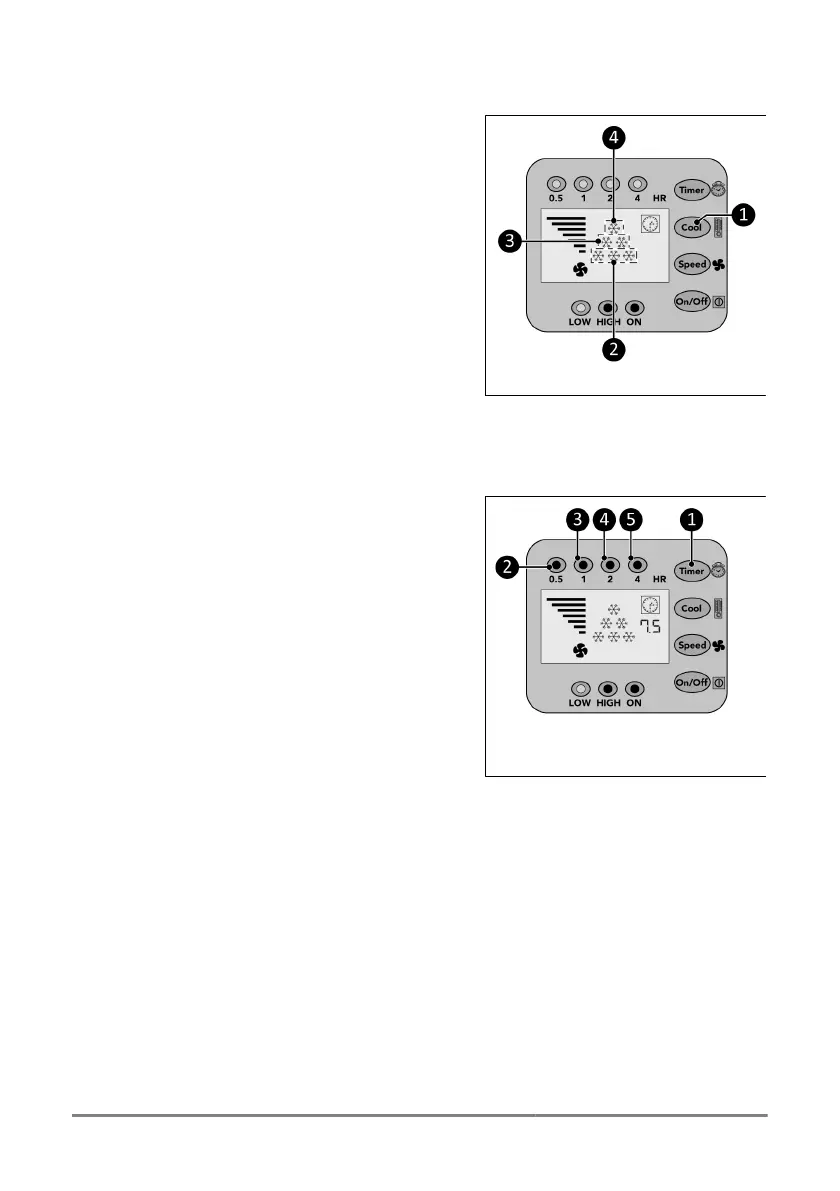
1. Press the Cool buon (Figure 30,pos.1)
repeatedly to set the required ambient
temperature:
◦ 28 °C, the display will show 1 cool
indicator (Figure 30,pos.4).
◦ 25 °C, the display will show 2 cool
indicators (Figure 30,pos.3).
◦ 22 °C, the display will show 3 cool
indicators (Figure 30,pos.2).
◦ <22 °C, the display will show 6 cool
indicators (Figure 30,pos.2,3and4).
Figure 30.
Timer
At the end of the set countdown mer me the device will automacally switch o.
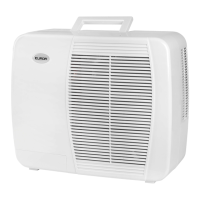
1. Press the Timer buon (Figure 31,pos.1)
repeatedly to start the countdown mer
of:
◦ 0.5 hour: the 0.5 hr indicator (Figure
31,pos.2) will light up;
◦ 1 hour: the 1 hr indicator (Figure
31,pos.3) will light up;
◦ 2 hours: the 2 hr indicator (Figure
31,pos.4) will light up;
◦ 4 hours: the 4 hr indicator (Figure
31,pos.5) will light up;
◦ 7.5 hours: the 0.5 hr indicator, the 1 hr
indicator, the 2 hr indicator and the 4 hr
indicator (Figure 31,pos.2,3,4and5)
will light up.
Figure 31.
Drainage of condensed water
Automac
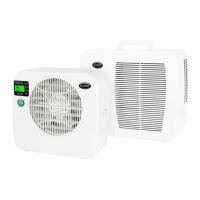
As soon as the condensate in the collecng tray of the indoor part has reached a certain height
(0.8 liter), the pump automacally leads it to the condenser in the outdoor part. In the outdoor
unit, the water is parally evaporated with the discharge of the warm air. The remaining water is
drained through the drain pipe at the boom of the outdoor unit.
Manual
In the event of a malfuncon of the automac drainage, you will hear an alarm for 20 seconds
and the device will switch o. The water has to be removed manually.
30


 To Next Page