8
After Sales Support
(AU) 1300 886 649 (NZ) 0800 836 761 | info@tempo.org
Instructions
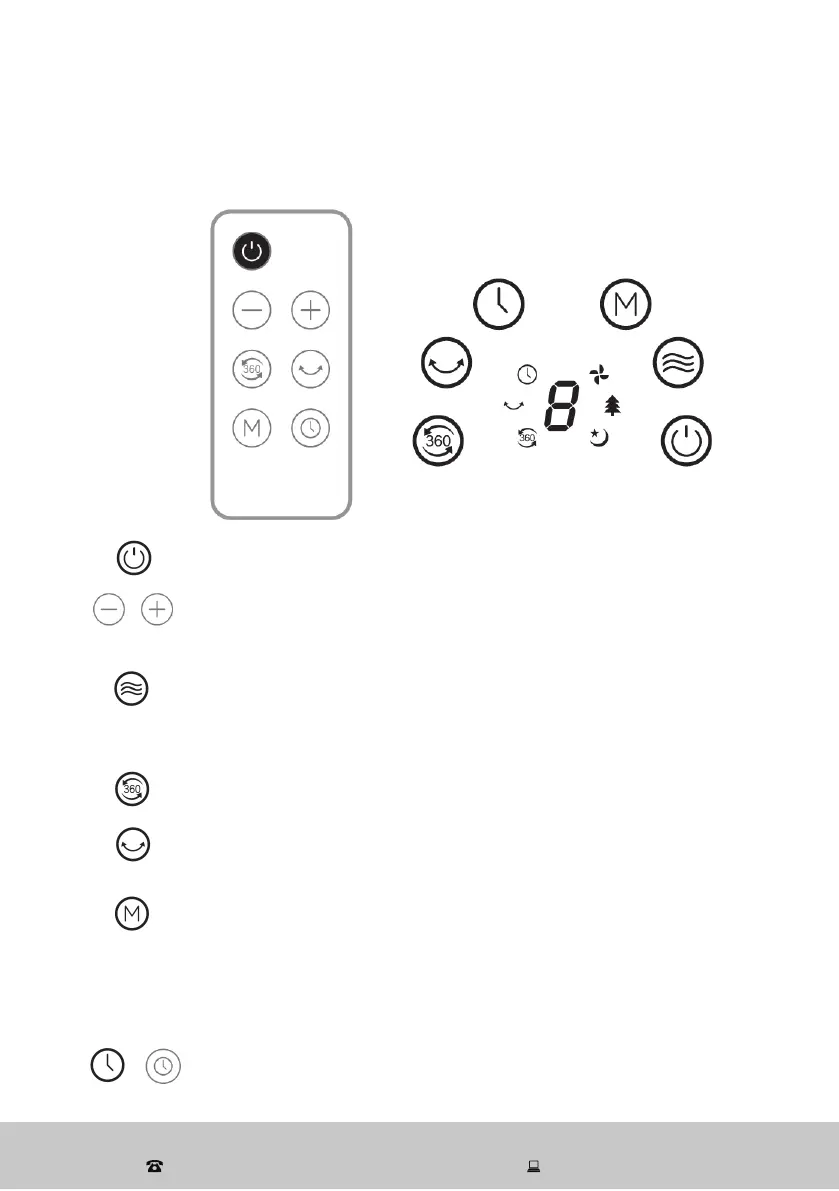
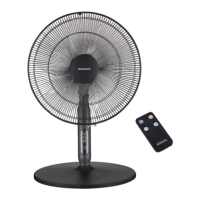
Remote control and control panel operation
POWER button: Press to switch the fan on or off.
[ + ] / [ – ] buttons: When using the remote control, use the
[ + ] and [ – ] buttons to select a wind speed from the following
options: 1 (low), 2 (medium), 3 (high), 4 (maximum).
WIND SPEED button: When using the control panel, press the
WIND SPEED button once for low (1) wind speed, two times for
medium (2) wind speed, three times for high (3) wind speed and
four times for maximum (4) wind speed.
3D oscillation: Press to activate (or deactivate) 360° oscillation
(see page 7 for an illustration).
SWING (right/left) button: Press to activate (or deactivate) right/
left oscillation.
MODE button: Press to select an operation mode from the
following options:
Normal: constant speed with 3 speed options (high, medium, low)
Natural: fan speed changes within its range, simulating a natural
breeze mode
Sleep: gradually reduces the fan speed in half hour intervals
TIMER button: Press to select the desired off-time from the
following options: 1H -> 2H -> 3H -> 4H -> 5H -> 6H -> 7H, 8H,
no timer. Press and hold the button to cancel the set timer.


 To Next Page