EasyManua.ls Logo

EUTECH INSTRUMENTS 2700 - User Manual

EUTECH INSTRUMENTS 2700
60 pages
Print Icon
To Next Page IconTo Next Page
Loading...
Technolo
g
y
M
ade
E
a
s
y
.
.
.
Instruction Manual
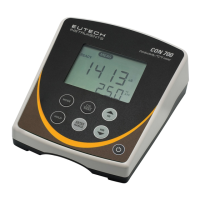
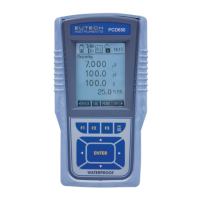
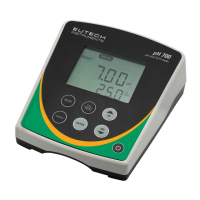
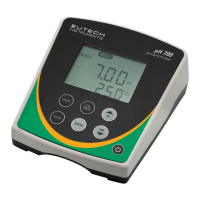
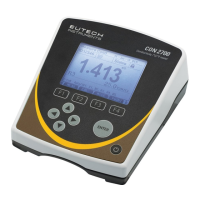
2700 Series Benchtop
Meters
pH 2700 ION 2700 CON 2700 DO 2700 PC 2700
Part of Thermo Fisher Scientific 68X544001 Rev 0 Ma
y
2010

Table of Contents

Questions and Answers

EUTECH INSTRUMENTS 2700 Specifications

General IconGeneral
BrandEUTECH INSTRUMENTS
Model2700
CategoryMeasuring Instruments
LanguageEnglish

Summary

2700 Series Benchtop Meters Instruction Manual

Getting Started with 2700 Series Meters

Keypad and Display Overview

Explanation of the meter's keypad layout and screen display elements.

Navigation of Tabs and Keys

Guide to operating the meter using its various function keys and navigation tabs.

Meter Connection Ports

Details on the different input/output ports available on the 2700 series meters.

Introduction to the 2700 Series Benchtop Meters

System Setup and Configuration

Stability and Backlight Settings

Configuring stability indicator, auto read, and screen backlight behavior.

Data Logging, Printing, and Output

Configuring data storage to memory and RS-232 output settings.

Date, Time, Password, and Reset

Managing device settings, security, and restoring factory defaults.

Setup pH and mV Parameters

Sample ID and Buffer Group Selection

Assigning sample identifiers and selecting pH calibration buffer groups.

Calibration Points, Resolution, and Alarms

Configuring calibration points, measurement resolution, and alarm limits.

pH Calibration Procedures

Calibration with Preset Buffer Groups

Step-by-step guide for calibrating with standard buffer solutions.

Calibration with Custom Buffer Groups

Procedure for calibrating using user-defined pH buffer values.

Millivolt (mV) Calibration

Offset Adjustment Procedure

Adjusting the mV offset for reference comparison.

Temperature Measurement Setup and Calibration

Temperature Unit Setup

Selecting Celsius or Fahrenheit for temperature readings.

Temperature Calibration

Procedure for calibrating the meter's temperature sensor.

Conductivity, TDS, Salinity, Resistivity Setup

Calibration Method and Sample ID

Setting sample ID and choosing auto or manual calibration for conductivity.

Calibration Points and Coefficients

Configuring calibration points, temperature, and TDS factors.

Cell Constant and Alarm Settings

Adjusting cell constant and configuring alarm and cal due settings.

Conductivity Calibration Methods

Automatic Conductivity Calibration

Performing calibration using pre-defined conductivity standards.

Manual Conductivity Calibration

Performing calibration with manual adjustment of cell constant.

Ion Measurement Setup and Calibration

Ion Setup Parameters

Configuring sample ID, units, alarms, and cal due for ion measurements.

Ion Calibration Procedure

Step-by-step guide for calibrating ion selective electrodes.

Dissolved Oxygen Setup and Calibration

DO Setup Parameters

Configuring sample ID, offset, pressure, units, salinity, alarms, and cal due.

DO Calibration Procedures

Performing 100%, 0%, and concentration calibrations for DO.

Data Transfer, Reports, and Theory

Transferring and Printing Data

Methods for sending data to PC or printer and software options.

Viewing Calibration Reports

Accessing and understanding calibration history reports.

Dissolved Oxygen Theory

Explanation of dissolved oxygen principles, factors affecting it, and measurement.

Calculations and Electrode Maintenance

Calculating Temperature Coefficients

Formula and procedure for determining sample temperature coefficients.

Calculating TDS Conversion Factor

Method for determining the conductivity-to-TDS conversion factor.

DO Electrode Maintenance

Procedures for changing membrane caps and cleaning the DO electrode.

Troubleshooting and Specifications

Troubleshooting Common Issues

Guide to identifying and resolving common meter operational problems.

Technical Specifications Overview

Detailed technical data for all meter parameters and features.

Product Support and Logistics

Replacements and Accessories

List of available replacement parts and optional accessories for the meters.

Warranty and Returns Policy

Information on product warranty terms and the procedure for returning items.

Related product manuals