19
The set-up menu
Adjust the following parameters within the set-up menu
- Arc force (for the rod-electrode welding process)
- Characteristic (for the rod-electrode welding process with
CEL electrodes)
Function principle
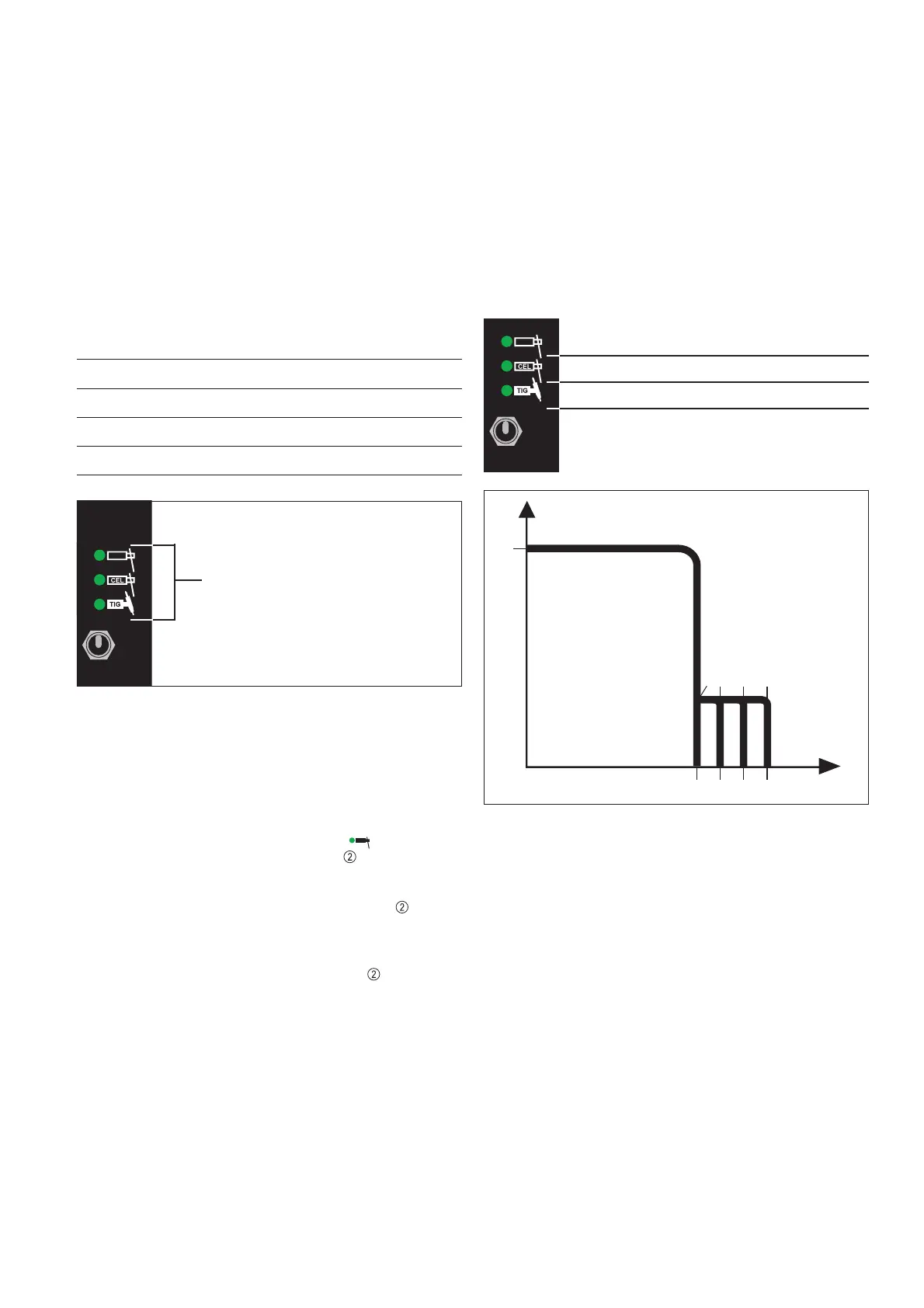
The parameters are a 4-stage setting
The numbers of indicators that have lit up correspond to the
setting value (stage).
Indicators light up: Setting
None Stage 0
One Stage 1
Two Stage 2
Three Stage 3
Stage 3
Example: if three indicators are lit
up, the setting is on Stage 3
Fig.9 Example of stage indication
Setting the parameters
The following example of how to set a parameter is for the rod-
electrode welding process, as illustrated by the arc-force para-
meter.
- Select the rod-electrode welding process by shifting and
holding the process changeover switch
- The pre-set stage is indicated for 1 second
As long as you hold the process changeover switch , the arc-
force parameter will be increased by one stage per second.
- As soon as the desired stage is indicated
- Release the process changeover switch
- The setting-value (stage) for the arc-force parameter is
stored
- The rod-electrode welding process is indicated
N.B.! Even if you unplug the machine from the mains, the
selected parameters will still be stored.
"Arc force" parameter (for the rod-electrode
welding process)
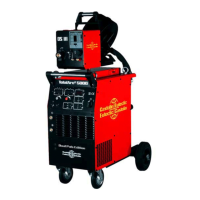
The arc-force parameter is for influencing the short-circuiting
amperage at the instant of droplet transfer.
If there are problems with rod electrodes tending to "stick", set
the arc-force parameter to a higher value.
Stage 0..... Soft, low-spatter arc
Stage 3..... Harder, more stable arc
40 A (factory setting)
27 A
13 A
0 A (no LED)
Fig.10 Rod-electrode welding: Arc-force parameter setting
I (A)
U (V)
Stufe
12 3
+13A +27A +40APre-set welding current Schweißstrom
Open-circuit voltage
0


 To Next Page