PAGE
23/24
www.evb.com
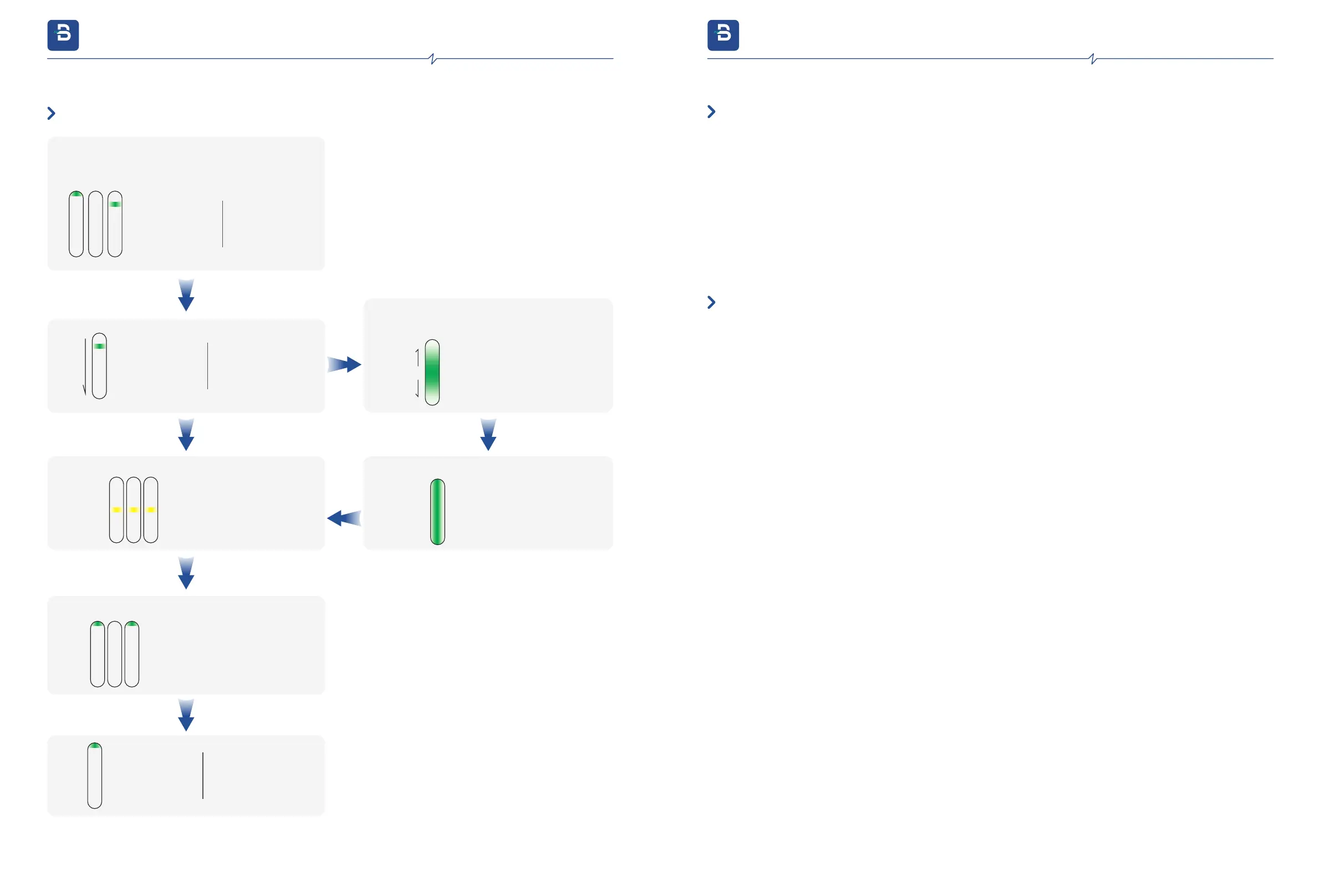
4.5. Firmware Update via OCPP Server
Download firmware
If the EV charger is charging, install the firmware after the
charging is completed.
Extend from the middle
to the ends
End charging
All green lights on
Install firmware
The yellow light lights
up three times
The update is complete, ready to reconnect to the network
Green light No. 1 flashes slowly
(on for 1 second,
off for 1 second).
Network connection
is successful.
Green Light
No. 1 breathing
or other
operating status
Green light
circularly flows
from top to
bottom
or other
operating status
The first and
second green
lights flash
alternately
or other
operating status
The server sends a firmware upgrade command to the EV charger
in the background, and when the set time comes, the firmware
starts to download.
5. Warranty
In order to ensure the normal service life of charging piles and reduce the risks in use, maintenance must be done within the specified time by
professionals with accredited safety maintenance tools.
Three-year free warranty is provided for any damage or malfunction caused by quality problems from the date of production of the
charger.
Damage caused by operation failure, natural force majeure, incorrect installation or instructions for use is not covered.
Repair can only be performed by professionals. If any problem occurs during installation or use, contact your dealer first.
6. Manufacturer self-declaration
1. In order to improve the stability of the charger, BENY will provide software updates for at least three years from the date of manufacture of
the charger.
2. The charger will not collect and save users' sensitive personal data, such as payment information, timestamped location data, audio input
stream or biometric data.
3. The manufacturer will not collect telemetry data of the charger through remote service.
●
●
●
5. Warranty
evb.com
4. Operating instructions
evb.com


 To Previous Page