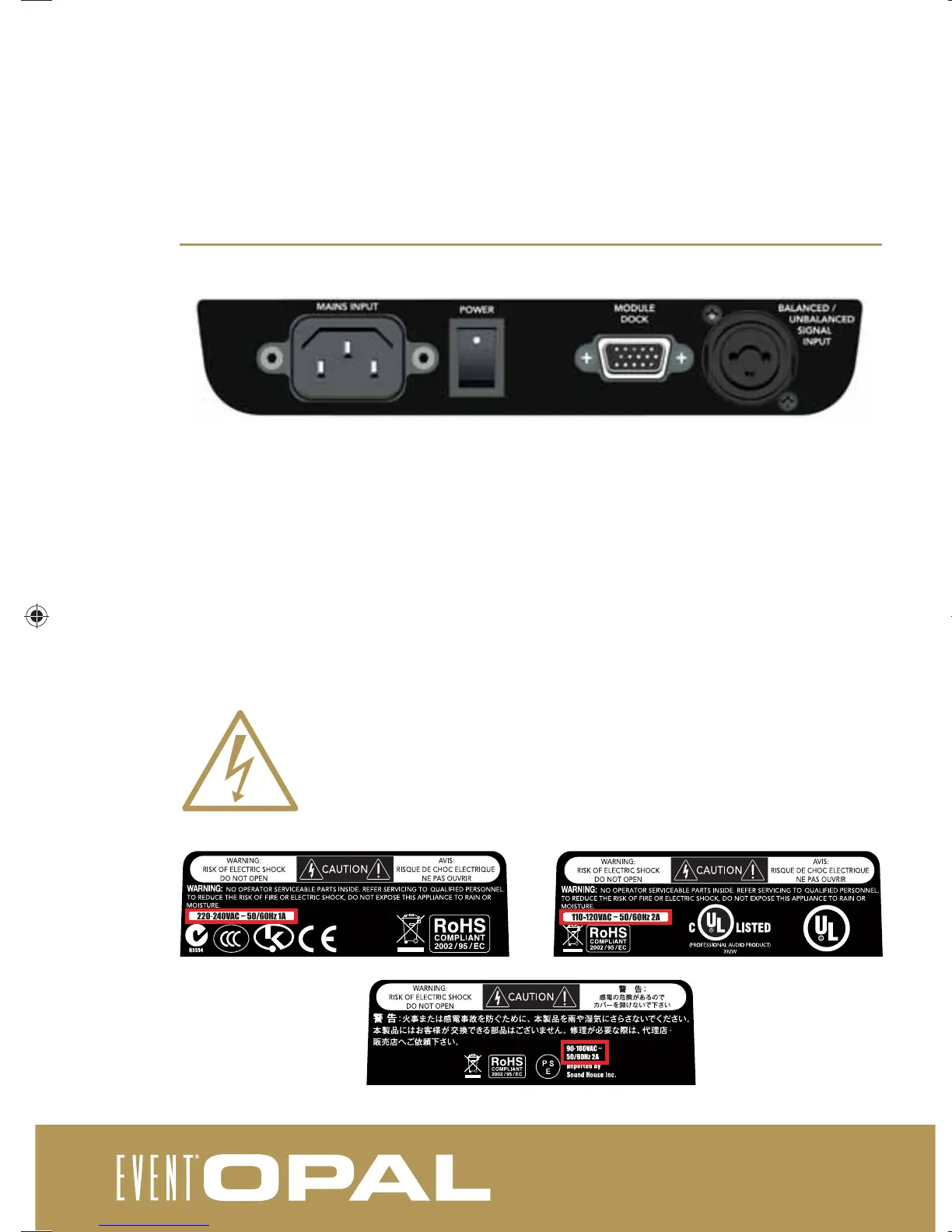
rear panel
Mains Input: Connect the mains supply here. Ensure that you use only the cable supplied or a genuine
EVENT replacement. Note that the amplifi er is not entirely disconnected from mains power unless this cable is
completely disconnected.
Mains Switch: Use the Mains Switch to turn the Opal on or off.
Module Dock: The Module Dock is a proprietary EVENT expansion Input/Output, allowing connection of the
Opal AES/EBU optional interface. If the module is connected, the expansion module status LED at the
bottom left of the front of the Opal will illuminate.
Balanced/Unbalanced Signal Input: The Opal allows for the input of a balanced or unbalanced line input.
The port accepts an XLR style cannon jack or a ¼” mono jack.
Please note that the Opal is fi xed to operate in the voltage range in the region that
it is sold in.
030-950-4-1_opal_user_manual.indd 10030-950-4-1_opal_user_manual.indd 10 19/12/2011 9:07:21 AM19/12/2011 9:07:21 AM



 To Next Page