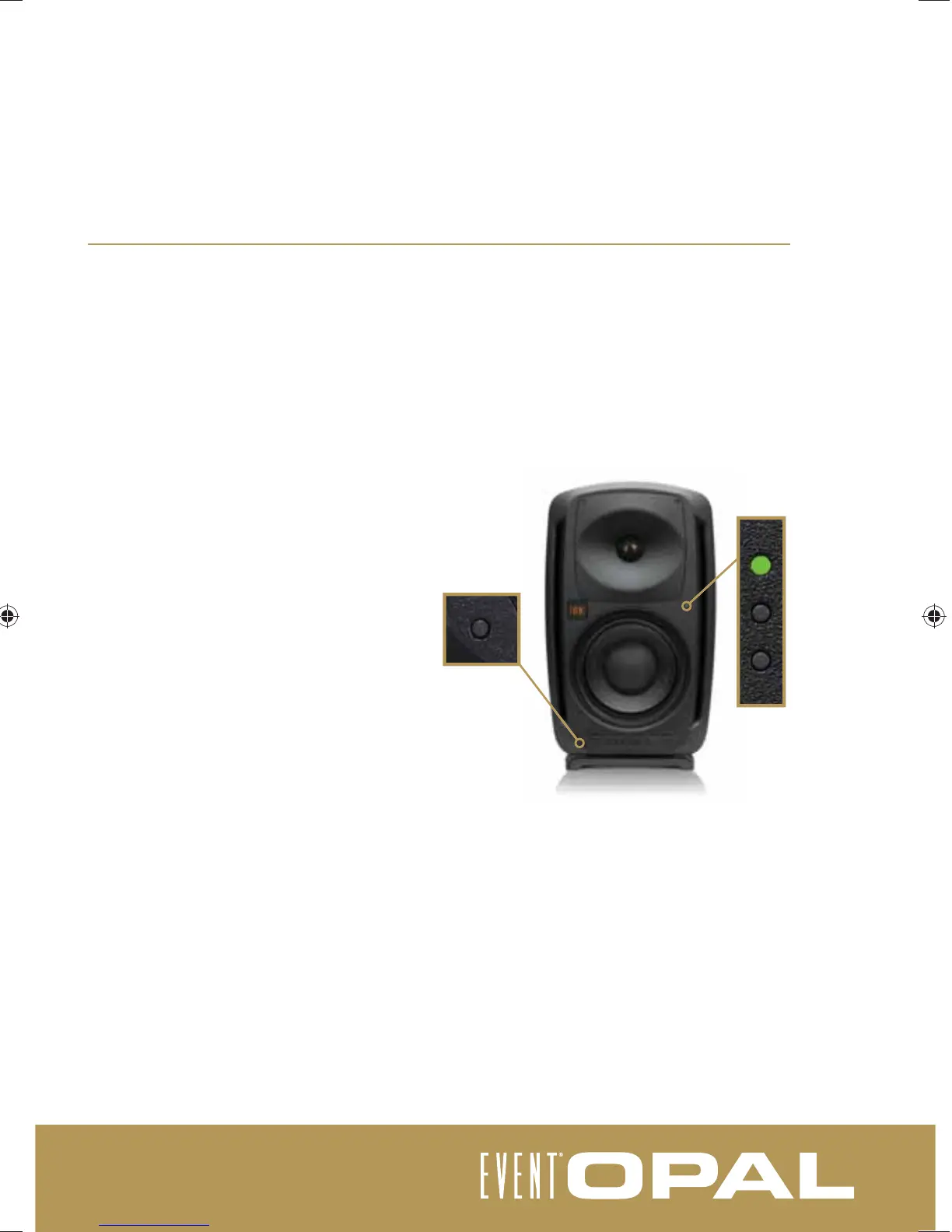
status LEDs
The EVENT Opal is an extremely powerful studio monitoring tool, therefore care needs to be taken when
listening. Professional monitoring should ideally be performed between 85-95dB. While the Opal provides
ample headroom above these levels, extended listening can cause permanent hearing damage as well as over
excurt the EVENT EX8 driver.
The Opal features four status LEDs to indicate the speaker and amplifi er status. It is important to familiarise
yourself with the function of these LEDs as they will communicate the status of your speaker and the inputs.
Startup sequence : When the Opal is fi rst switched
on and is running a self diagnosis, the output will
be muted and the middle LED will illuminate white
for twelve seconds, then fl ash for ten seconds.
Following this the Opal will be ready for use.
Top light (green/yellow): The top light will fl ash
green in indication of the input signal level. In the
event that the signal begins to overload the ampli-
fi er, the light will change to yellow.
This is intended as a warning only and it is up to
the listener to determine if the audio level needs
to be decreased.
Middle light (white/orange) : Following the
startup sequence, the middle light will only
illuminate white in the event of an
excessive input level. The Opal will
automatically attenuate output levels for ten
seconds to allow the operator time to
correct the source level.
The middle light will illuminate orange in the
event of excessive temperature, and the speaker output will automatically attenuate to allow the Opal to
reset. In this case it is important to lower the speaker temperature to reasonable level, after which the Opal
will automatically reset.
Bottom light (red) : The bottom light will only illuminate red in the event of a fault condition. In this case the
Opal requires factory service (see warranty information).
Operation of the AES/EBU expansion module status LED (blue) will depend on the actual module being
used. Consult the expansion module user guide for more information.
030-950-4-1_opal_user_manual.indd 11030-950-4-1_opal_user_manual.indd 11 19/12/2011 9:07:22 AM19/12/2011 9:07:22 AM



 To Next Page