LT-101A User’s Manual
Copyright © EVERFINE, Copy or spread without authorization is prohibited.
Users can set the print information in print options, users can choose whether to print
page number, the standard grade, user-defined eligibility estimating and also can
choose whether to print the input and output,data and waveform independently.
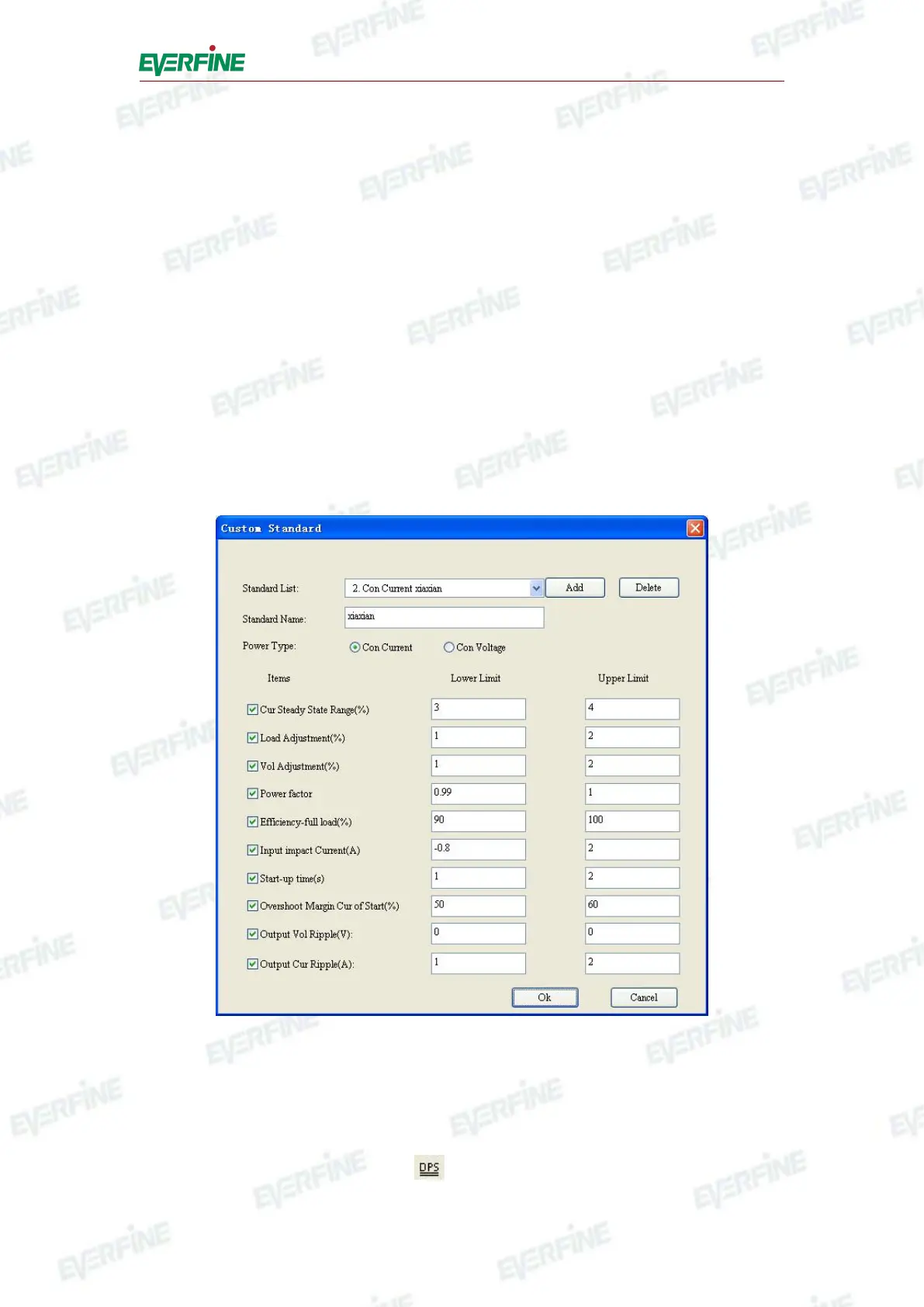
3. Set the limit value
Users can append, delete, modify and save the limit value, and also can define the
standard of the limits. Constant voltage type is only suitable for power supply with
constant voltage, and constant current type is only suitable for power supply with
constant current. Only the limits that have been selected will be eligibility estimated.
After modifying the limits, remember to save the new ones. Only users choose to
display eligibility estimating, the instrument will make the estimation according to the
limits, shown as Fig.6.5.
Fig.6.5 Set limit value
6.3.4 Control software
Click "menu" in tool menu or click button in toolbar, users can open the control



 To Next Page