ECOR960 4F2 / 8F2 / 16F2
6.9.4 User Management
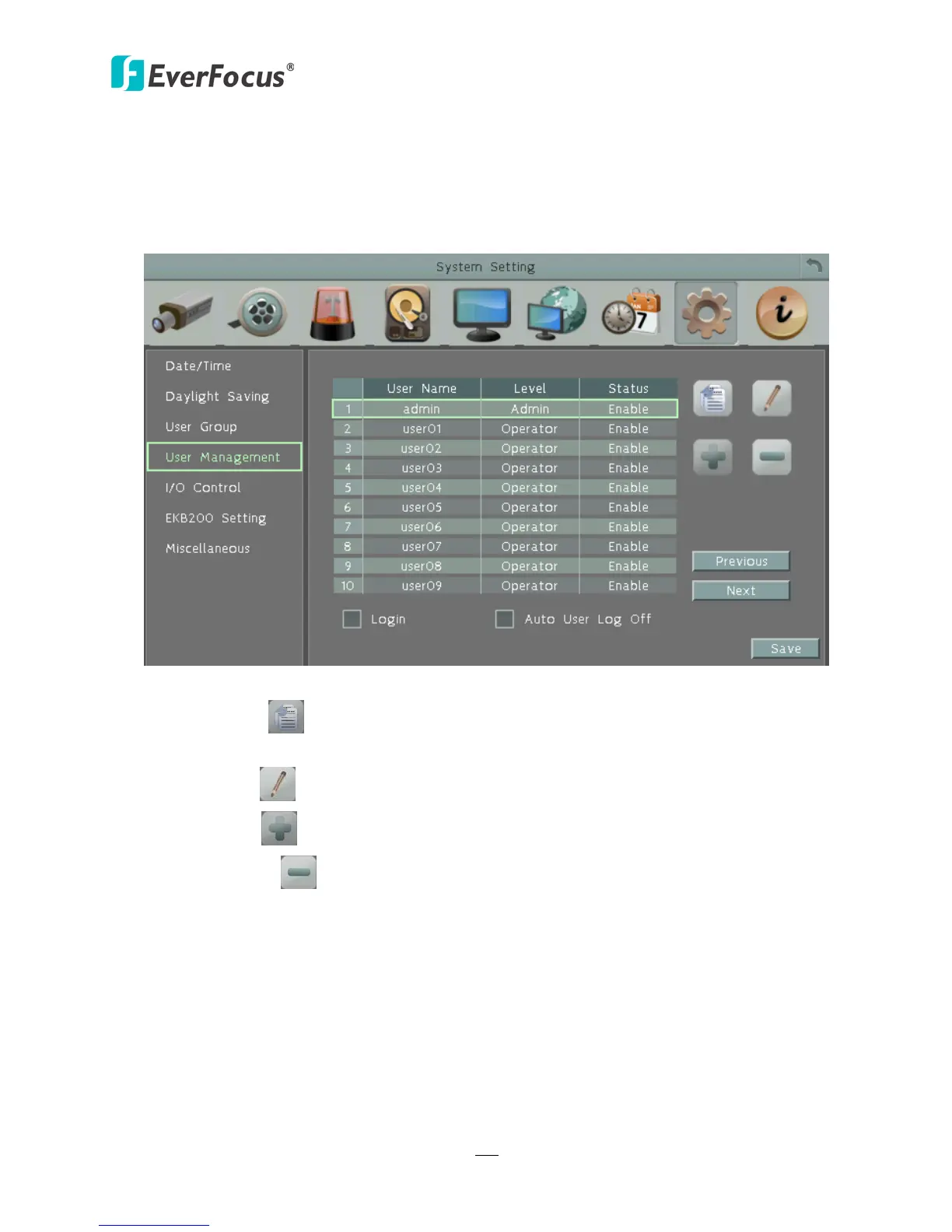
You can create multiple user accounts (max: 20 user accounts) with different privileges. The
DVR has default user accounts which you can choose to copy, edit, add or delete, and the
default password is 11111111.
Figure 6-39
Copy: Click the button to copy the settings of an existing user account to a new user
account.
Edit: Click the button to edit the settings of an existing user account.
Add: Click the button to add a new user.
Delete: Click the button to delete
Login: Check the box to enable the User Login function after logging out the DVR. For details
on logging in the DVR, please refer to 3.3.1 Login.
Auto User Log Off: Check the box to automatically logoff the DVR after 3 minutes of inactivity.
Previous: Click to return to the previous page.
Next: Click to enter the next page.
Apply: Click to apply all the settings.















 To Next Page