ECOR960 4F2 / 8F2 / 16F2
7.3.2 Enabling ActiveX Controls
Note this section is only necessary if you DO NOT see the image (Figure 7-8) popping up when
you first connect to the DVR.
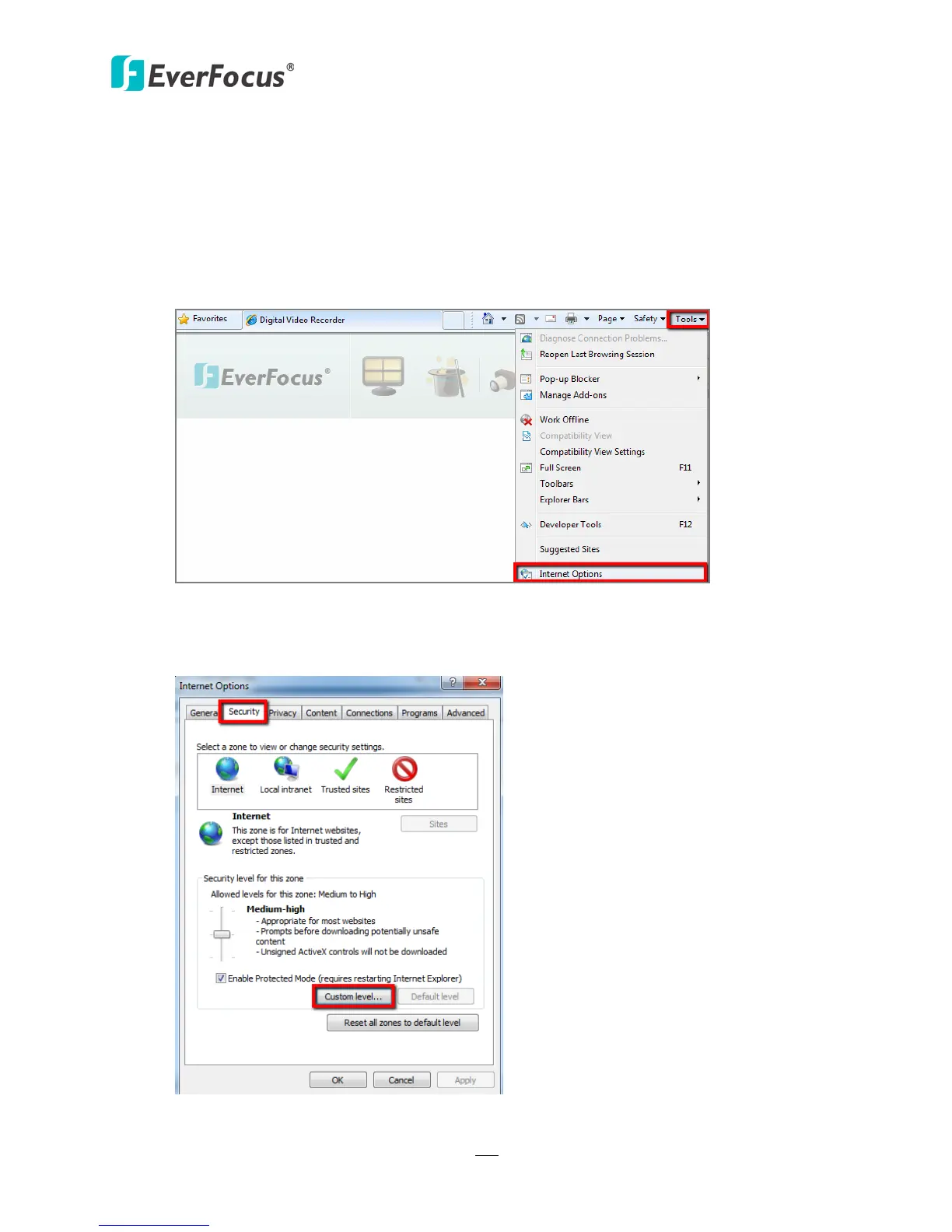
1. At the top of the Internet Explorer Window, click on Tools and then select Internet
Options.
Figure 7-11
2. Click the Security tab at the top of the window and then click Custom Level….
Figure 7-12















 To Next Page