Installation Instructions
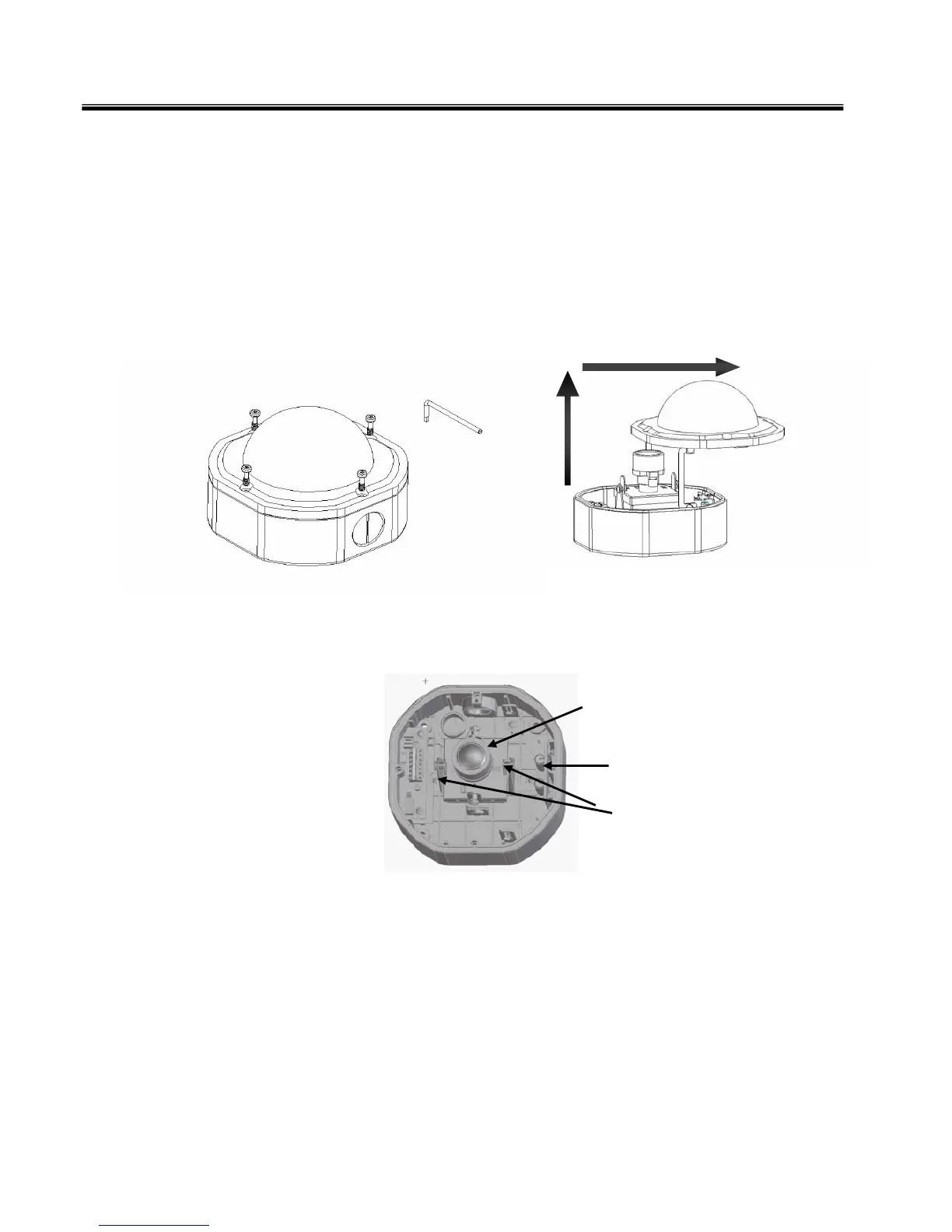
1. Loosen the 4 fix screws on the housing cover by using the provided
wrench (Figure 1). Carefully uncap the housing cover as the direction
shown below (Figure 2); please pay attention not to damage the lens. To
remove the housing cover, push the hinges to the bottom of the bracket,
the hinges can be easily removed from the bracket.
Figure 1
Figure 2
2. Remove the camera.
Vari-Focal Lens
Locking Screws
Heater
Figure 3
To remove the camera, first unplug the wire connection on the back of
the camera. Then loosen the 2 locking screws on the camera base, push
the camera base to the right (toward heater direction, as shown in Figure
3), remove the camera from the mounting base. Reinstall the camera and
the cable while the base mounting is completed.
4


 To Next Page