12
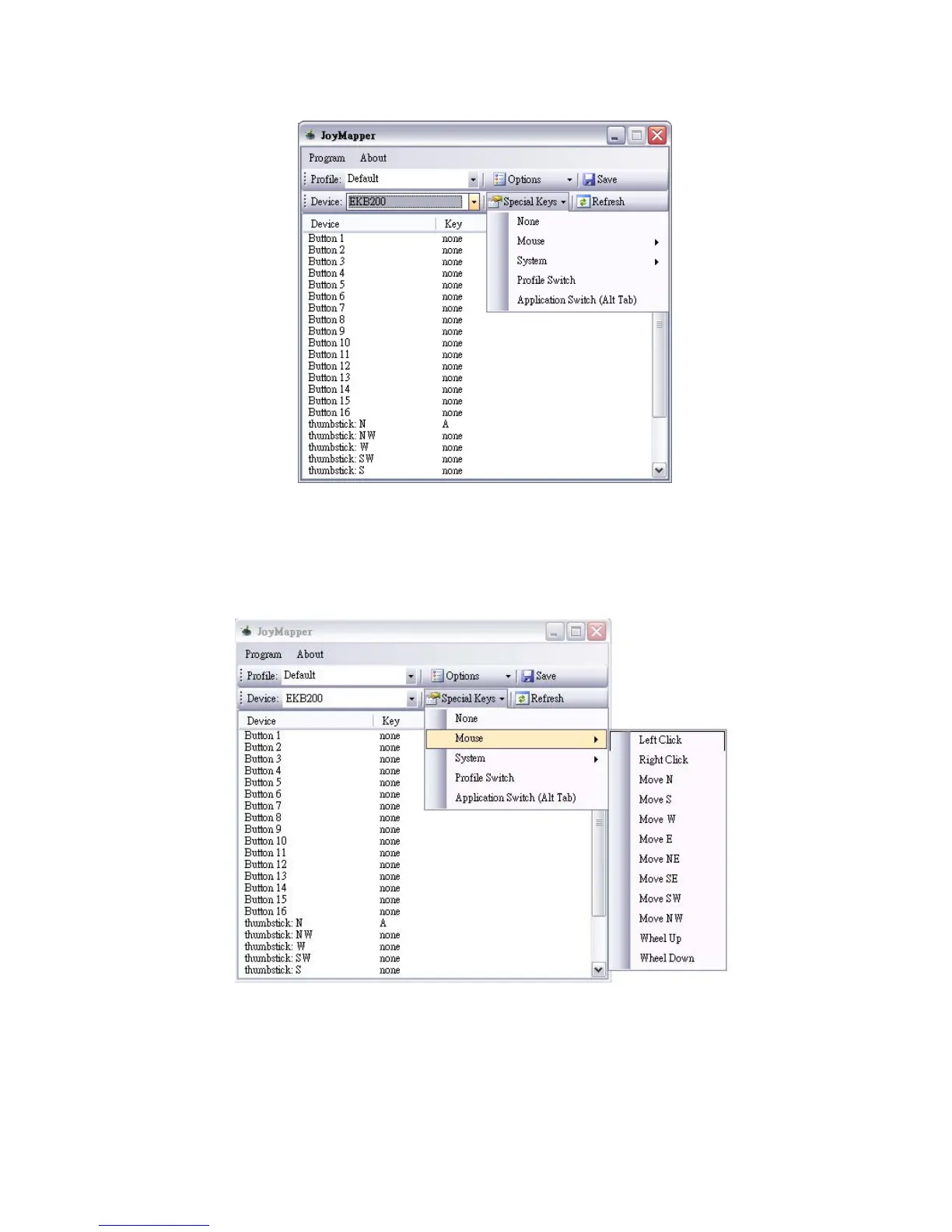
None:
Set the device as none if you are not using a special key for the device.
Mouse:
Set mouse definition for the device. For example, for button 1, if you wish to set it as a left
click button, select left click and mouse definition will be shown in “key” column:
System: Set system function for the device. There are 4 system functions available: power off,
suspend, hibernate, log off and reboot. For example, for button 2 if you wish to set it as a
power off button, select power off and system function will be shown in “key” column.



 To Next Page