4
INSTALLATION
3.1 USB - Connection
Connect the USB-cable to the USB port of the PC or device, which supports EKB-200.
The EKB-200 is compatible to USB 1.1 and USB 2.0 interfaces. The EKB-200 will be detected by PC as
"USB, 3-Axis, 16 button gamepad".
3.2 Sunk-In Desk Installation
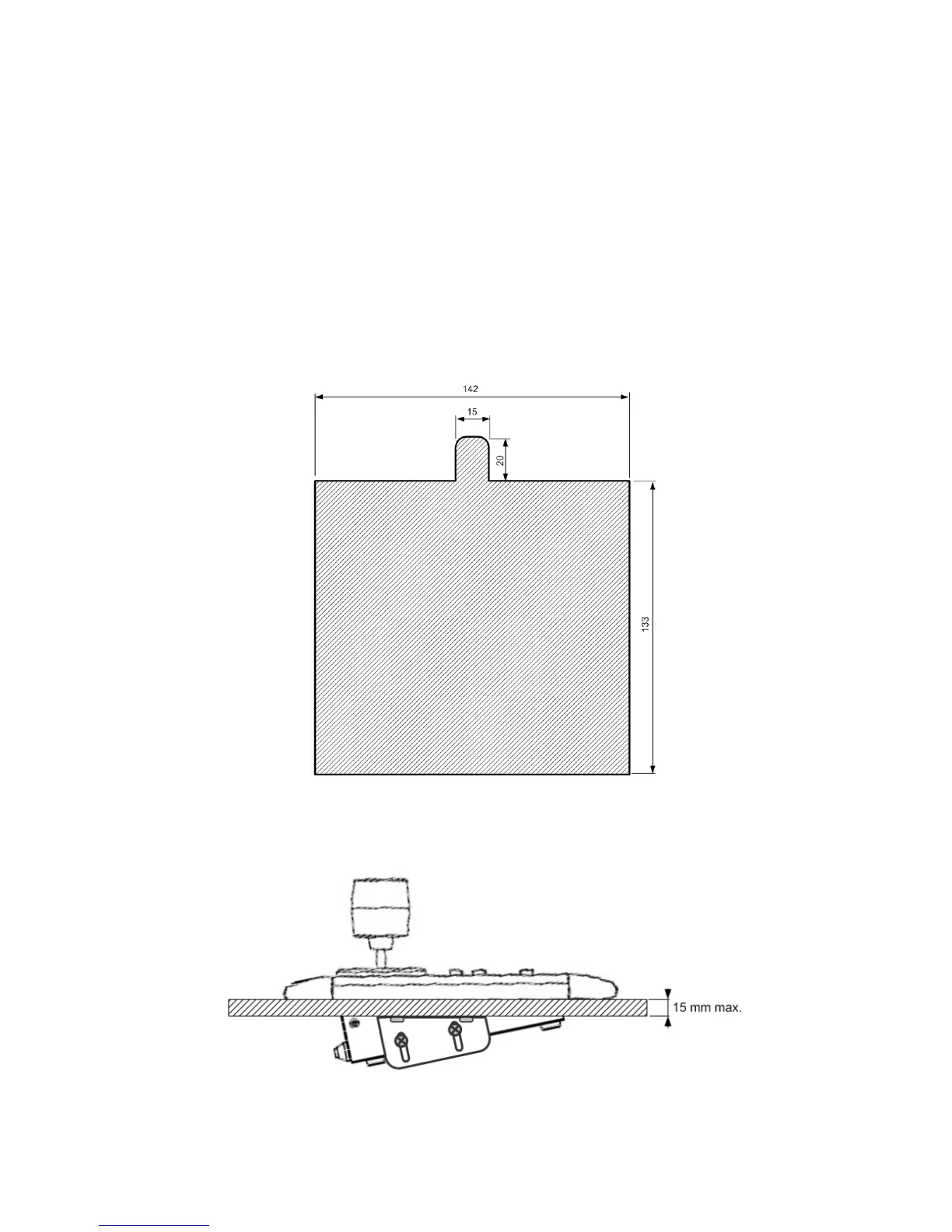
For sunk-in mounting is a cut-out in the panel required. The minimum dimensions are shown in drawing
below:
The fixation brackets in the package support a mounting in panels with a maximum thickness of 15 mm.
The drawing shows the mounting position of the fixation brackets.
Front
Back



 To Next Page