ELUX16x2 FHD Hybrid DVR
12
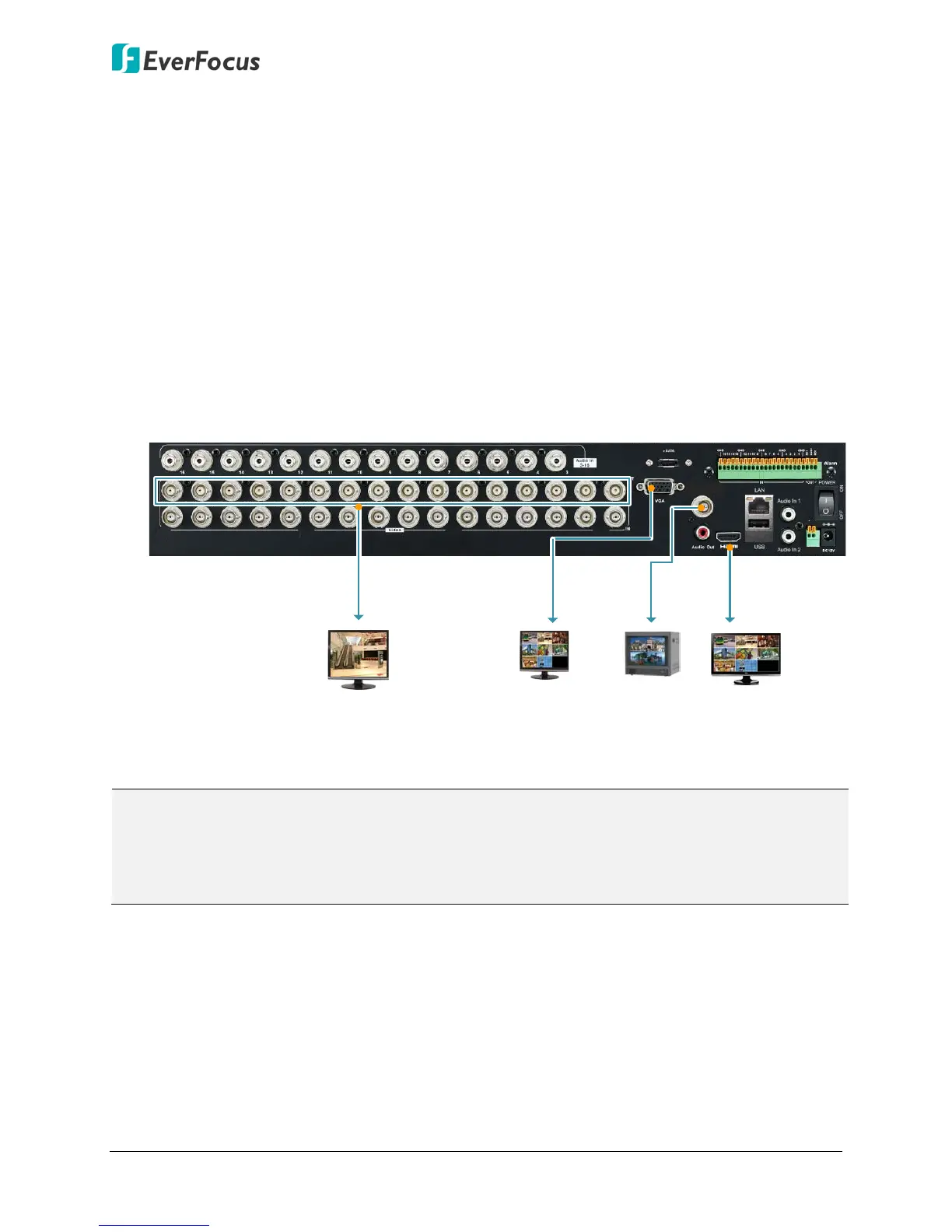
3.1 Monitor Connection
Connect the monitor to the CVBS, HDMI or VGA port on the rear panel of the DVR. The
ELUX16x2 DVR provides 2 main monitor outputs (HDMI and VGA); and 1 call monitor output
(BNC) with identical functionality.
The main monitor outputs can deliver full HD output resolution (1920x1080, progressive, 60 Hz.
vert., 68 KHz hor.). The call monitor can display camera streams or perform sequence display
mode. Both of the 2 main monitor outputs provide the identical functionality and can be
operated simultaneously. Make sure that the connected monitor's specifications comply with
the resolution requirements. To configure the monitor setting, please refer to 6.6 Display
Setting in the User’s Manual.
You can also optionally connect the monitors to each Loop Video Output to display the video of
the corresponding channel.
Rear View
Main Monitor
(VGA)
Main Monitor
(HDMI)
HDMI
Cable
VGA
Cable
CVBS
Cable
Call Monitor
(CVBS)
BNC
Cable
Loop Video Output
1~16 (BNC)
CVBS
RS485
+ -
Note:
1. The connected monitors’ specifications must comply with the resolution requirements.
2. Do not exceed the max. HDMI cable length of 15 meters. The standard HDMI cables can
support cable length up to 3 meters. For longer distances, such as 15 meters, it is highly
recommended to use high quality HDMI cables.












 To Next Page