ELUX16x2 FHD Hybrid DVR
15
5. Checking the Dynamic IP Address
You can look up the IP address and access the Web interface of the DVR using the IP Utility (IPU)
program, which can be downloaded from EverFocus’ Website:
http://www.everfocus.com/HQ/Support/DownloadCenter_p1.aspx. Please connect the DVR in
the same LAN of your computer.
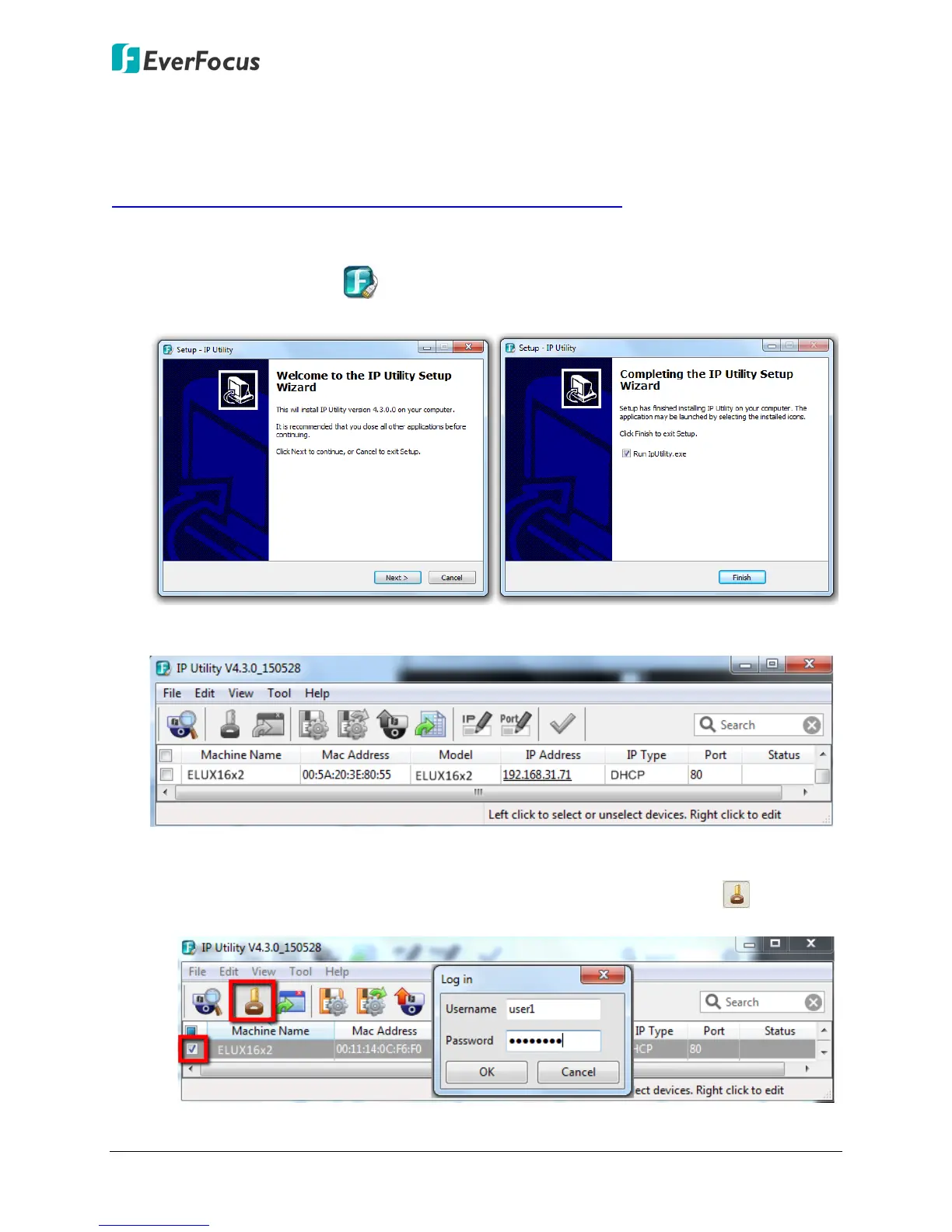
1. Save IP Utility Setup.exe in your computer. Double click the .exe file and follow the
on-screen instructions to install the IP Utility.
2. Click the Finish button, the IP Utility will be automatically launched to search the IP devices
connected on the same LAN.
3. To optionally configure the Machine Name, IP Address, IP Type or Port Number using the
IPU:
a. Log in the DVR by checking the desired model and then click the Log in icon. The
Log in dialog box appears.












 To Next Page