ELUX16x2 FHD Hybrid DVR
1
1. Overview
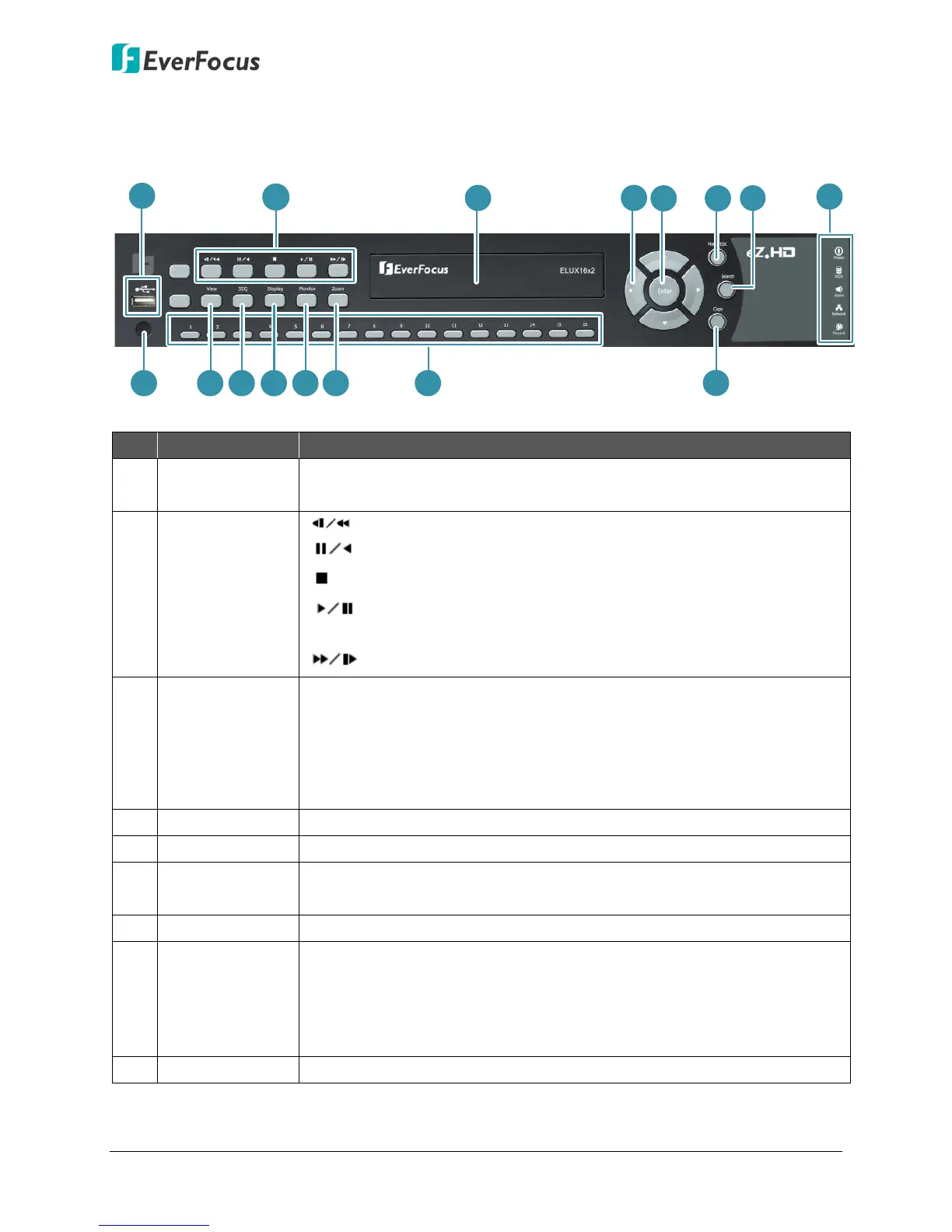
1.1 Front Panel
No. Name Description
1 USB2.0 Port
The USB2.0 port for connecting to a mouse, external storage device or
EKB200 keyboard.
2 Control Buttons
: In Playback mode, press to play in fast reverse.
: In Playback mode, press to pause / play in reverse.
: In Playback mode, press to exit playback mode.
: Press to enter Playback mode. In Playback mode, press to
pause / resume playback.
: In Playback mode, press to play in fast forward.
3
DVD Burner
(optional)
Use the DVD Burner for archiving the recordings from the DVR. It’s
highly recommended to use a DVD+R with 4x or higher speed disc for
recording. To open the DVD tray, please refer to 4.7 Archiving the
Recordings or Log Data to the USB or DVD in the User’s Manual. To
close the tray, just gently push it and it will be automatically closed.
4 Arrow Buttons Use these arrow buttons to change the Menu settings.
5 Enter Press to enter.
6 Menu / ESC
In Live mode, press to enter the Main OSD Setup Menu. In Setup
mode, press to exit or return to the previous setup menu.
7 Search Press to enter the Search Setup menu.
8 LED Indicator
Power: Indicates the power is on.
HDD: Indicates the internal Hard Disk is activating.
Alarm: Indicates an alarm input is triggered.
Network: Indicates the network is connected.
Record: Indicates the DVR is recording.
9 IR Receiver Receive signals from IR remote control.












 To Next Page