ELUX16x2 FHD Hybrid DVR
2
10 View
In Live mode, press to switch to the layout type for displaying the
channel feeds.
11 SEQ
Press to enter the automatic sequence mode. This will show each
channel feed in sequence. Press again to exit sequence mode.
12 Display
Press to cycle between the info display types (channel and status bar
info).
13 Monitor In Live mode, press to switch between Main and Call Monitor.
14 Zoom
In Live mode, press to zoom the display of a channel. Press the
Menu/ESC button to exit Zoom mode.
15
Channel
Buttons
Select the full screen channel in live mode.
Select the full screen channel in playback.
16 Copy Press to enter the Copy Menu.
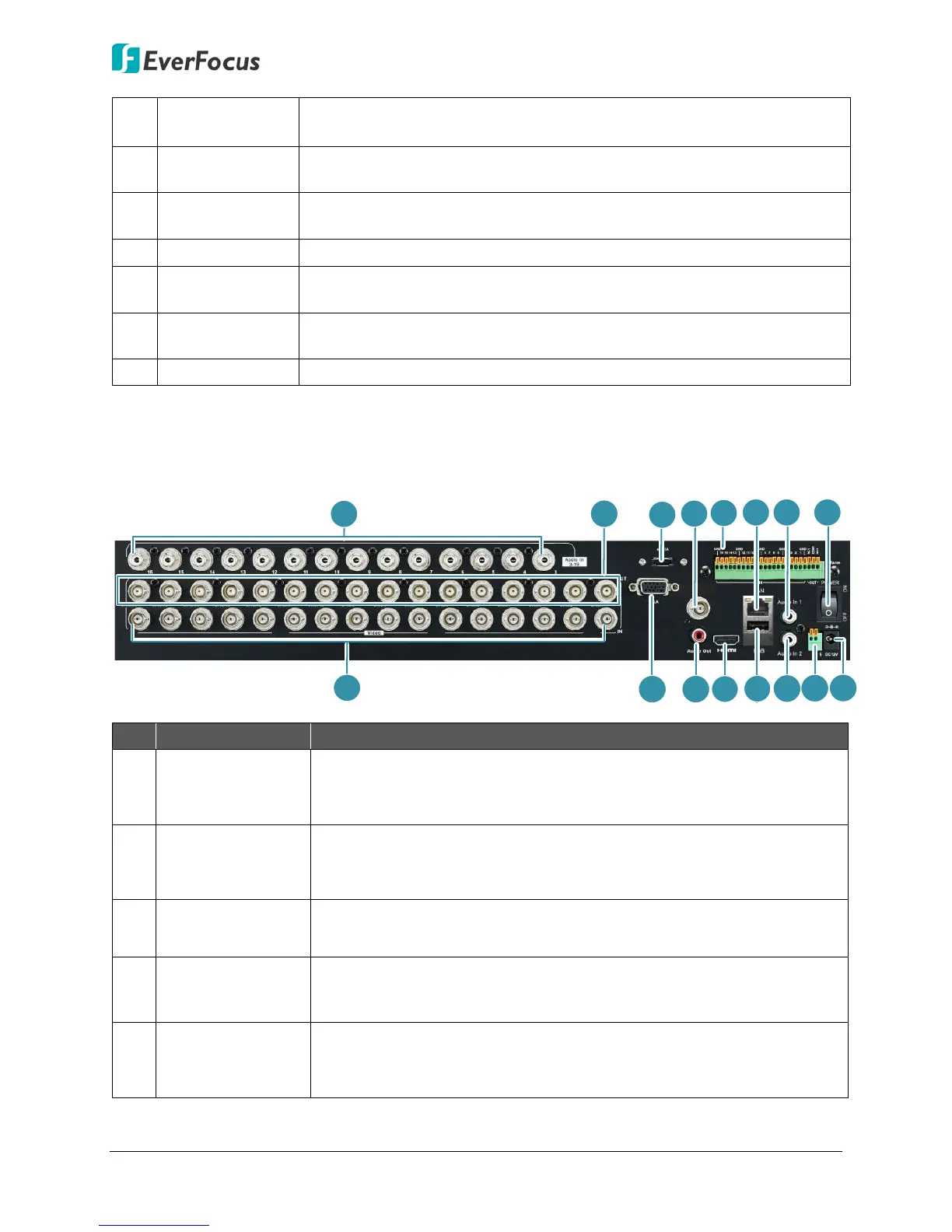
1.2 Rear Panel
CVBS
1
8
2
3
5
7
11
1
14
12
6
1
10
9
4
RS485
+ -
13
No. Name Description
1
Audio Input 1~16
(RCA)
Connects to the audio input devices such as microphones. Note that
the microphone with a (built-in) amplifier and external power supply
is required.
2
Loop Video
Output 1~16
You can also optionally connect the monitors to each Loop Video
Output to display the video of the corresponding channel. Please
refer to 3.1 Monitor Connection.
3 eSATA Port
Connects to an external eSATA storage device, please set up an RAID
array of the eSATA device before using.
4 CVBS Port (BNC)
This can be used as a Call monitor output. Connects to the monitor
using a BNC cable (see 2.3.1 Monitor Connection).
5 Alarm Input /Out
Connects up to 16 alarm inputs and 1 alarm output devices. You can
also connect to the radio-controlled clock for time synchronization.
Please refer to 2.3.2 Alarm I/O.












 To Next Page