ELUX16x2 FHD Hybrid DVR
17
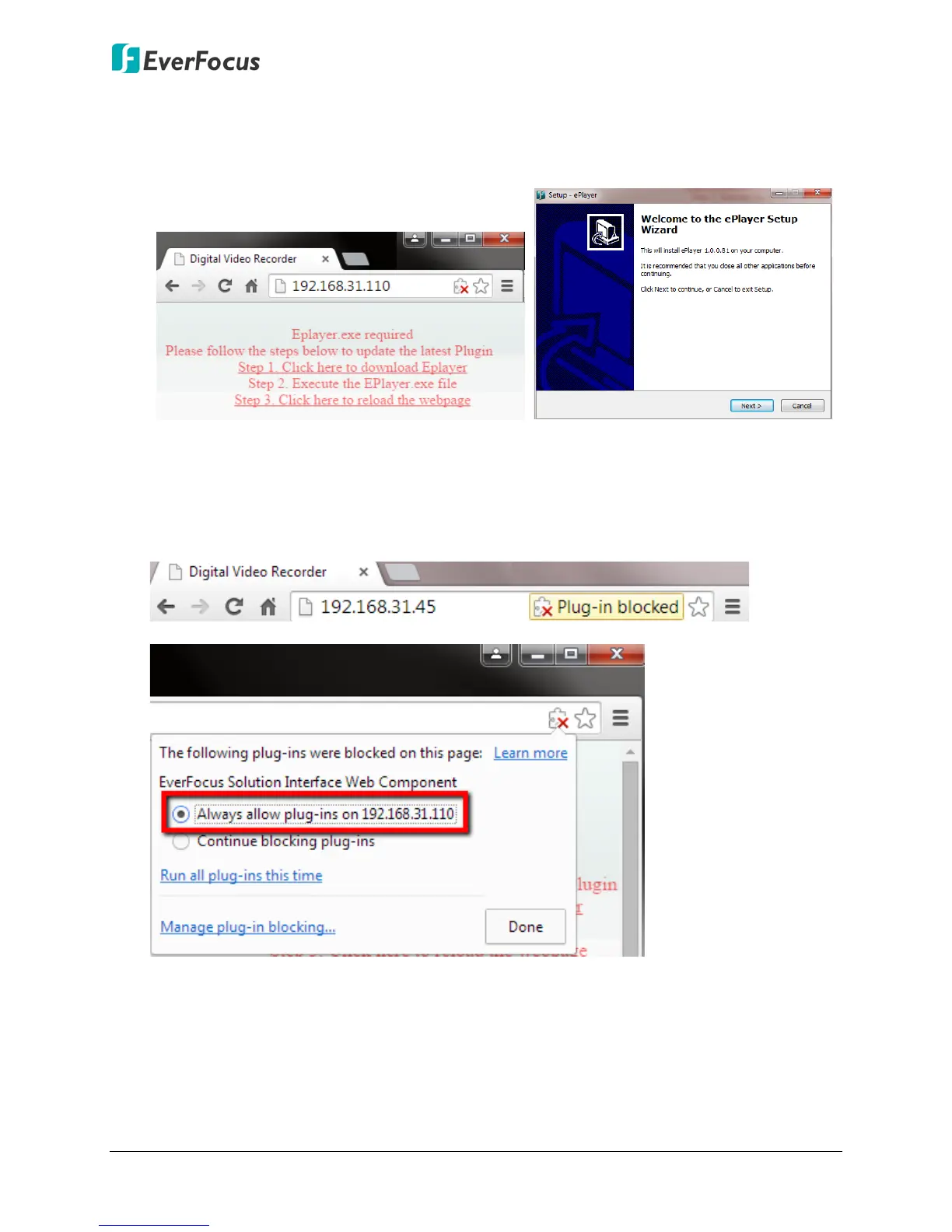
5. If you log in for the first time, follow the instruction steps on the interface to update the
latest Plugin version (ePlayer). After reloading the webpage, the login window pops up
again. Type the user ID and password to log in again. By default, the user ID is admin and
the password is 11111111.
Note for the first time login:
The “Download ePlayer Instruction” page will only be prompted for the first time login in
order to update the system to the latest plugin version.
When the Plug-in blocked appears on the browser, select Always allow plug-ins on xxx,
click Done and then reload the webpage.
6. Now you will be able to see the remote live page.












 To Next Page