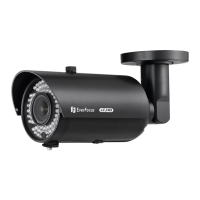
EZH5102 1080p Mini IR Bullet Camera
6. Access the camera live view to adjust the camera angles.
a. Loosen the screw (1 arrow) to rotate the Camera body, and then tighten the
screw.
b. Loosen the screw (2 arrow) to adjust the tilt angle, and then tighten the screw
7. Connect the camera to a DVR or HD monitor using the BNC Cable.
Push the Joystick up / down to select
among menu items.
Push the Joystick left / right to adjust
the level of the selected item.
Press the Joystick to enter the submenu
or exit the OSD Setup Menu.
This Manual:http://www.manuallib.com/everfocus/eqh5102-mini-ir-bullet-camera-manual.html


 To Next Page