EZN268
14
5.4 LiveViewWindow
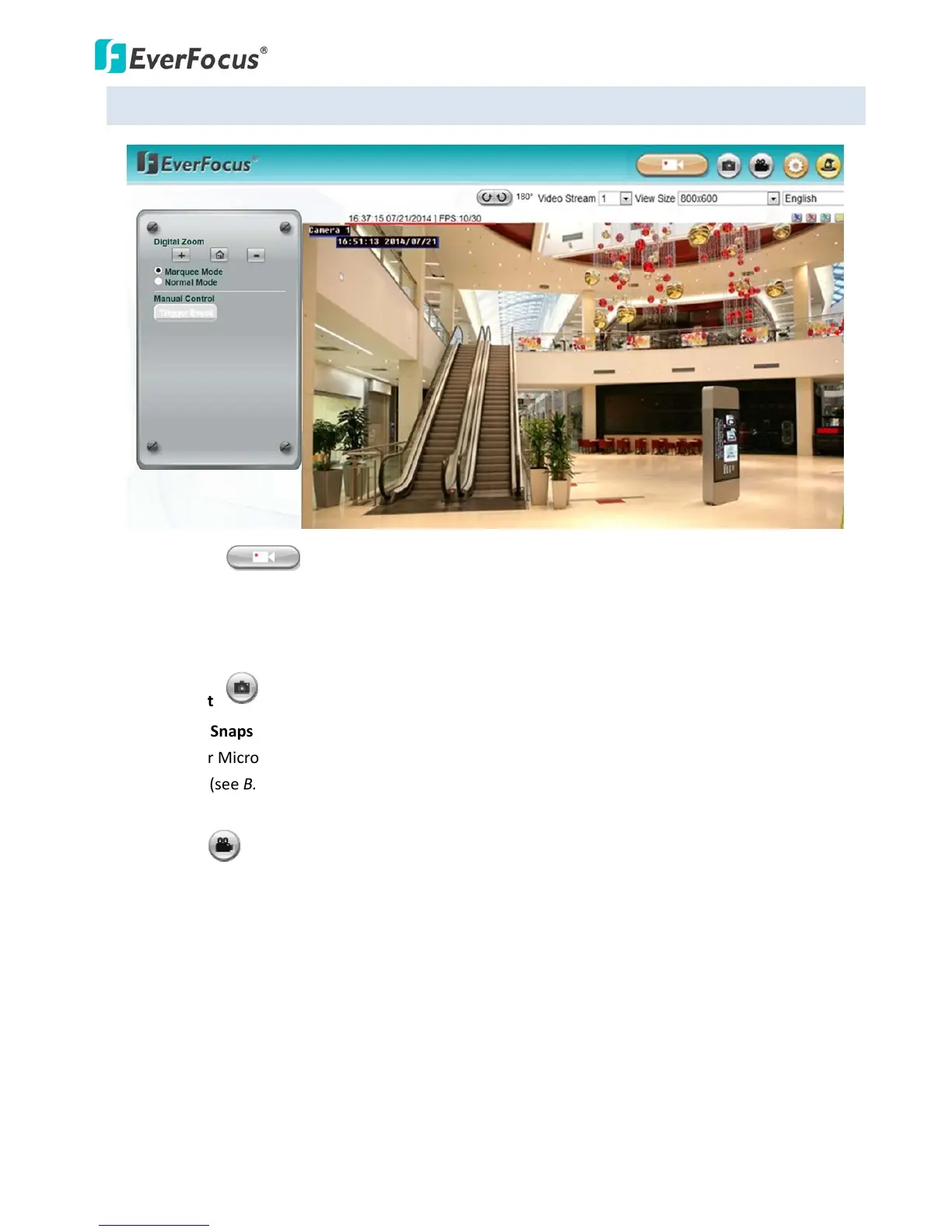
1. LiveView
ClicktheLiveViewbuttontodisplaytheLiveViewwindow.Ifyouexperiencevideofeedlagtime(if
connectedviaInternet),youcanreducetheresolutionorlimitthenumberofstreams.See6.2.1
Streaming.
2. Snapshot
ClicktheSnapshotbuttontotakeasnapshot.
Note:ForMicrosoftIE10andaboveusers,somesett
ingshavetobecompletetoenablethis
function(seeB.Snapshot/Recorderrormessagein9.Troubleshooting).
3. Record
ClicktheRecordbuttontostart/stoprecordingthecurrentvideostream.Bydefault,thisiconis
onlyforone‐minutevideorecordingandtherecordingswillbesavedatC:\Eve
rFocus\.Tochange
therecordingtime,seeFileSizein6.1.3Storage.Tochangethelocation,seeRecordtoLocalin6.1.3
Storage.Torecordlong‐periodrecordings,pleasesetuparecordingschedule(ScheduleSettingsin
6.3.2Event).Tochangethe sourcevideostreamandrec
ordingformat,seeRecordingandSnapshot
Settingsin6.1.3Storage.
Note:ForMicrosoftIE10andaboveusers,somesettingshavetobecompletetoenablethis
function(seeB.Snapshot/Recorderrormessagein9.Troubleshooting).


 To Next Page