EZN268
64
1. Complete the installation of the IP cameras, routers/ switches and computers (refer to diagram above).
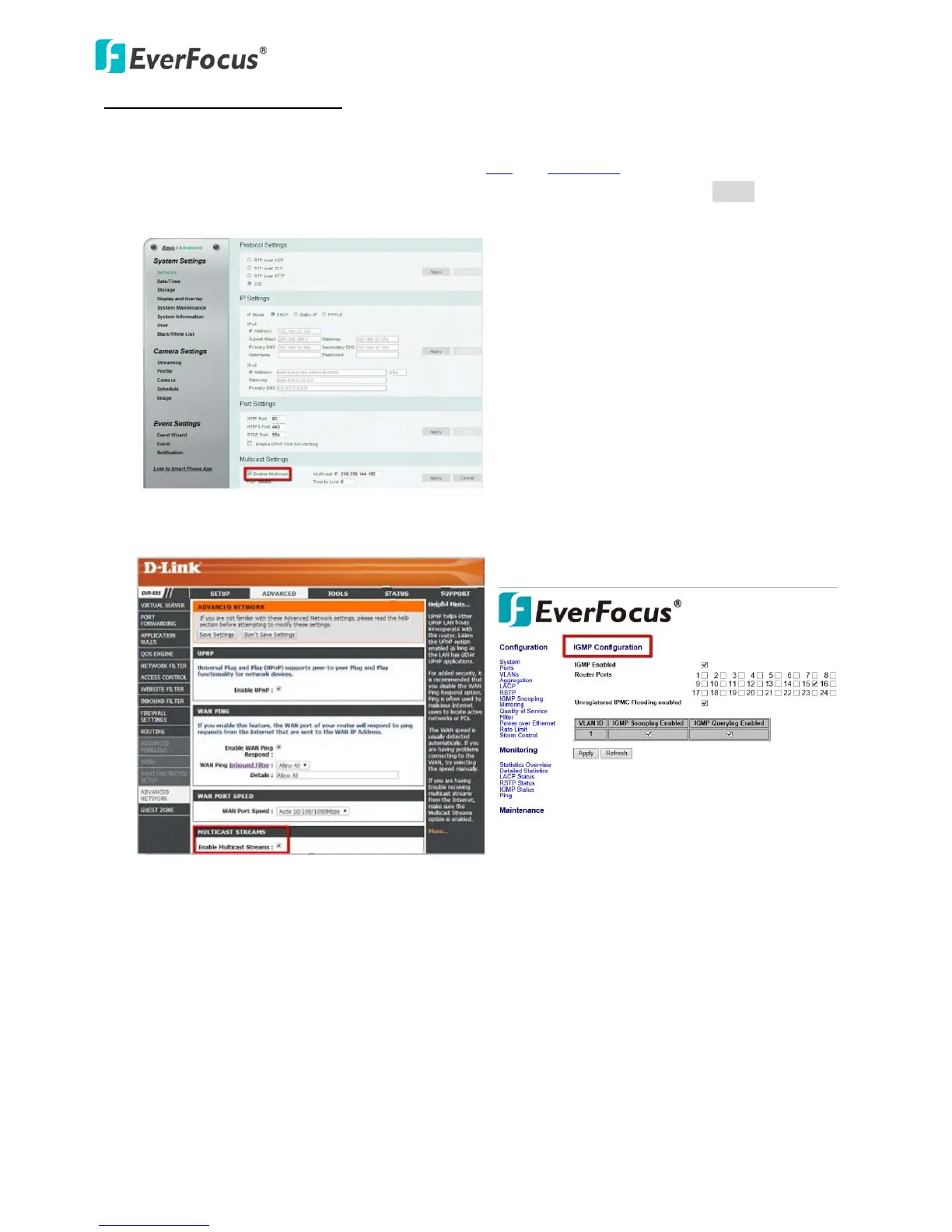
To enable the Multicast Function:
2. Install VLC and Wireshark in your computer. Click VLC and Wireshark to download.
3. Access to the Web UI of the IP camera to enable the Multicast function. Click the Apply button to save
the setting. (Advanced tab > Network> Multicast Settings> Enable Multicast)
4. Go to the setting page of the router/switch to enable the Multicast function.
Here we use a D-Link DIR655 router and EverFocus 24-port switch for example.
5. The Multicast function setup is now complete.


 To Next Page
 Loading...