38
Turning the Appliance O
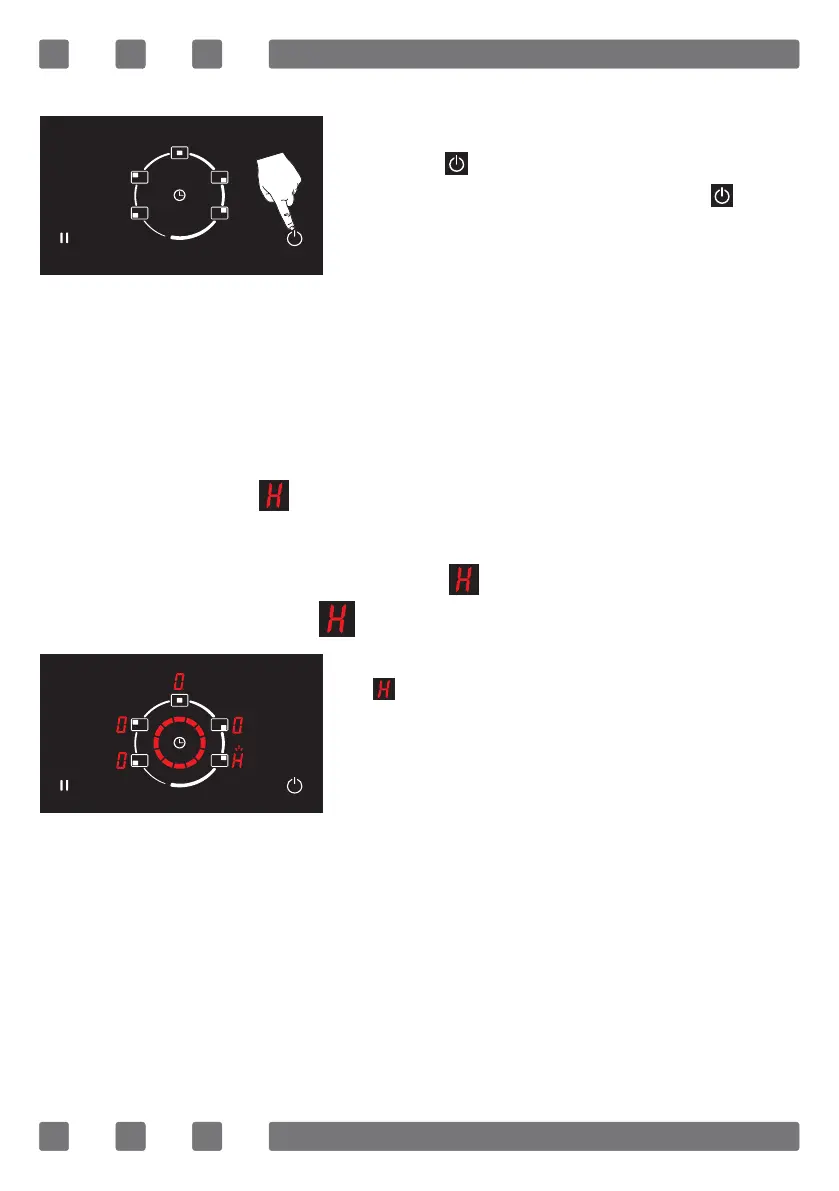
The unit is switched o by pressing the
on/o ( ) button. You may switch o
the appliance by pressing the ( ) key
even if the child lock is activated. (See Fig.
4)
WARNING: Appliance remains active for 10 sec-
onds without being used. If there is no cooking level
or selected timer in this time interval, the appliance
shall automatically switch to “o mode” with a beep.
WARNING: If symbol is ashing on any of the dis-
plays of the cooking area indicators, the appliance switch-
es o automatically when the symbol disappears.
Residual Heat Display
If symbol is ashing on the displays of
the relevant hob indicators it means the
relevant hob is still hot. It can be used to
heat a small amount of food. (See Fig. 5)
WARNING: Residual heat display does not light
up, and thus warn the user against heat in case of a
power outage.
WARNING: The residual heat indicator of each
cooking zone remains active until the measured glass
temperature is lower than + 65 °C.
Figure 4
Figure 5



 To Next Page