39
Using the Cooking Areas
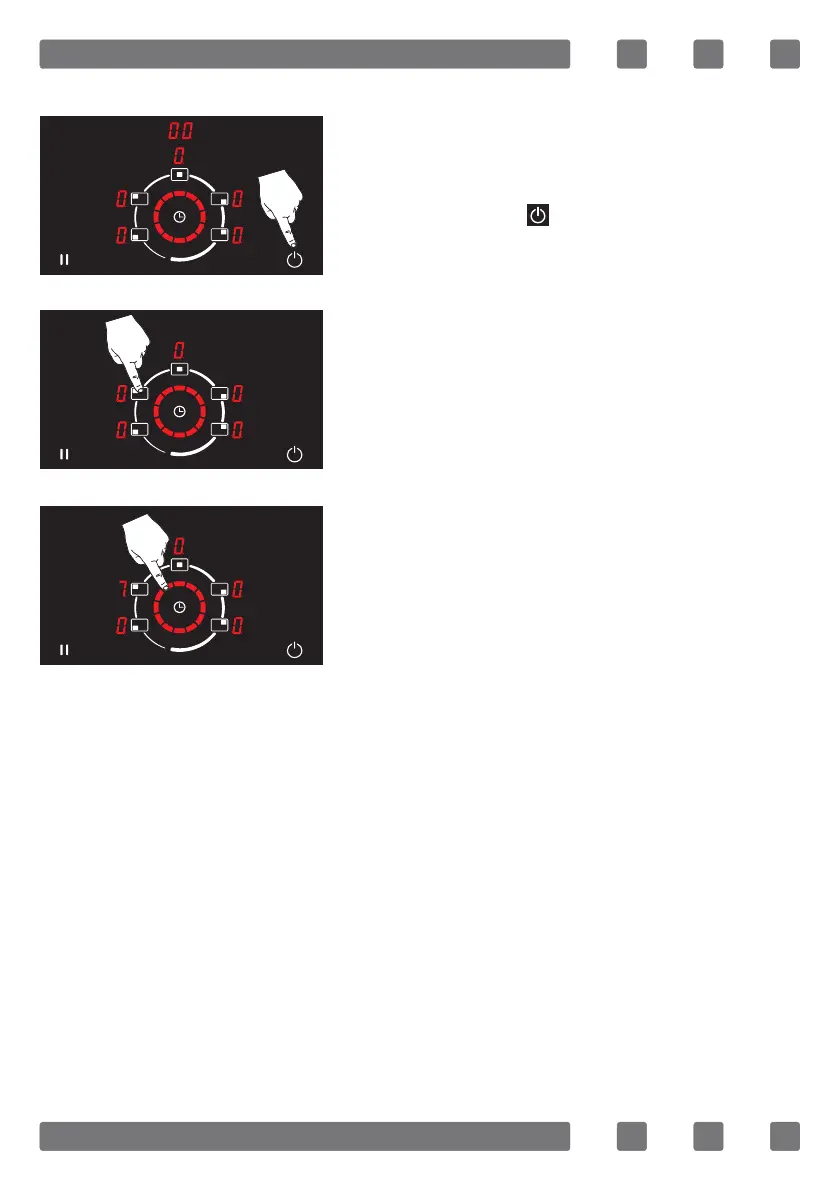
The appliance is turned on by pressing
the on/o key ( ). (See Fig. 6)
The cooking area is selected to cook. (See
Fig. 7)
The temperature level of the cooking area
may be adjusted between 1-9 by using
the rotating slide touch control icon. (See
Fig. 8)
IMPORTANT NOTE: When the rotating slide touch control is used
clockwise, the power level of the cooking area increases, while when
it is used counter-clockwise, the power level of the cooking area de-
creases.
Note: The power level range 0-1 can be used to keep food warm.
Figure 6
Figure 7
Figure 8



 To Next Page