40
Turning the Cooking Areas O
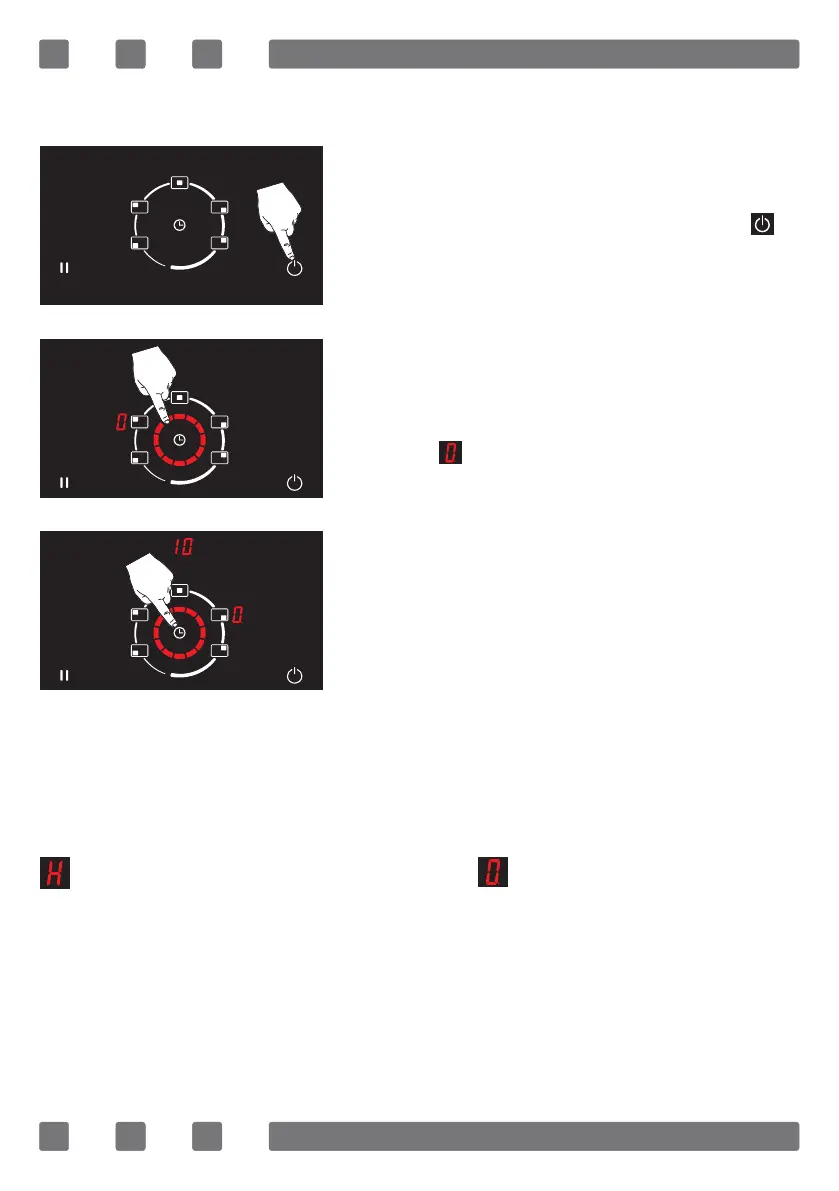
A selected cooking area may be turned o in 3 ways;
1. A selected cooking area may be turned
o by pressing the on/o button ( ).
(See Fig. 9)
2. After selecting the relevant cooking
area, it may be turned o by adjusting the
temperature of the cooking area to the
level of using the rotating slide touch
control. (See Fig. 10)
3. You may turn the cooking area select-
ed o by setting a timer. When the set
time has expired, the cooking area set au-
tomatically switches o with a beep. (See
Fig. 11)
WARNING: The timer duration can be set up to a
maximum of 99 minutes.
WARNING: If the cooking area is hot, the symbol
ashes on the display. The symbol is displayed
if the cooking area is not hot.
Figure 10
Figure 9
Figure 11



 To Next Page