50
Start / Stop Function
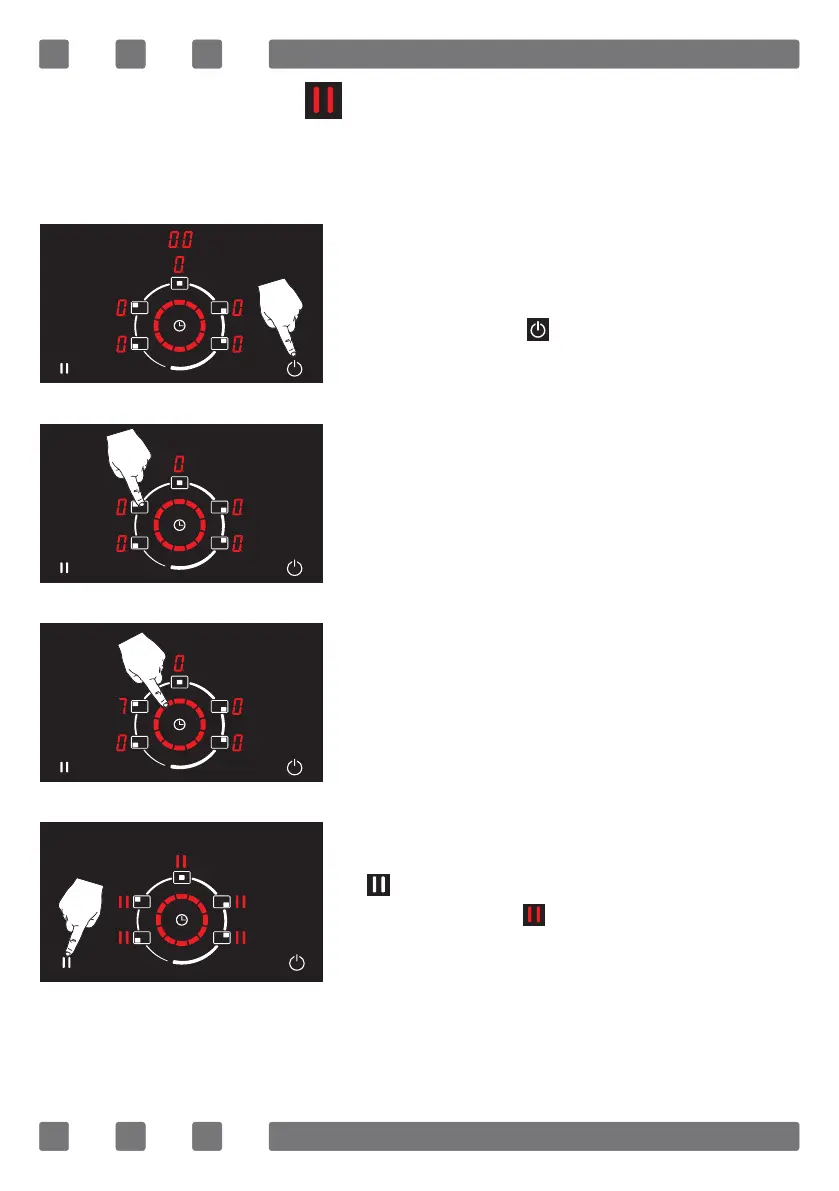
The stop / start function allows to temporarily stop the cooking pro-
cess and restart it after a certain time.
To activate the start / stop function;
The appliance is turned on by pressing
the on/o key ( ). (See Fig. 37)
The cooking area is selected to cook. (See
Fig. 38)
The temperature level of the selected
cooking area is adjusted between 1-9
by using the rotating slide touch control
icon. Optional time setting can also be
made. (See Fig. 39)
By pressing the start / stop button
( ), cooking and, if made, time setting
is stopped and is displayed on all dis-
plays. (See Fig. 40)
Figure 38
Figure 37
Figure 40
Figure 39



 To Next Page