51
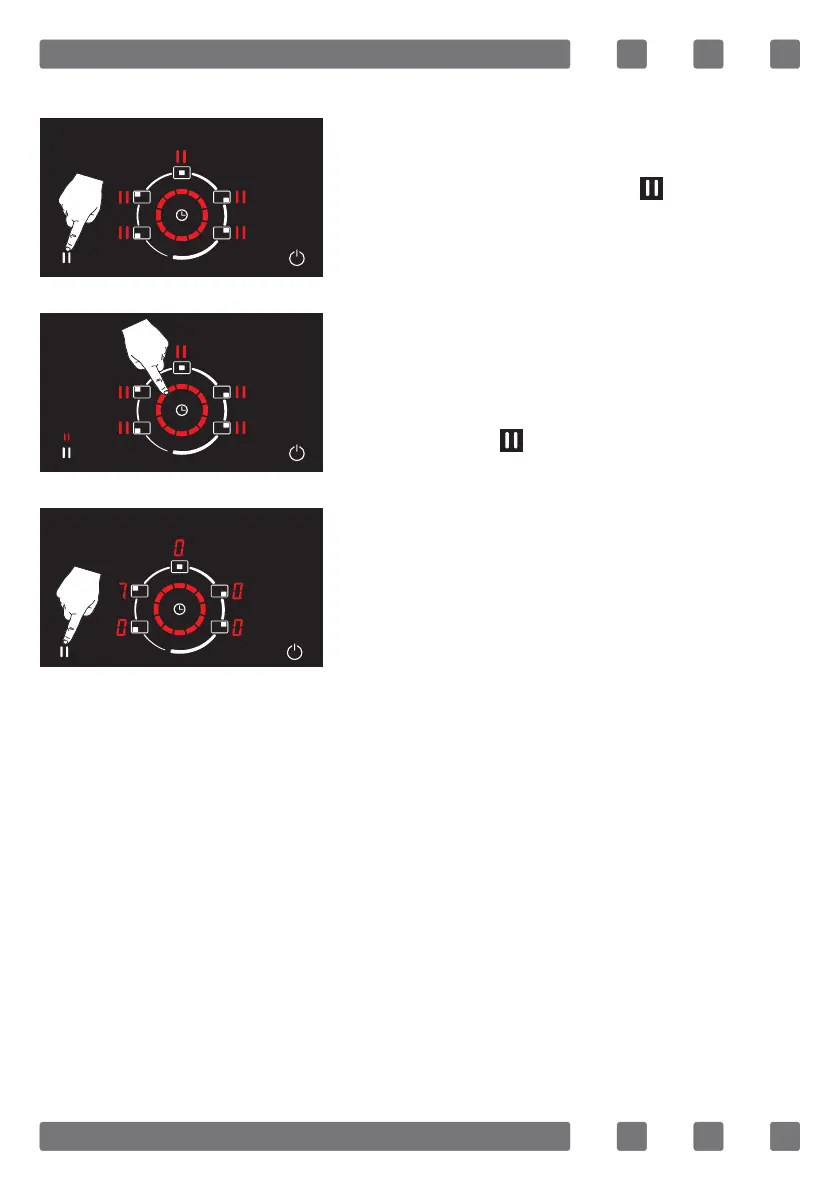
To deactivate the start / stop function;
Press start / stop button ( ) once. (See
Fig. 41)
The start / stop function is deactivated by
drawing a circle on the rotating slide con-
trol immediately after pressing the start /
stop button ( ) once. (See Fig. 42)
When the stop function is cancelled, the
appliance will continue the process if
there is an ongoing cooking or a set time.
(See Fig. 43)
WARNING: The stop function is activated for 10
minutes. At the end of this period, appliance turns o
automatically.
Recall Function
It allows the current settings to continue without the need for re-adjustment
in the event of an undesired switch-o while the appliance actively cooks.
There is no separate button for this function.
If the appliance is turned on again within 6 seconds, the information
below will continue automatically.
1. Cooking levels of all cooking areas
2. Relevant active timers for the cooking area
3. Child lock
Figure 41
Figure 43
Figure 42



 To Next Page