► Pressing the DEFROST button
allows you to start a
defrost cycle.
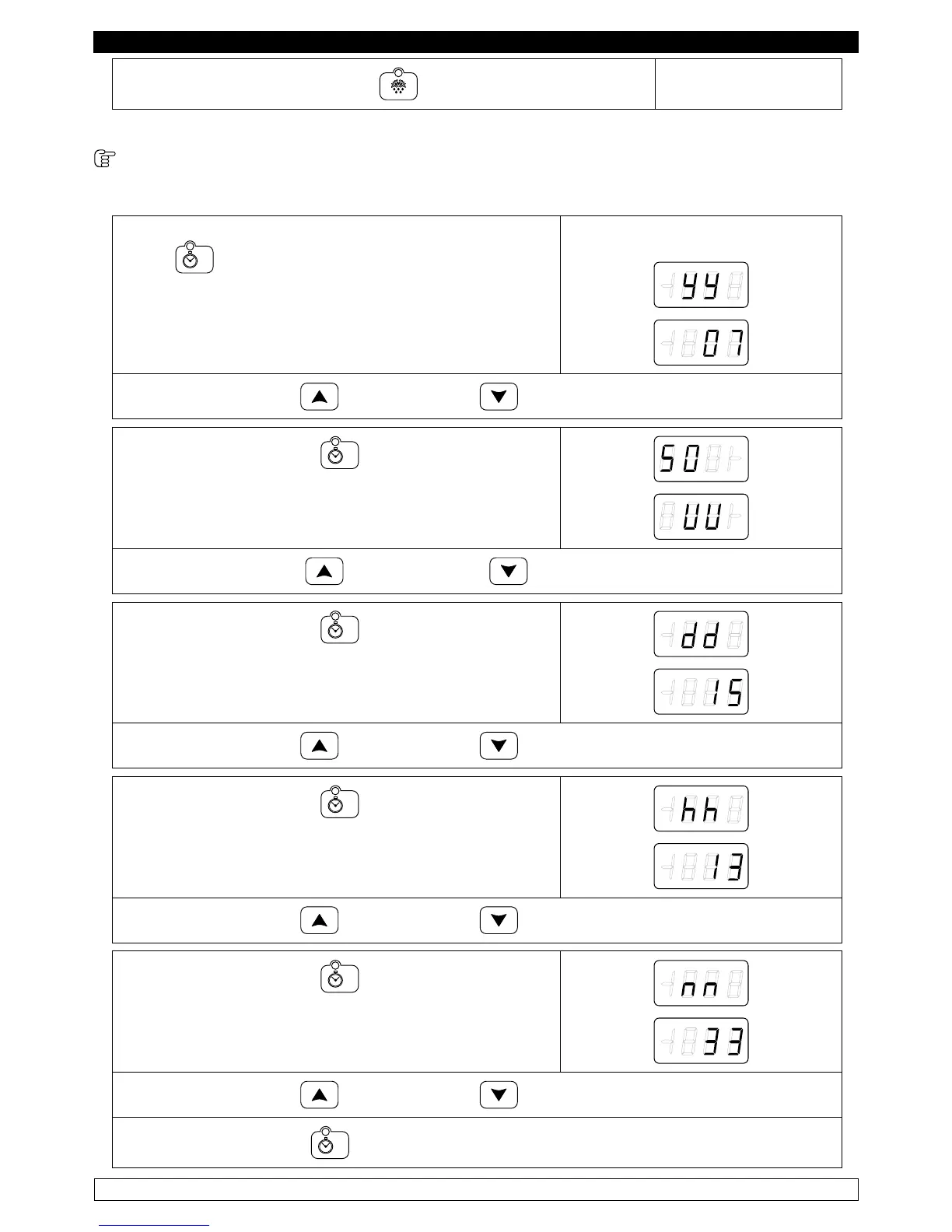
9.2.2 adjustment of the date and internal clock to the current time (fig. 3)
The first step is to adjust the internal clock to the current time as follows:
►With card in OFF press for ve seconds the TIME
button
The display will shows:
► Press the INCREASE and DECREASE buttons to set the year.
► Press the TIME button to switch to the month
setting:
► Press the INCREASE and DECREASE buttons to set the month.
► Press the TIME button to switch to the day
setting:
► Press the INCREASE and DECREASE buttons to set the day.
► Press the TIME button to switch to the hour
setting:
► Press the INCREASE and DECREASE buttons to set the hour.
► Press the TIME button to switch to the minutes
setting:
► Press the INCREASE and DECREASE buttons to set the minutes.
► Press the TIME button to switch OFF.



 To Next Page