EVGA X299 Micro (131-SX-E295)
- 57 -
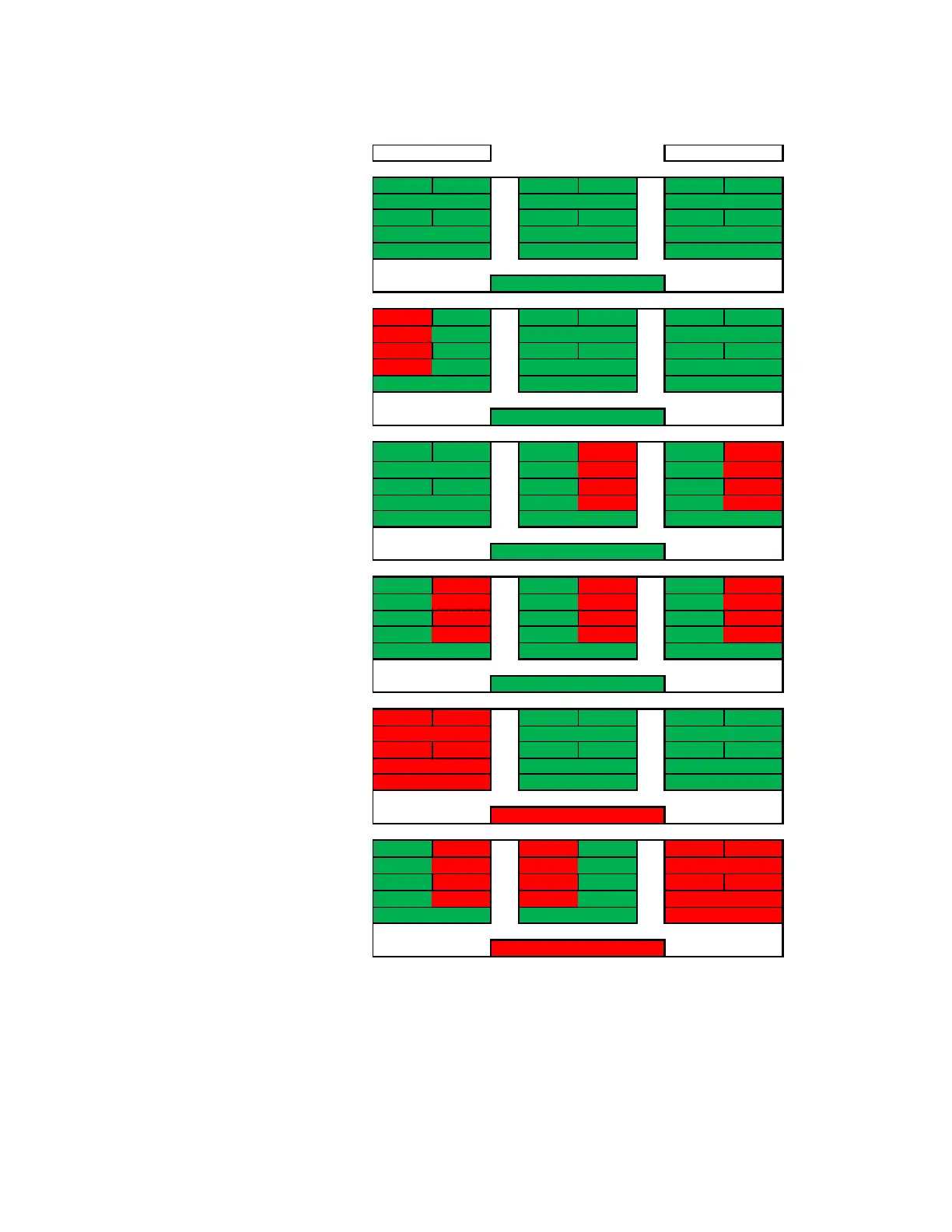
In
the case of a drive
failure, the array
controller will notify
you. When you replace
a failed drive in the
RAID10, rebuilding the
array is mostly seamless.
For example, look at the
array on the second row
to the right. P-Drive1
failed, but P-Drive2 is
still working and uses
the same data. The
array will pull data from
P-Drive2 during the
rebuild, so the array can
be used normally while
P-Drive2 copies ALL of
its data back to the
drive replacing P-
Drive1. The rebuild
process will only rebuild
1TB worth of data
because only one node
failed. There will be a
performance hit during
the rebuild process,
which can be further
delayed if VERY data
intensive applications
are used, but overall
performance of the
array will still be more
than fast enough to run
effectively during the
rebuild. RAID10
rebuilds much more
quickly than its
predecessor RAID0+1.
P-DRIVE1 P-DRIVE2 P-DRIVE3 P-DRIVE4 P-DRIVE5 P-DRIVE6
P-DATA-A P-DATA-A P-DATA-B P-DATA-B P-DATA-C P-DATA-C
P-DRIVE1 P-DRIVE2 P-DRIVE3 P-DRIVE4 P-DRIVE5 P-DRIVE6
P-DATA-A P-DATA-A P-DATA-B P-DATA-B P-DATA-C P-DATA-C
P-DRIVE1 P-DRIVE2 P-DRIVE3 P-DRIVE4 P-DRIVE5 P-DRIVE6
P-DATA-A P-DATA-A P-DATA-B P-DATA-B P-DATA-C P-DATA-C
P-DRIVE1 P-DRIVE2 P-DRIVE3 P-DRIVE4 P-DRIVE5 P-DRIVE6
P-DATA-A P-DATA-A P-DATA-B P-DATA-B P-DATA-C P-DATA-C
P-DRIVE1 P-DRIVE2 P-DRIVE3 P-DRIVE4 P-DRIVE5 P-DRIVE6
P-DATA-A P-DATA-A P-DATA-B P-DATA-B P-DATA-C P-DATA-C
P-DRIVE1 P-DRIVE2 P-DRIVE3 P-DRIVE4 P-DRIVE5 P-DRIVE6
P-DATA-A P-DATA-A P-DATA-B P-DATA-B P-DATA-C P-DATA-C
L-Drive = DATA-C
L-Drive = DATA-ABC
L-Drive = DATA-ABC
L-Drive = DATA-A L-Drive = DATA-B
L-Drive = DATA-ABC
L-Drive = DATA-A L-Drive = DATA-B L-Drive = DATA-C
L-Drive = DATA-ABC
L-Drive = DATA-A L-Drive = DATA-B L-Drive = DATA-C
L-Drive = DATA-ABC
L-Drive = DATA-A L-Drive = DATA-B L-Drive = DATA-C
L-Drive = DATA-ABC
L-Drive = DATA-A L-Drive = DATA-B L-Drive = DATA-C
RAID 10 (6 Drive) L-DRIVE =
3TB
L-Drive = DATA-A L-Drive = DATA-B L-Drive = DATA-C



 To Next Page