EVGA Z370 MICRO (121-KS-E375)
- 80 -
Partitioning and Formatting a drive
Once you have created your array, either from UEFI or from IRST, you will not initially
see your array in “This PC.” This is expected, because even though you have created the
array, you have not yet prepared the array to be used.
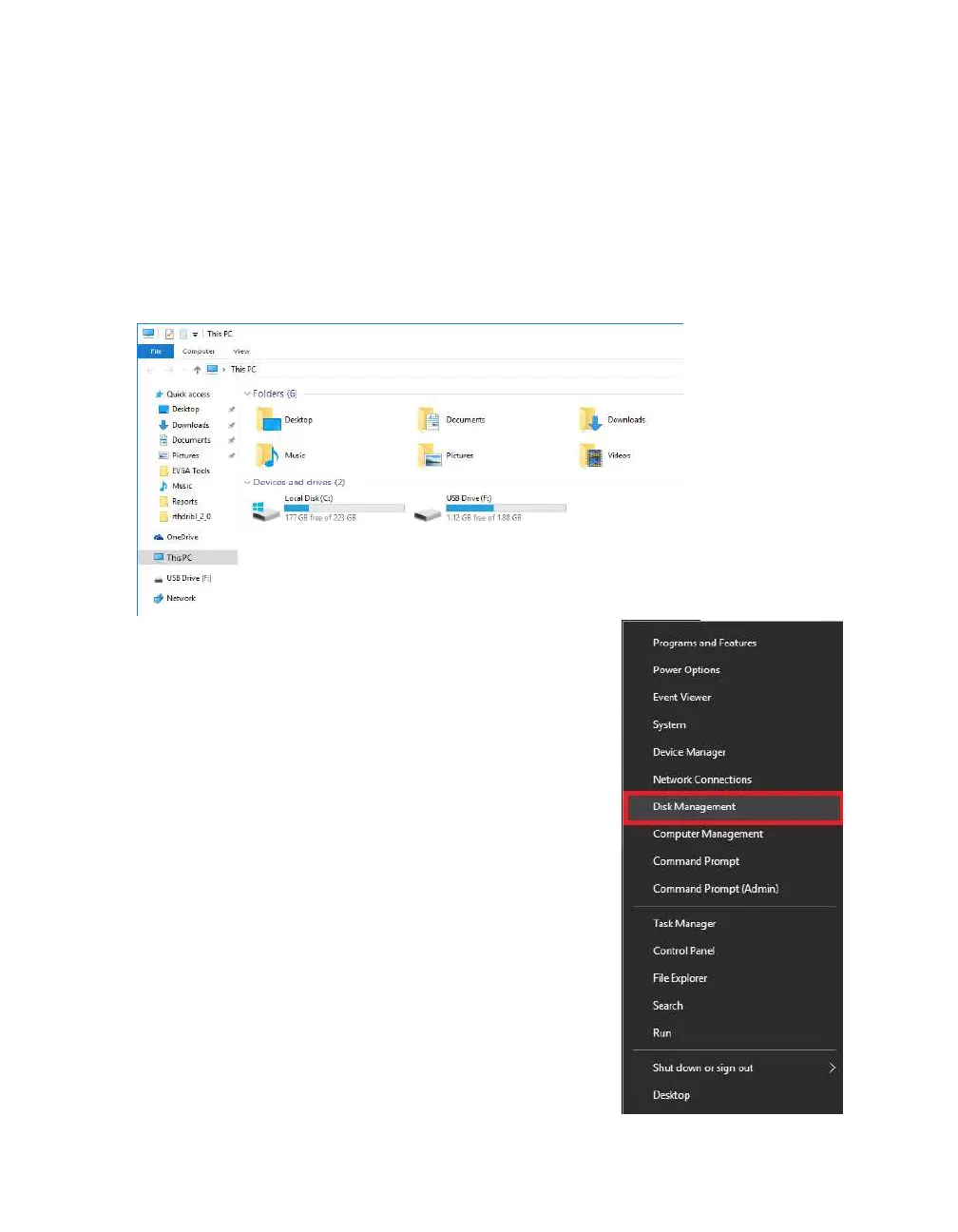
To begin, you’ll need to go into Disk Management.
Windows 8, 8.1, and 10: Right-click on the Windows
Start button and select “Disk Management.”
Alternatively, press the Windows Key + X on your
keyboard and select “Disk Management.”
Windows 7: Left-click the Start menu, right-click on
“Computer” and select “Manage” from the drop-down.
The Computer Management window will pop-up, and
you’ll select Disk Management from the menu on the
left, under Storage.



 To Next Page