EVGA Z370 MICRO (121-KS-E375)
- 81 -
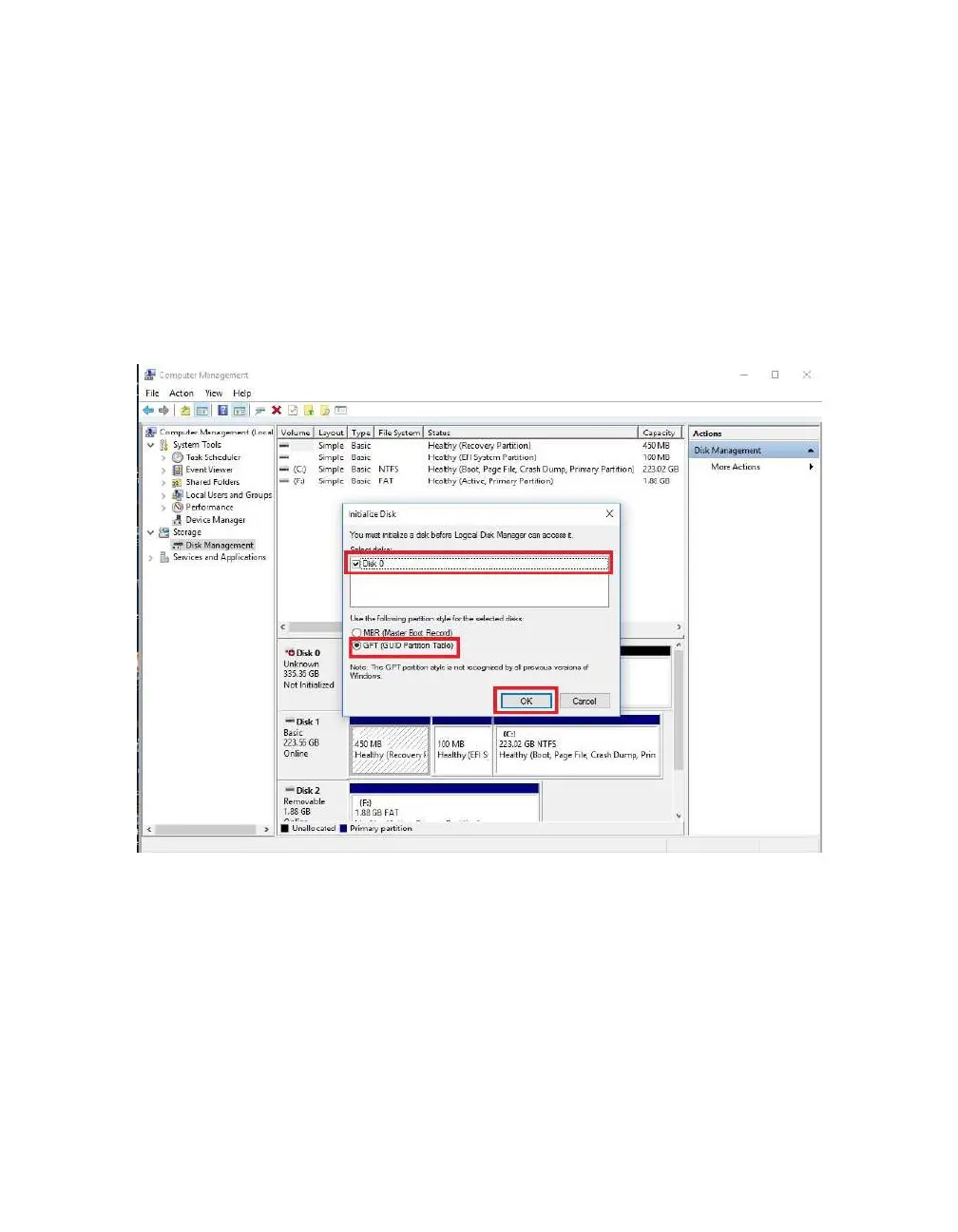
After “Disk Management” loads, you’ll see a pop-up to Initialize Disk if you’ve added a
new drive or created a new array.
Generally, it’s recommended to select “GPT,” unless you need backwards compatibility
with an old OS or PC. When you’ve made your choice, click “OK.”
Note: If you previously initialized your array through IRST, you will skip this step and
move on to the New Simple Volume Wizard in the next step.



 To Next Page