EVGA Z370 MICRO (121-KS-E375)
- 82 -
Before you can assign a drive letter to a drive or array, the initialized disk must be
partitioned. If you are following this guide and just initialized your drive or array, the
New Simple Volume Wizard will automatically pop-up.
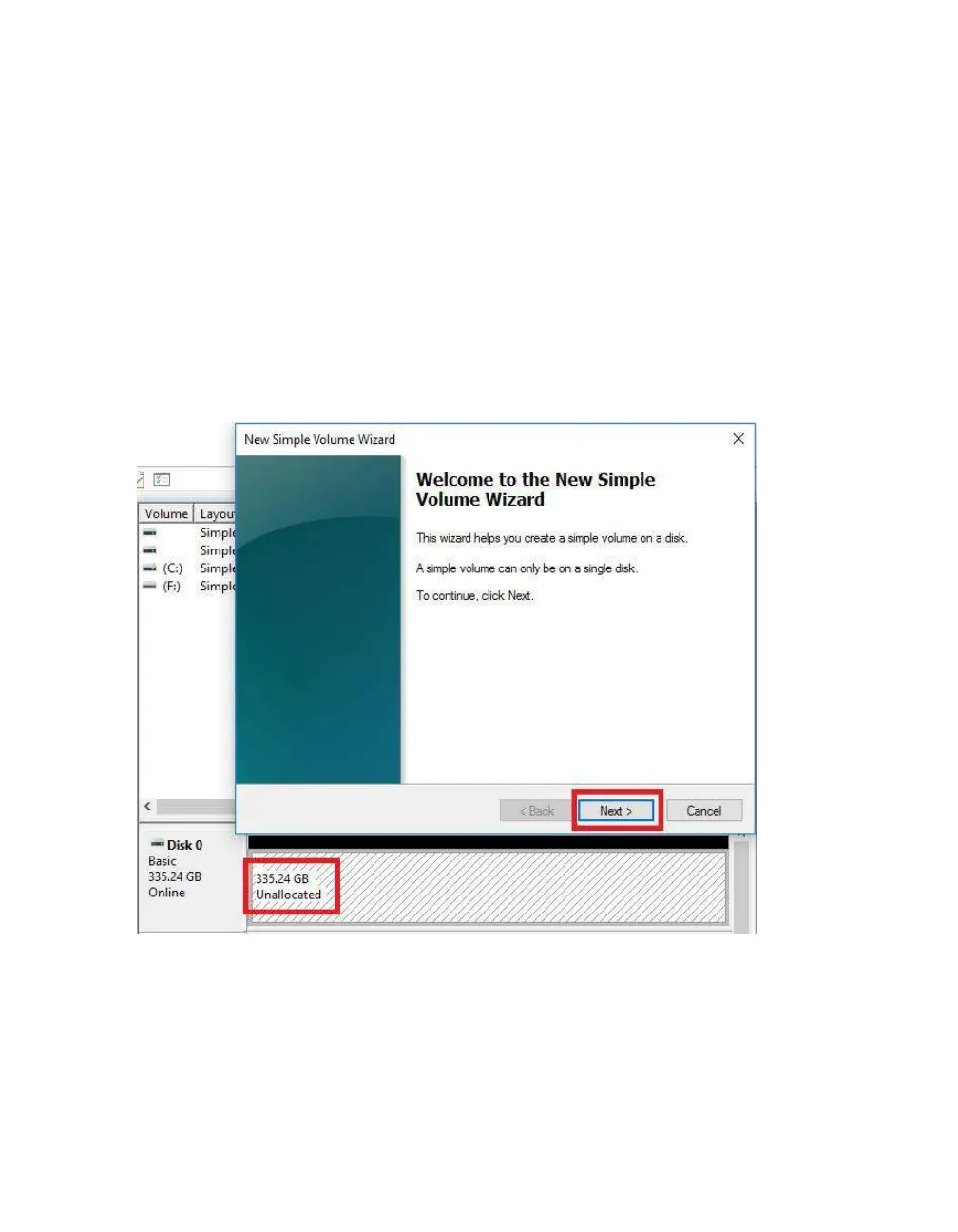
If your drive or array is initialized, but not partitioned, the disk will appear in Disk
Management as “Unallocated,” as shown in the image below. Right-click on the box
containing “Unallocated” and select “New Simple Volume” (this text may vary slightly
based on operating system). The New Simple Volume Wizard will pop-up.
When the window below opens, click “Next.”



 To Next Page