EVGA Z370 MICRO (121-KS-E375)
- 83 -
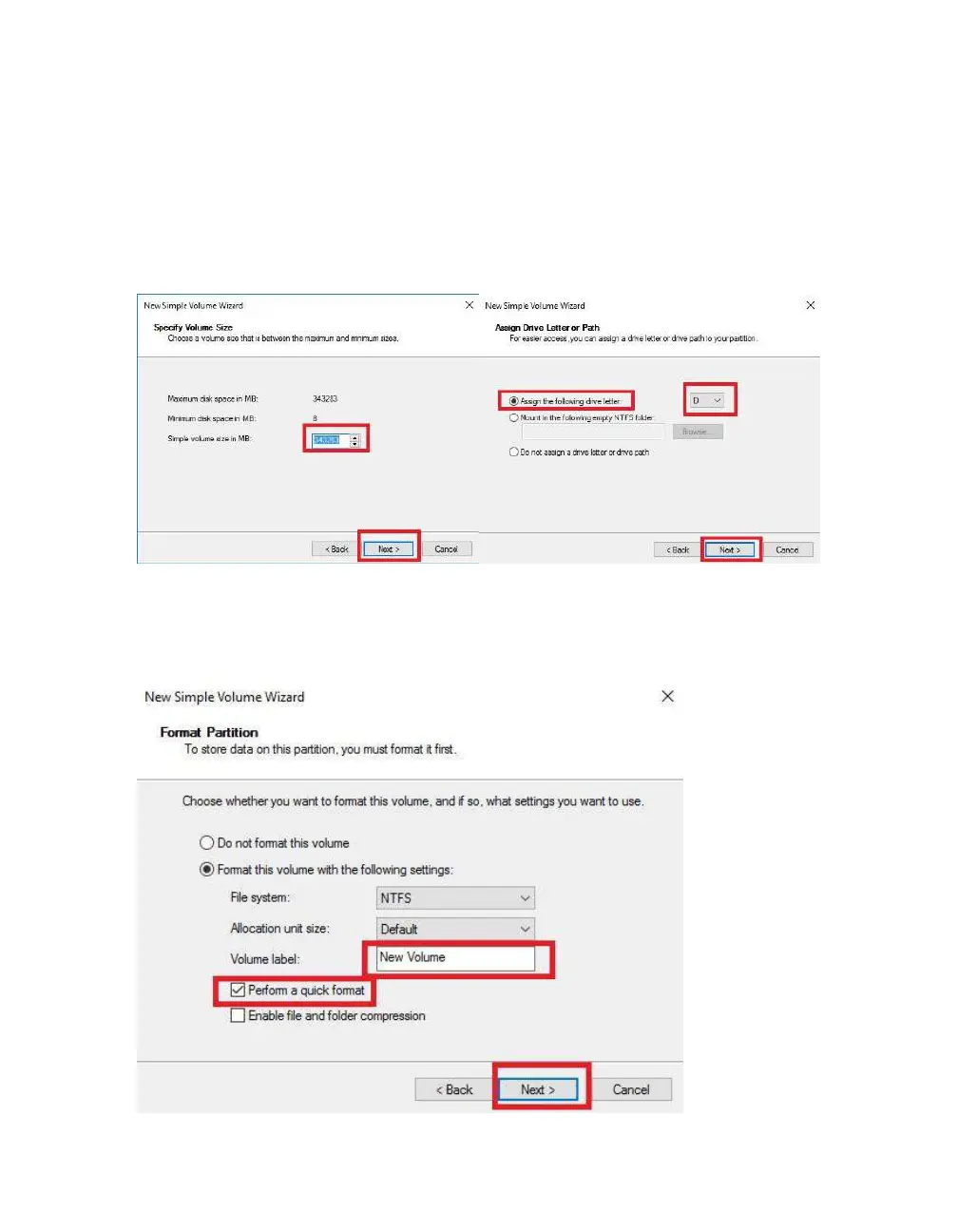
Leave the size at default to create a partition using the entire volume of disk space, then
click “Next.” Select the drive letter you want to represent this drive, then click “Next.”
Note: The drive letter does NOT have to be a consecutive letter with previous drive(s).
Also, the wizard will not allow you to accidentally select the letter of a drive in use.
The next step is to format the partition. Select your File System; NTFS is default, and
generally recommended for most large drives. Check the box for “Perform a quick
Format.” You may rename the volume, or leave it at default. Click “Next” when ready.



 To Next Page