- 11 -
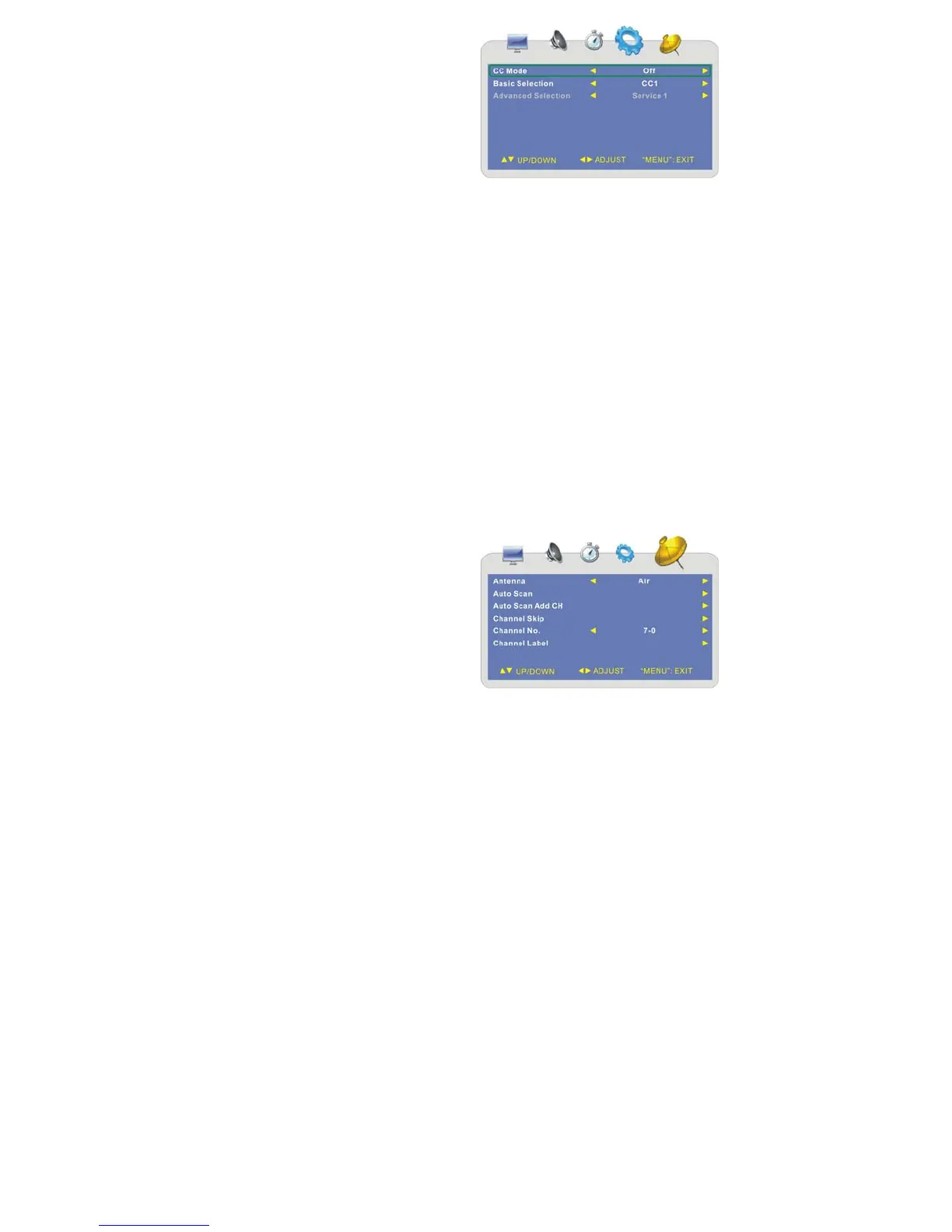
Closed Caption
Press the ▲▼ button to select Closed
Caption and press the ► button to enter
its submenu as shown on the right:
In this menu, press ▲▼ button to select
the desired items.
1. CC Mode
Press the ▲▼ button to select CC Mode and press the ◄► button to select Off,
On or CC on Mute. Press the SETUP button to return to the previous menu.
2. Basic Selection
Press the ▲▼ button to select Basic Selection and press the ◄► button to
select CC1, CC2, CC3, CC4, Text1, Text2, Text3 or Text4. Press the SETUP
button to return to the previous menu.
3. Advanced Selection
Press the ▲▼ button to select Advanced Selection and press the ◄► button to
select Service1, Service2, Service3, Service4, Service5 or Service6. Press the
SETUP button to return to the previous menu.
Note: The item is only available under ATSC signal.
Restore Setting
Press the ▲▼ button to select Restore Setting and then press the ► button to enter
the menu.
Press ◄► button to select “YES” and press the MENU button to reset the setting to
default status; select “NO” and press the MENU button to cancel and return.
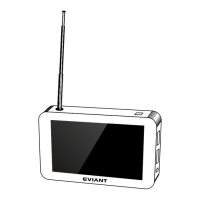
¾ CHANNEL Setting
Press the MENU button once to enter the
setup menu. Press the ◄► button to
select CHANNEL and press the MENU
button to enter the menu as shown on the
right.
In the menu, press the ▲▼ button to
select items.
Press the MENU button to exit the menu.



 To Next Page