26
76 98
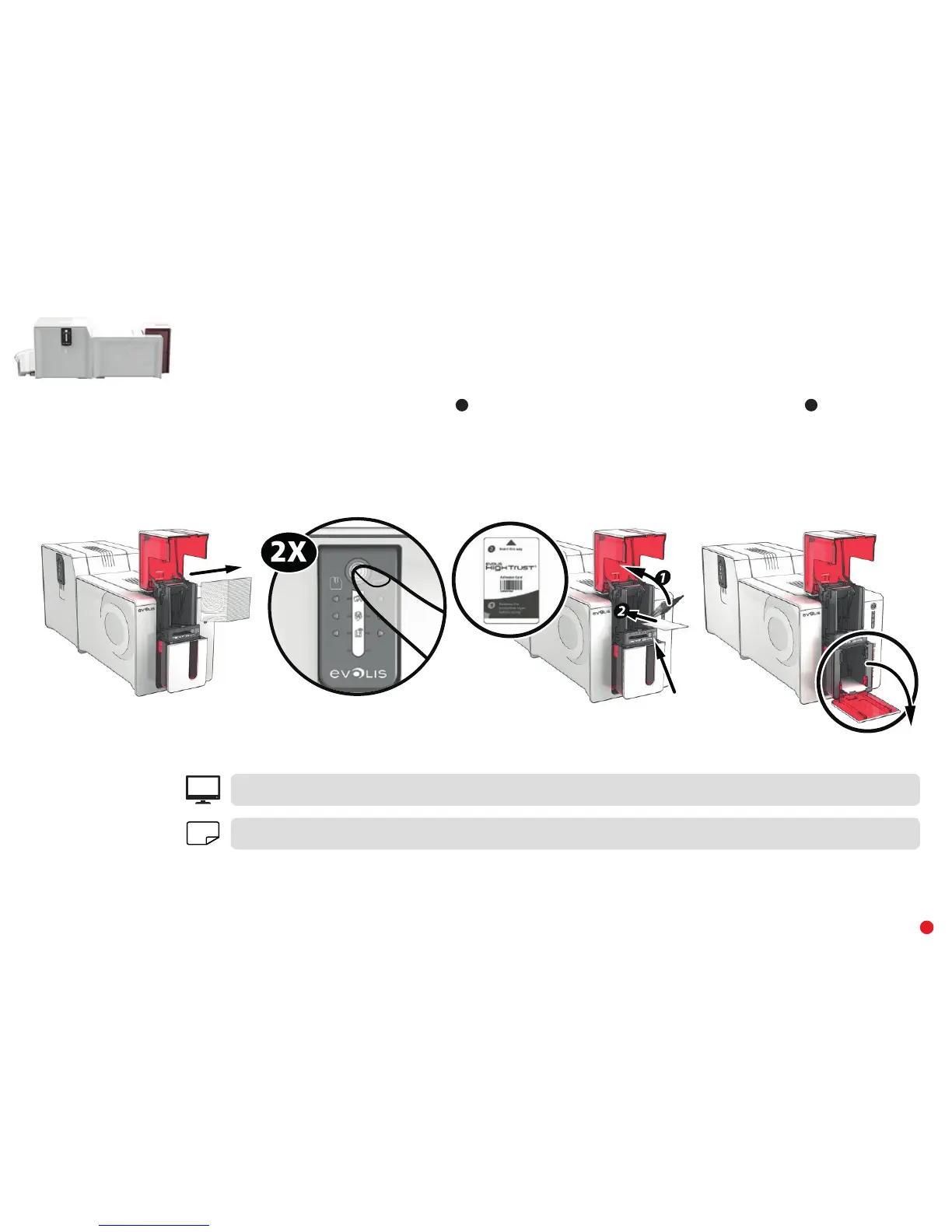
6 Remove any cards present in the feeder.
7 Double-click the cleaning button on the control panel before inserting the cleaning card.
8 Remove the film from the adhesive card
1
and insert the cleaning card into the feeder as shown, adhesive side up
2
. The cleaning begins.
9 The used cleaning card will be automatically ejected into the reject hopper.
EPC
Routine cleaning may also be launched from Evolis Premium Suite
®
.
NOTE
Before using your printer, remember to reset the gauge to the desired card thickness.



 To Next Page