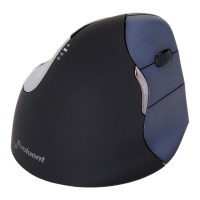
Customize your Evoluent mouse
Download the latest MAC or Windows driver for your Evoluent Mouse
http://www.bakkerelkhuizen.com/ergonomic-mice/evoluent4-right-small/
Vertical Mouse
Evoluent 4 Wireless
Driver
Evoluent Mouse Manager (driver)
may optionally be installed to
program the buttons. Download
the most current driver from our
website.
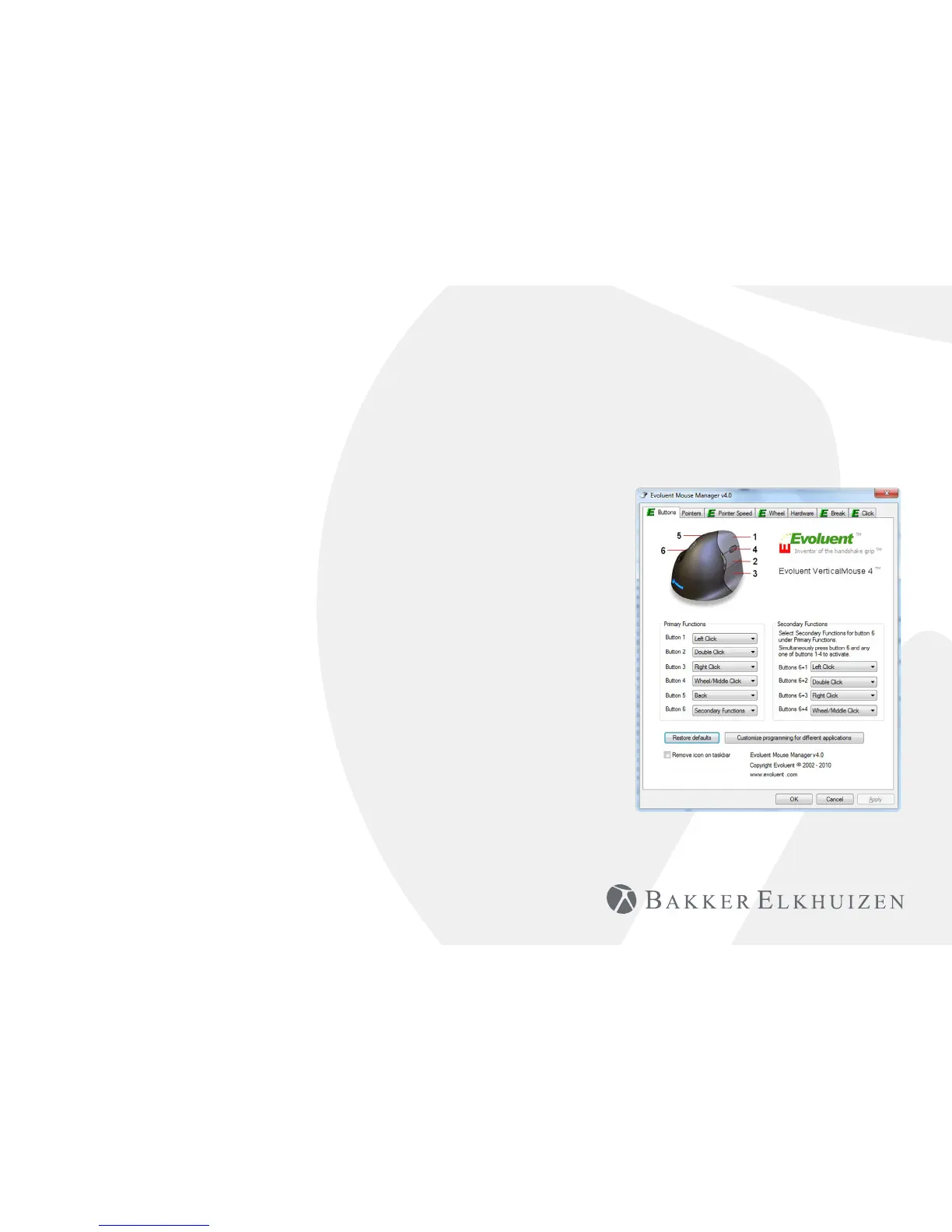
After you have completed the
installation, you can program the
buttons on the Evoluent.
You can even set dierent
functions for each application!
See the list with the optional
functions.
• Disabled
• Left Click
• Right Click
• Wheel/Middle Click
• Alt
• Auto Pan
• Back
• Backspace
• Close
• Copy
• Ctrl
• Cut
• Delete
• Double Click
• Enter
• Esc
• Explorer
• F1 – F12
• Forward
• Keystroke
Recording
• Launch Application
• Maximize
• Minimize
• Page Down
• Page Up
• Paste
• Pointer Speed
Toggle
• Print Screen
• Run
• Shift
• Show/Hide Desktop
• Spacebar
• Start
• Switch Applications
• Tab
• Undo
• Zoom


 To Next Page