84
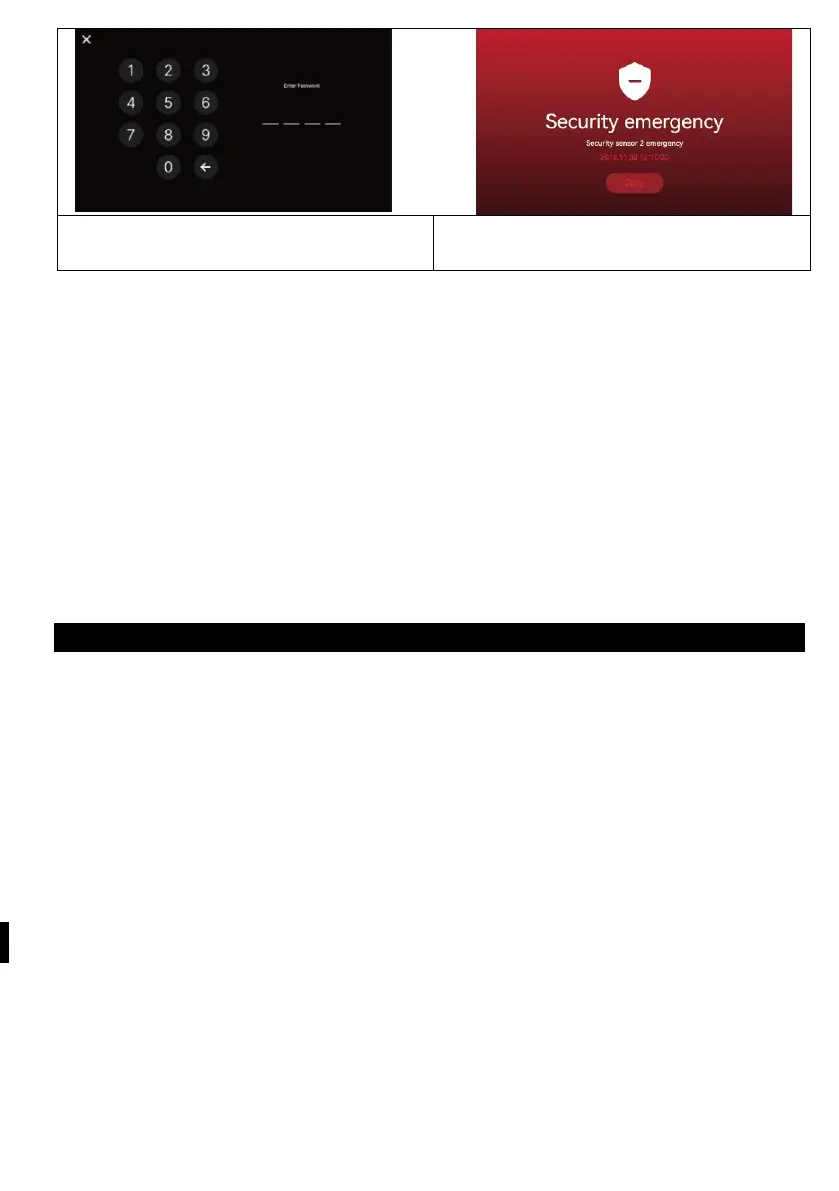
<Input screen for entering the
password to disable the mode>
<sensor detection screen during safety
mode>
1
) When a security alarm occurs
- When a sensor is detected in safety mode, an alarm is generated and the sensor
number (Sensor1 or Sensor2) and the time of occurrence are displayed.
- To cancel the alarm, press the "Stop" button at the bottom.
(If the sensor returns to normal, you can turn off the alarm.)
- When the password entry window appears, use the buttons to enter a four-digit
password.
- The alarm sounds for 3 minutes and then only the alarm screen is displayed.
(During an alarm, the camera sounds an audible signal to indicate an emergency
situation.)
7) VERSION
- Display the current version of the program.
Micro SD card information
a) Available Mirco SD card
- SDHC / SDXC: MAX 128 GBytes (Class 10 or higher)
b)
F
ormatting (file system): FAT32 (It is a good idea to format the card before first
use
c)
M
aximum storage capacity (Maximum resolution of stored images/videos:
640x360)
- If you are not using a micro SD card : Only 50 images can be stored (built-in
memory)
- When using a micro SD card : Up to 10,000 images/videos can be stored (however,
if the size of the memory unit is large, the maximum amount can be reduced).



 To Next Page