SF1000 / SF2200e Inverter Generator Owner’s Manual
CAUTION
Generator must be grounded to prevent electrical
shock from faulty appliances. See page 6.
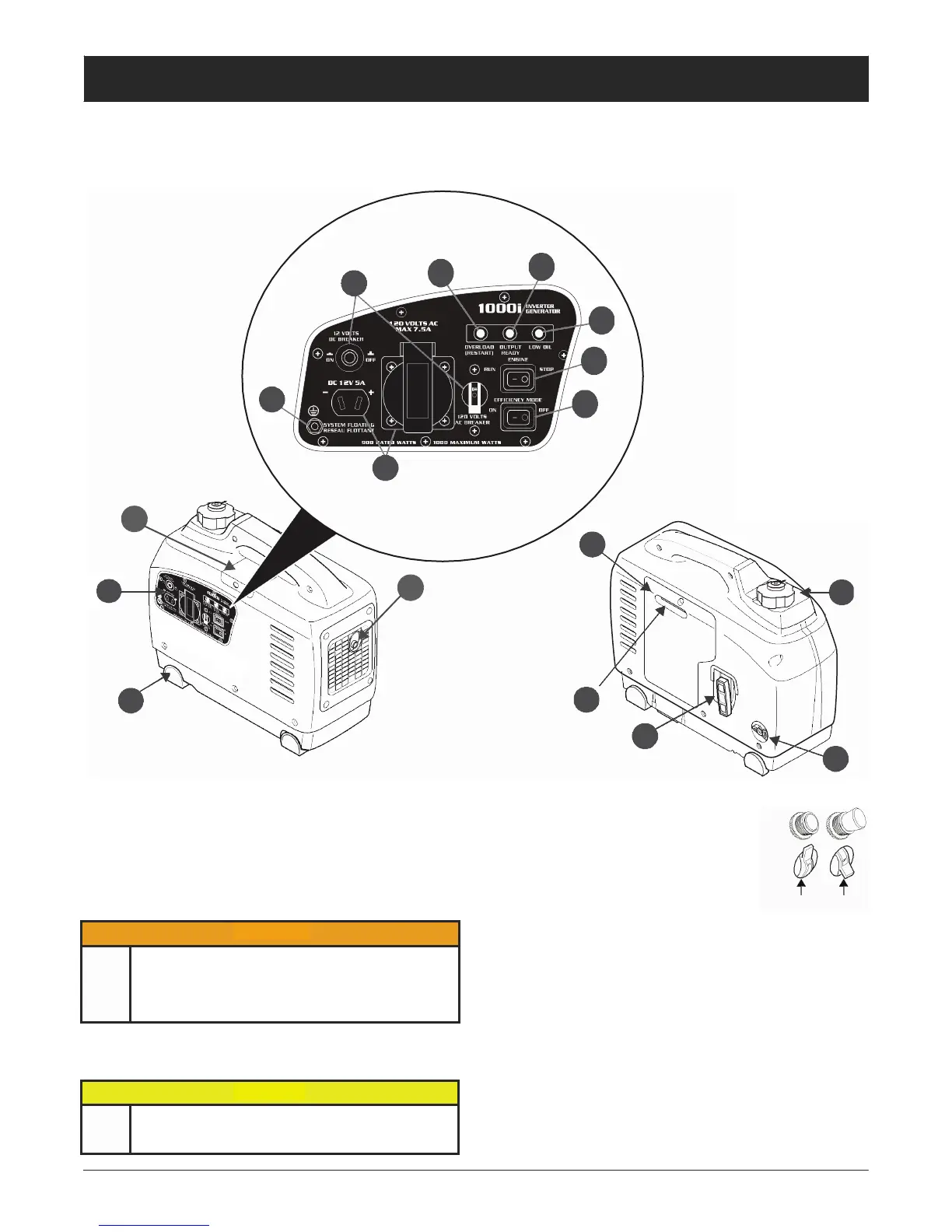
Front and Back View
Front and Back View
Front and Back View
SF1000 Model
4
5
3
6
7
2
8
1
B
F
A
C
G
D
J
A—Control Panel
E
H
3. Breakers
1. Outlets
125VAC outlet(s) (NEMA 5-15R [SF1000 model] and NEMA
5-20R [SF2200 model]) to connect 120V appliances to gen-
erator for power.
DC outlet ranges from 12 to 18 volts and is unregulated. This
outlet should not be used for battery charging.
Protect circuits from damage caused by
overload or short-circuit by stopping flow
of electricity from generator to the appli-
ance. If there is no power at outlets, see
“Troubleshooting” on page 27.
4. Overload Indicator Light
DC
AC
Set Tripped
NEVER use unapproved DC cables as this can
result in circumstances leading to death, serious
injury, and property damage. ALWAYS use Honey-
well DC accessory cables (sold separately) available
from a Evopower dealer.
2. Ground Terminal
Connects generator to ground wire for grounding protection.
Illuminates red when the generator is overloaded or if there is
a short circuit in a connected appliance. Turn the generator
off immediately and determine the reason for the overload.
5.
Output Indicator Light
Illuminates green when the generator is running under nor-
mal operating conditions.
6. Oil Alert Indicator Light
Illuminates red when low oil conditions are present and the
generator is running (
or while recoil
is
pulled)
. The engine
will automatically stop to prevent generator damage.



 To Next Page