Press again, and then press or to modify
temperature correction values: -10.0℃ - 10.0℃.
Press again, and then press or to modify
returning difference of the temperature: 0.1-15.0℃.
Version:T207Z.13.09.24
ELIWELI is an enterprise which is specialized in
producing eletronic temperature controller. We always
insist that quality of product and best service is our goal.
Our sensor is especially precisely made and sealed; it
is moisture-proof , therefore its performances are more
stable and reliable.
Plane Sketch
4、Enforcing defrosting button: Press for a long time for enforcing defrosting
(if temperature of the defrosting sensing head is met (defrosting conditions at ending
temperature of defrosting), enforcing defrosting can be executed).
5、Press for 1s, and press for 6s at the same time, the display is flashed, at
this time, all parameter values are restored to factory values, 10s later, the system
will be returned to normal operation mode.。
Operation Instructions
Press for 6s, input correct password, 6s later, press or
to modify the setting for low-temperature warning:
-50.0℃~ control temperature of - 1.0℃.
press again,and press or to modify the
setting for high-temperature warning, to control the
temperature from +1.0℃ to 50.0℃.
Press again, and then press or to modify
delayed starting: 0-10min.
Press again, and then press or to modify
temperature correction values of the defrosting sensor:
- 15- 15℃.
Display instructions
Press again, and press or to modify the
defrosting time: 1-60 min.
Press again, and press or o select starting
mode of the electric fan
t
00-01。
Press again, and press or to modify water-
dropping time after defrosting: 0-10min.
Press again, and press or to select
operation mode of the fan after defrosting: 00-01.
Press again, and press or to modify
delayed starting time of the fan after defrosting: 0-20
min.
Press again, and press or to select 00 or
01 for modifying types of defrosting.
Press again, and press or to modify period
of defrosting: 0-99h.
Press again, and press or the ending
temperature for defrosting: 0- 40℃.
1、Setting of control temperature: Press to display the control
temperature, pres or to change the control temperature.
2、Setting of parameters: Press for 6s, will appear, and then press
or to enter input of menu password for inputting the password (if the
password is wrong, you can only see set values of the parameters, which can't
be changed, and the password is concealed), press to enter setting
procedure, that is, will appear, and then continuously press the
following parameter values will appear:
entering the menu for resetting the parameters.
3、Display temperature of the defrosting sensing head: Press to display
temperature of the defrosting sensing head.
1、 :AC220V ±10% 50HZ/60HZ
2、 :Load relay: 30A/220V/AC,D irectly
used below 30A load.
Defrost relay 、Fan relay 5A/220V/AC
3、 :≤3W
4、 :-10℃~50℃ RH ≤90%
5、 :-50.0℃ ~50.0℃
6、 :0. 1℃ :±0.5℃
7、 :one-way temperature sensor,one- way
deforsted sensor,10k × 2 m standard cable length
8、 :78(W)×35(H)×62(D)mm
9、 :71(W)×29(H)mm
Operating Voltage
Load
Power Consumption
Working Environment
Control Range
Resolving Power Accuracy
Overall Dimension
Starter Size
Output
5A/220V/AC
Input Signal
Technical Specifications
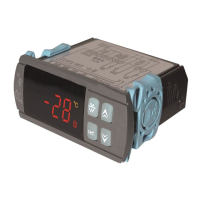
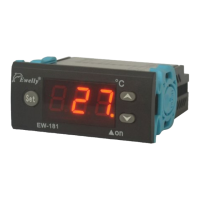
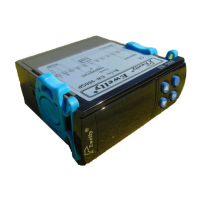
《EW-T207Z 》Directions
Microcomputer Thermostat Serial
PV
SV
F
。
!
。
C
PV
SV
F
。
!
。
C
PV
SV
F
。
!
。
C
PV
SV
F
。
!
。
C
PV
SV
F
。
!
。
C
PV
SV
F
。
!
。
C
PV
SV
F
。
!
。
C
PV
SV
F
。
!
。
C
PV
SV
F
。
!
。
C
PV
SV
F
。
!
。
C
PV
SV
F
。
!
。
C
PV
SV
F
。
!
。
C
PV
SV
F
。
!
。
C
PV
SV
F
。
!
。
C
PV
SV
F
。
!
。
C
PV
SV
F
。
!
。
C
PV
SV
F
。
!
。
C
Fan Indicator
Refrigerating Indicator
Defrosting Indicator
Fault indicator
Forcible Defrosting Key
Setting Key
Locking Indicator
Current Temperature
Setting Indicator
Press again, and press or to modify
delayed starting temperature of the fan after defrosting:
- 20- 20℃.
PV
SV
F
。
!
。
C
Press again, and press or to modify setting
of the password.
PV
SV
F
。
!
。
C
PV
SV
F
。
!
。
C
PV
SV
F
。
!
。
C
Failure display:
Failure display for super-high temperature
Displays for failures of super-low temperature
or the sensor


 To Next Page
 Need help?
 General