EasyManua.ls Logo

EWELLY EW-801AH - User Manual

Default Icon
2 pages
Print Icon
To Next Page IconTo Next Page
Loading...
1. Low temperature zone temperature settings: Press displays the
temperature of low temperature zone, press or to change the
controlling temperature. Without pressing any key when finished operatingit
will automatic save memory setting parameters after six seconds.
2.Parameter setting: Holding and after six seconds to enter Setup,
the corresponding indicator flashes, more than once every press to run the
next function indicators, then press or to change the parameters for
each function. Without pressing any key when finish operation, it will
automatic save memory setting parameters after six sec o n d s .
Co deM801AH.15.08.18
Microcomputer Thermostat Serial
EW-801AH Directions
This product is mainly used in solar water heater equipment, the use of
the temperature difference and temperature to control the output. This
product has two-ways output control, one way to control the temperature
difference between the two temperature zones, when the temperature
difference reaches the set value, automatically run the pump cycle, the
temperature of the two temperature zones to reach equilibrium, another
way to control electric heating; when solar heating fails reached (low
temperature) set temperature, the electric heating system is heated
to a set temperature automatically start and automatic temperature control
range values 󰾬󰾬within a temperature difference.
1 AC220V ±10 50HZ/60HZ
2 5A/220V/AC
3 3W
4 -10 50 RH90
5Control of heating299
6Control of thermal start- up350
7Resolution1 Accuracy±1
8nput signaltwo-ways sensors20KX1.5mX2
9 76(L)×35(H)×76(D)mm
10Hole Size71(L)×29(H)mm
Operating voltage
Load
Power Consumption
Working environment
Overall Dimension
Output
Panel Diagram
Display the current temperature of
the low temperature zone
Running lights
1.The voltage must accord with controller's demand.
The voltage's deviation is no more than ±10%.
2.The loop of sensor is possible to keep away from the
loop of power.
3.The sequence of line's must have been connected
Properly.
When two temperature sensor detects a
temperature of two zones, the difference is greater
than the value of thetemperature difference
between the set start value, the circulation pump
relay ON, temperature difference setting range:
temperature of the pump stopped+1 ~ 50 ℃.
Temperature difference between the started
Temperature hysteresis
After reaches the set point and stop
heating, temperature down, and then
restart the difference between electric
heating, temperature hysteresis setting
range: 1 ~ 20 ℃.
High temperature zone temperature correction
Low temperature zone temperature correction
When the thermostat detects the
temperature of the high temperature
zone and the actual value error, this
feature can be amended. Correction
range: -10 ~ 10 ℃.
When the thermostat detects the
temperature of the low temperature
zone and the actual value error, this
feature can be amended. Correction
range: -10 ~ 10 ℃.
Sensor error self-test function
When the high temperature zone
sensor circuit or open circuit
will show "E H" symbol.
When the low temperature zone
sensor circuit or open circuit will
show "E L" symbol.
EW- 8 0 1
EW - 8 01
EW - 8 01
EW - 8 01
EW - 8 01
EW - 8 01
EW - 8 01
EW - 8 01
Temperature difference of the pump stopped
When the temperature difference between the two
sensors is less than this value, the circulation pump
stops, Range 1 ~ started temperature difference-1
Note: When difference of the pump stops setting “0,
once the circulation pump relay ON, circulation
pump not stopped.
Technical Specifications
Demand of install
Brief on Controlling Procedure
Ewelly
Ewelly
Ewelly
Ewelly
Ewelly
Ewelly
Ewelly
Ewelly
In the non setting state, press can see the current
temperature of the high temperature zone.
EW - 8 01
Heating temperature difference
High temperature zone must be
higher than the setting temperature
difference. Equal or less than this
value automatically start heating
control. Heating temperature
range:020
EW - 8 01
Question and Answer IconNeed help?

Do you have a question about the EWELLY EW-801AH and is the answer not in the manual?

Summary

Microcomputer Thermostat Serial

EW-801 AH Directions

Explains the product's primary use in solar water heaters for temperature difference and electric heating control.

Brief on Controlling Procedure

Low temperature zone temperature settings

How to set and adjust low temperature zone settings and auto-save parameters.

Parameter setting

Procedure for entering setup, navigating functions, changing parameters, and auto-saving settings.

Temperature difference between the started

Condition for starting the circulation pump based on the temperature difference between zones.

Temperature difference of the pump stopped

Condition for stopping the circulation pump based on the temperature difference between zones.

Heating temperature difference

How heating control starts when the high temperature zone drops below a set difference value.

Temperature hysteresis

Setting for restarting electric heating after a set point is reached and temperature drops.

High temperature zone temperature correction

Feature to amend detected temperature errors in the high temperature zone.

Low temperature zone temperature correction

Feature to amend detected temperature errors in the low temperature zone.

Sensor error self-test function

Displays 'EH' or 'EL' symbols to indicate high or low temperature sensor circuit faults.

Wiring Diagram

Parameters for Procedure

Trouble shooting

Warnings

Overview

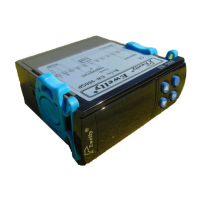
Ewelly Microcomputer Thermostat Serial EW-801AH

The Ewelly Microcomputer Thermostat Serial EW-801AH is a sophisticated control device primarily designed for solar water heater systems. It utilizes temperature difference and absolute temperature values to manage its output, ensuring efficient and safe operation of heating and circulation systems.

Function Description

The EW-801AH features a two-way output control system. One control mechanism is based on the temperature difference between two distinct temperature zones. When this difference reaches a preset value, the circulation pump automatically activates, initiating a cycle until the temperatures in both zones equalize. The second control mechanism manages electric heating. If solar heating fails to reach a preset low temperature, the electric heating system automatically starts and maintains the temperature within a defined range.

Temperature Difference Between Started (Circulation Pump ON): When two temperature sensors detect a difference greater than the set start value, the circulation pump relay turns ON. The adjustable range for this setting is from the temperature of the pump stopped +1°C to 50°C. The factory default is 5°C.

Temperature Difference of the Pump Stopped (Circulation Pump OFF): When the temperature difference between the two sensors falls below this set value, the circulation pump stops. The adjustable range is from 1°C to the started temperature difference -1°C. The factory default is 2°C. If this setting is "0", the circulation pump relay, once ON, will not stop.

Heating Temperature Difference: The high-temperature zone must be higher than the setting temperature difference. If the temperature is equal to or less than this value, heating control automatically starts. The adjustable range is 0°C to 20°C. The factory default is 5°C.

Temperature Hysteresis: After the system reaches the set point and stops heating, and the temperature subsequently drops, electric heating restarts based on this hysteresis setting. The adjustable range is 1°C to 20°C. The factory default is 5°C.

High Temperature Zone Temperature Correction: This feature allows for correction if the thermostat detects an error between the high-temperature zone's actual value and the displayed value. The correction range is -10°C to 10°C. The factory default is 0°C.

Low Temperature Zone Temperature Correction: Similar to the high-temperature zone correction, this feature allows for adjustment if the thermostat detects an error between the low-temperature zone's actual value and the displayed value. The correction range is -10°C to 10°C. The factory default is 0°C.

Sensor Error Self-Test Function: The device includes a self-test function for its sensors. If the high-temperature zone sensor circuit is open or shorted, the display will show "EH". If the low-temperature zone sensor circuit is open or shorted, the display will show "EL".

Important Technical Specifications

  • Operating Voltage: AC220V ±10% 50HZ/60HZ
  • Output Load: 5A/220V/AC
  • Power Consumption: <3W
  • Working Environment: -10℃ to 50℃, RH≤90%
  • Control of Heating: 2℃ to 99℃
  • Control of Thermal Start-up: 3℃ to 50℃
  • Resolution: 1℃
  • Accuracy: ±1℃
  • Input Signal: Two-way sensors, 20KX1.5mX2
  • Overall Dimension: 76(L) × 35(H) × 76(D)mm
  • Hole Size: 71(L) × 29(H)mm

Usage Features

Parameter Setting: To set parameters, hold the "set" and "up" buttons for six seconds to enter Setup mode. The corresponding indicator will flash. Press "set" multiple times to cycle through function indicators. Use the "up" or "down" buttons to change parameters for each function. After six seconds of inactivity, the device automatically saves the settings.

Low Temperature Zone Temperature Settings: Press "set" to display the temperature of the low-temperature zone. Use the "up" or "down" buttons to change the controlling temperature. Settings are automatically saved after six seconds of inactivity.

Viewing Current Temperature: In the non-setting state, pressing "set" allows you to view the current temperature of the high-temperature zone.

Restoring Factory Settings: Simultaneously press the "set" key and "down" key for 6 seconds to restore the factory settings.

Maintenance Features

Troubleshooting Guide:

  • No display when power is on:
    • Causes: Power broken or thermostat failure.
    • Precautions: Check power supply and fuse. Verify input voltage. If issues persist, replace the thermostat.
  • Displaying but machine doesn't work:
    • Causes: Setting temperature is lower than the present temperature; heat protector open circuit due to overloads.
    • Precautions: Reset controlling temperature. Check for overload and overheating; restart after resolving issues.
  • Displayed temperature is unstable or misplay:
    • Causes: Sensor interference, poor wiring, bundled with other power cords, or line damage.
    • Precautions: Separate sensor wiring from power cables, use shielded lines, or check contact tightness.
  • Measurement error between current temperature and displayed:
    • Causes: Incorrect sensor installation, sensor wiring too long/high resistance, poor wiring connection, or damaged sensor.
    • Precautions: Correct sensor locations. Enlarge cross-section of expanded wires. Ensure sealed wires. Replace sensor if damaged.
  • Machine does not stop when temperature reaches:
    • Causes: Sensor not correctly installed/measuring temperature; compressor contactor fails.
    • Precautions: Check sensor accuracy. Replace compressor contactor.
  • Relay work with overload:
    • Causes: Return difference value too small or incorrect pressure protection setting.
    • Precautions: Reset and enlarge return difference value. Adjust pressure protection setting.
  • "EH" or "EL" is displayed:
    • Causes: Sensor is open or shorted circuit.
    • Precautions: Check sensor wiring for good contact with coupling end.

Installation Requirements:

  1. The operating voltage must match the controller's requirements, with a deviation of no more than ±10%.
  2. The sensor loop should be kept away from the power loop.
  3. Line sequences must be connected properly.
  4. Read the product instructions carefully and connect input/output plugs of power and sensors to the corresponding sockets strictly following the connection diagram. Ensure no mistakes, tighten all screw connections, and then connect to power.
  5. Keep the product away from moist or corrosive air and high magnetic fields to prevent affecting normal operation.

Warranty and Service:

  • All products undergo strict quality inspections before leaving the factory.
  • A one-year quality guarantee is provided for the product itself, not for other joint and several liability.
  • The warranty does not cover damages caused by:
    • Installation and use not conforming to the safe environment.
    • Load capacity exceeding product scope.
    • Disassembly, modification, or changing internal components by users.
    • Products that are not fully filled without permission, changed, replaced, lost, damaged, scratched, or dirty.
  • For any doubts or problems concerning the electronic temperature or humidity controller, contact distributors for high-quality after-sale services.

EWELLY EW-801AH Specifications

General IconGeneral
BrandEWELLY
ModelEW-801AH
CategoryThermostat
LanguageEnglish

Related product manuals