Need help?
Do you have a question about the EWELLY EW-986B and is the answer not in the manual?
Set and adjust controlling temperature by pressing the Set key.
Configure temperature limits, delay time, and correction parameters.
Troubleshoot sensor short circuit (E1) and over-temperature (E2) errors.
Illustrates the connection of load, sensor, and power supply.
Details setting range, ex-factory value, and unit for various functions.
Lists common failures, their causes, and recommended precautions.
Provides instructions for installation, environment, and quality guarantee.
This document describes the EW-986B Microcomputer Thermostat, an intelligent control system designed for high-temperature and heating industries.
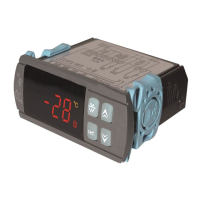
The EW-986B is a thermostat that controls heating systems based on a set temperature and various parameters. It features a digital display for current temperature and various settings.
Temperature Setting:
set button gently to display the controlling temperature.▲ or ▼ buttons to change the controlling temperature.Parameter Setting:
set button for 6 seconds to enter parameter setting mode (a "d" will be displayed).▲ or ▼ buttons to adjust the following parameters:
set, then ▲ or ▼ simultaneously. Choose a limit between 0°C and (control temperature - 1°C). The ex-factory value is 0°C.set, then ▲ or ▼ simultaneously. Choose a limit between (control temperature + 1°C) and 400°C. The ex-factory value is 400°C.set, then ▲ or ▼ simultaneously. Set the delayed start time from 0 to 3 minutes. The ex-factory value is 1 minute.set, then ▲ or ▼ simultaneously. Set temperature correction from -15°C to 15°C. The ex-factory value is 00°C.set, then press ▲ or ▼ simultaneously. Set the return difference from 1°C to 15°C. The ex-factory value is 5°C. General
| Brand | EWELLY |
|---|---|
| Model | EW-986B |
| Category | Thermostat |
| Language | English |


 To Next Page