Need help?
Do you have a question about the EWELLY EW-802 and is the answer not in the manual?
Set the desired temperature for the low temperature zone.
Enter setup mode to modify various operational parameters.
Manages pump operation based on temperature difference.
Defines the temperature difference to stop the circulation pump.
Manages electric heating based on temperature differences.
Manages electric heating stop when temperature is reached.
Adjusts for temperature measurement errors in the high zone.
Adjusts for temperature measurement errors in the low zone.
Displays error codes for sensor malfunctions.
Resolve issues where the unit does not power on or display.
Troubleshoot when the unit displays but does not operate.
Address issues with fluctuating or incorrect temperature readings.
Resolve discrepancies between current and displayed temperatures.
Troubleshoot when the heating function fails to stop at set points.
Diagnose and resolve problems related to relay overload.
Interpret and resolve sensor error indicators.
Important notes for correct installation and operation.
Details on product warranty coverage and limitations.
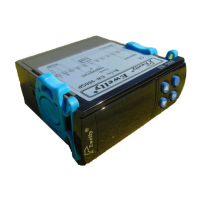
This document describes the EW-802 Microcomputer Thermostat, primarily designed for solar water heater equipment. It utilizes temperature difference and absolute temperature to control its outputs.
The device features three output controls. The first controls the temperature difference between two temperature zones. When the temperature difference reaches a preset value, a water pump cycle automatically operates to balance the temperature in these zones. The second control manages electric heating. If solar heating fails to achieve the set heating temperature difference, the electric heating system automatically activates, heating to the set temperature and maintaining it within a defined temperature difference range. The third control manages a water valve, automatically adding water and stopping when the water level is sufficient.
To set the low temperature zone temperature, press the set button. The display will show the current low temperature zone temperature. Use the up or down arrows to adjust the controlling temperature. If no key is pressed for six seconds, the device will automatically save the settings.
For parameter setting, hold the set and up buttons for six seconds to enter the setup menu. The corresponding indicator will flash. Press the set button repeatedly to cycle through the functions. Use the up or down arrows to change the parameters for each function. After six seconds of inactivity, the device will automatically save the settings.
The device monitors two temperature sensors. If the temperature difference between the two zones exceeds the set start-up temperature difference, the circulation pump relay activates. The temperature difference setting range for the pump is from 1°C (pump stopped + 1°C) to 50°C.
The circulation pump stops when the temperature difference between the two sensors falls below this set value. The range for this setting is from 1°C to (started temperature difference - 1°C). If the pump stop difference is set to "0", the circulation pump will not stop once activated.
The high temperature zone temperature must be higher than the set heating temperature difference. If it is equal to or less than this value, the heating control automatically starts. The heating temperature range is from 0°C to 20°C.
When the set temperature is reached, heating stops. Electric heating restarts if the temperature drops below the set difference. The temperature hysteresis setting range is from 1°C to 20°C.
If the thermostat detects an error between the high temperature zone temperature and the actual value, this feature allows for correction. The correction range is from -10°C to 10°C.
Similarly, if the thermostat detects an error between the low temperature zone temperature and the actual value, this feature can be corrected. The correction range is from -10°C to 10°C.
 General
| Type | Digital Thermostat |
|---|---|
| Setting Temp. Range | 5°C to 35°C |
| Sensor | NTC |
| Display | LCD |
| Mounting Type | Wall Mount |
| Output | Relay |
| Control Type | Button |
| Accuracy | ±1℃ |
| Display Temp. Range | 0°C to 50°C |


 To Next Page