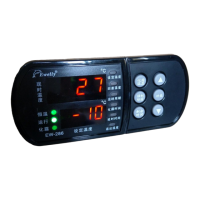
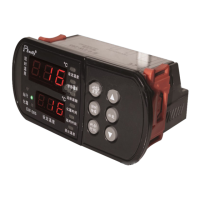
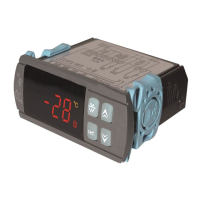
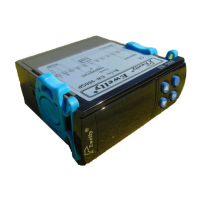
Hold ,then press or
simultaneously. Choose high-
est temperature limits:
2.Data setting:Press for 6 seconds for setting. On
entering setting , will be displayed. Then Press or
to set .
EW - 18 1
EW - 18 1
EW - 18 1
EW - 18 1
EW - 18 1
EW - 18 1
EW - 18 1
EW - 1 8 1
Loud poer LED
Demand of install
Brief on Controlling Procedure
《EW-181 Directions》
Microcomputer Thermostat Serial
EWELLY is an enterprise which is speciallized in pro
-ducing eletronic controller.We always insist that quality
of product and best service is our goal.
Our sensor is especially precisely made and sealed; it
is moisture-proof , therefore its performances are more
stable and reliable.
Technical Specifications
1.Temperature setting:
。
Press gently to display con
-trolling temperature press or to change controll
-ing temperature.
N o r m a l l y d i s p l a y
current temperature
1、 :AC220V ±10% 50HZ/60HZ
2、Output :Compressor relay 10A/220V/AC
3、 :≤3W
4、 :-10℃ ~50℃ R H≤90%
5、Input signal :one line NTC-sensor input.20k×1.5m
6、 :—45℃ ~80℃
7、 :1℃ :±1℃
8、 : × ×
9、Hole Size ×
Operating voltage
Load
Power Consumption
Working environment
Control Range
Resolving Power Accuracy
Overall Dimension 76(length) 35(wide) 76(high)mm
71(length) 29(wide)mm:
Hold ,then press or
simultaneously. Choose ,
represents Warm Mode, re-
present Cold Mode.
Hold ,then press or
simultaneously. Choose lowe-
st temperature limits:
Hold ,then press or
simultaneously. Choose tem-
perature correction:
Hold ,then simultaneously
press or to set delayed
star time from 0 to 5 minutes.
Hold , then press or
simultaneously. Choose ret-
urn difference:1℃ to 15℃
Error symbol : when the sensor
is opened or shorted circuit.
Code “EI” will be displayed.
-15℃ t o 15℃
Version:181H.16.08.15
Brief on Operation
1.The voltage must accord with controller's demand. The
voltage's deviation is no more than ±10%.
2.The loop of sensor is possible to keep away from the
loop of power.
3.The sequence of line's must have been connected
Properly.
Out p u t Load:
10A/220V/AC
Model:EW-181H
220V/AC
Load
2 3 4 5 6 7 8 9
10
11
12
220V/AC
NTC
sensor
-45℃ to Temperature control-1℃
Temperature control+1℃ to 80℃
Ele c t r i ca l S c h e ma t i c d ia g r a m

 Need help?
 General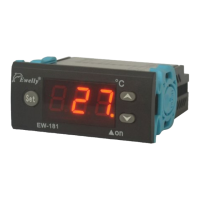

 To Next Page