EasyManua.ls Logo

eWON Cosy 131 - User Manual

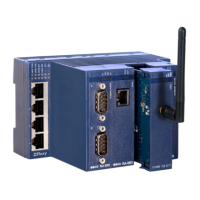
eWON Cosy 131
30 pages
Print Icon
To Next Page IconTo Next Page
Loading...
The Cosy 131 User Guide
USER MANUAL
UM-0004-00-EN 1.0 ENGLISH

Other manuals for eWON Cosy 131

Question and Answer IconNeed help?

Do you have a question about the eWON Cosy 131 and is the answer not in the manual?

Summary

Getting Started with Cosy 131

Quick Launch Wizard Setup

System Wizard Configuration

Configures basic system settings like date, time, username, and password.

Internet Wizard Setup

Configures WAN settings, supporting Ethernet, Cellular, and Wi-Fi connections.

Talk2 M Wizard for VPN Connection

Establishes the VPN connection between the Cosy 131 and the Talk2M infrastructure.

Establishing Remote Connection

Digital Input Configuration Wizard

Remote Access Control via Key Switch

Explains using digital inputs to control remote access via a key switch.

DI Alarm Notification Setup

Details setting up email or SMS notifications for digital input events.

WAN Fallback Configuration

WAN Fallback Feature Explanation

Explains automatic switching between WAN networks when the primary connection fails.

Diagnostic and Setup Options

Diagnostic Menu for Troubleshooting

Records system events with severity levels (Error, Warning, Trace) for troubleshooting.

Summary

Getting Started with Cosy 131

Quick Launch Wizard Setup

System Wizard Configuration

Configures basic system settings like date, time, username, and password.

Internet Wizard Setup

Configures WAN settings, supporting Ethernet, Cellular, and Wi-Fi connections.

Talk2 M Wizard for VPN Connection

Establishes the VPN connection between the Cosy 131 and the Talk2M infrastructure.

Establishing Remote Connection

Digital Input Configuration Wizard

Remote Access Control via Key Switch

Explains using digital inputs to control remote access via a key switch.

DI Alarm Notification Setup

Details setting up email or SMS notifications for digital input events.

WAN Fallback Configuration

WAN Fallback Feature Explanation

Explains automatic switching between WAN networks when the primary connection fails.

Diagnostic and Setup Options

Diagnostic Menu for Troubleshooting

Records system events with severity levels (Error, Warning, Trace) for troubleshooting.

eWON Cosy 131 Specifications

General IconGeneral
Device TypeIndustrial VPN Router
Ethernet Ports4
Power Supply12-24 VDC
WAN Ports1
LAN Ports3
Ethernet10/100 Mbps
Wi-FiNo
VPNYes
VPN ProtocolsOpenVPN, IPsec
WAN ConnectivityEthernet
Operating Temperature-20°C to +60°C
ProtocolsHTTP, HTTPS, FTP
SecurityFirewall

Related product manuals