Need help?
Do you have a question about the eWON 2005CD and is the answer not in the manual?
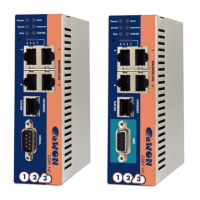
Overview of the eWON2005CD as an evolution of the eWON2005, highlighting its industrial gateway capabilities.
Details the hardware specifications like processor, memory, ports, and environmental operating conditions for the eWON2005CD.
Lists the various functions including Ethernet gateway, VPN, Remote Access Server, and programmable routing capabilities.
Outlines common industrial uses for the eWON2005CD, such as alarm management, remote monitoring, and diagnostics.
Explains the part number structure and available internal options for the eWON product range, including modem types.
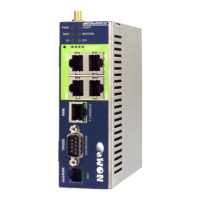
Identifies and describes the various physical ports and connectors on the eWON housing, such as Ethernet, serial, and power.
Explains the information found on the eWON's identification label, including serial number, part number, and regulatory compliance.
Details safety standards, European directives, FCC compliance, and battery handling precautions for the eWON device.
Describes how to check hardware and software revisions using the eWON web server interface.
Provides dimensions of the eWON unit and detailed instructions for DIN rail mounting.
Recommends free space requirements, grounding procedures, and specifies environmental operating conditions for installation.
Details the specifications for selecting an appropriate external power supply, including voltage, current, and protection.
Explains the function and status indication of each LED on the front panel of the eWON, such as Power, Serial, Modem, and User LEDs.
Describes the two Ethernet interfaces (LAN switch with 4 ports and WAN port) of the eWON2005CD.
Details the specifications for the optional PSTN 56k modem, including baud rate and phone line connector.
Outlines the specifications for the optional ISDN modem, including BRI specification and maximum baud rate.
Lists specifications for the GPRS-EDGE and GPRS QB Quad-band modems, including bands, class, and baud rate.
Details specifications for UMTS, HSUPA Tri-band, and HSUPA Penta-band modems, covering bands, class, and baud rate.
Explains the common SIM card installation procedure for various modem types and shows the location of the SIM card drawer.
Details the configuration of the serial port using dip switches for RS232, RS485, and RS422 modes, including polarization.
Describes the MPI port, its physical characteristics, speed settings, termination, and pinout.
Specifies the input voltage range, states (OFF/ON), and isolation for the digital input.
Details the digital output type, current limits, isolation, and provides a wiring diagram for external connection.
Shows default IP settings for LAN, WAN, and Modem interfaces, including warnings regarding initial configuration.
Explains how to perform user reset and factory reset, detailing their procedures and effects on the device's configuration.
Details the power supply connector type and pin assignment (Ground, Positive) for the eWON.
Describes the Ethernet LAN (switch) and WAN ports, including LED indicators, cable types, and auto-sense functionality.
Explains how to connect the eWON directly to a PC using a crossover Ethernet cable and twisted pair conventions.
Details connecting the eWON to network devices like hubs or routers using a straight Ethernet cable.
Illustrates the pin numbering for standard and crossover RJ45 connectors, showing wire color assignments.
Shows the pinout for the digital inputs/outputs connector, detailing signal and power connections for each pin.
Provides detailed pinout for the serial port, configurable for RS232, RS485, and RS422 modes.
Details the pinout for the MPI port, typically used for Siemens communication, using a DB9 female connector.
Shows the pinout for PSTN and ISDN phone line connectors used with the embedded modem options.
Covers antenna connector types (SMA-F) and general specifications for GSM/GPRS/EDGE/HSUPA modems.
 General
| Brand | eWON |
|---|---|
| Model | 2005CD |
| Category | Network Router |
| Language | English |

 To Next Page