➢ Depending on your installation make sure you mechanically secure the display safely,
use all recommended M6 mounting threats at the backside/bottom of the foot and
the panel unit. Refer to chapter 4.6 Mounting GhosT-OLED to walls or furniture.
Note: Always secure foot and panel.
4.4 Set up GhosT-OLED Touch Kit
Tools required: 4mm Allen Key (Additional tools might be required to mount the Touch Kit
to a surface, see chapter 4.6 Mounting GhosT-OLED to walls or furniture for more
information)
Note: To use the GhosT-OLED Touch Kit an external PC is necessary (USB A connection).
Note: GHOST55-TK-V1 has to be calibrated with the PC before it can be used. It’s
necessary to run a calibration process every time you connect the GHOST55-TK-V1
with a new PC.
GhosT-OLED Touch Kits are equipped with primeTOUCH technology. As HID (human
interface device) the primeTOUCH is a plug and play capable system. For advanced features
like calibrating the touch coordinates to the image or running a diagnose of the system you
need to install a special software. It is called “Multi Touch Platform” and it is provided on an
USB stick that comes with every GhosT-OLED unit. Besides that, the USB stick contains
additional documentation. The software can also be downloaded from the EXACT solutions
homepage / GhosT-OLED /Touch Kit / Downloads
https://www.exactsolutions.de/en/produkte/ghost-oled-en/
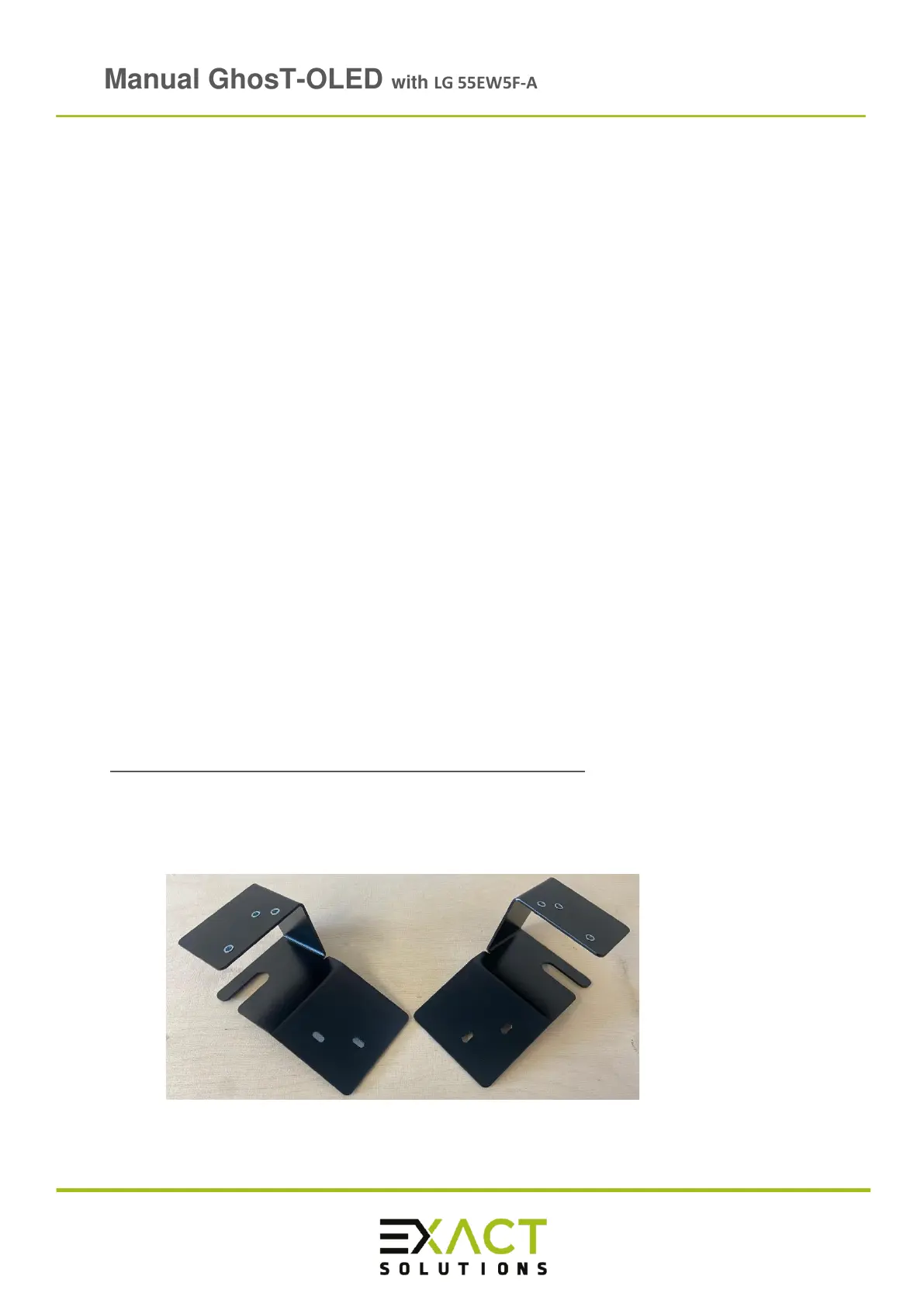
➢ Place ready the two support brackets (left and right) for Ghost-OLED Touch Kit, you
will need them to attach the Touch Kit to the Full Kit:



 To Next Page