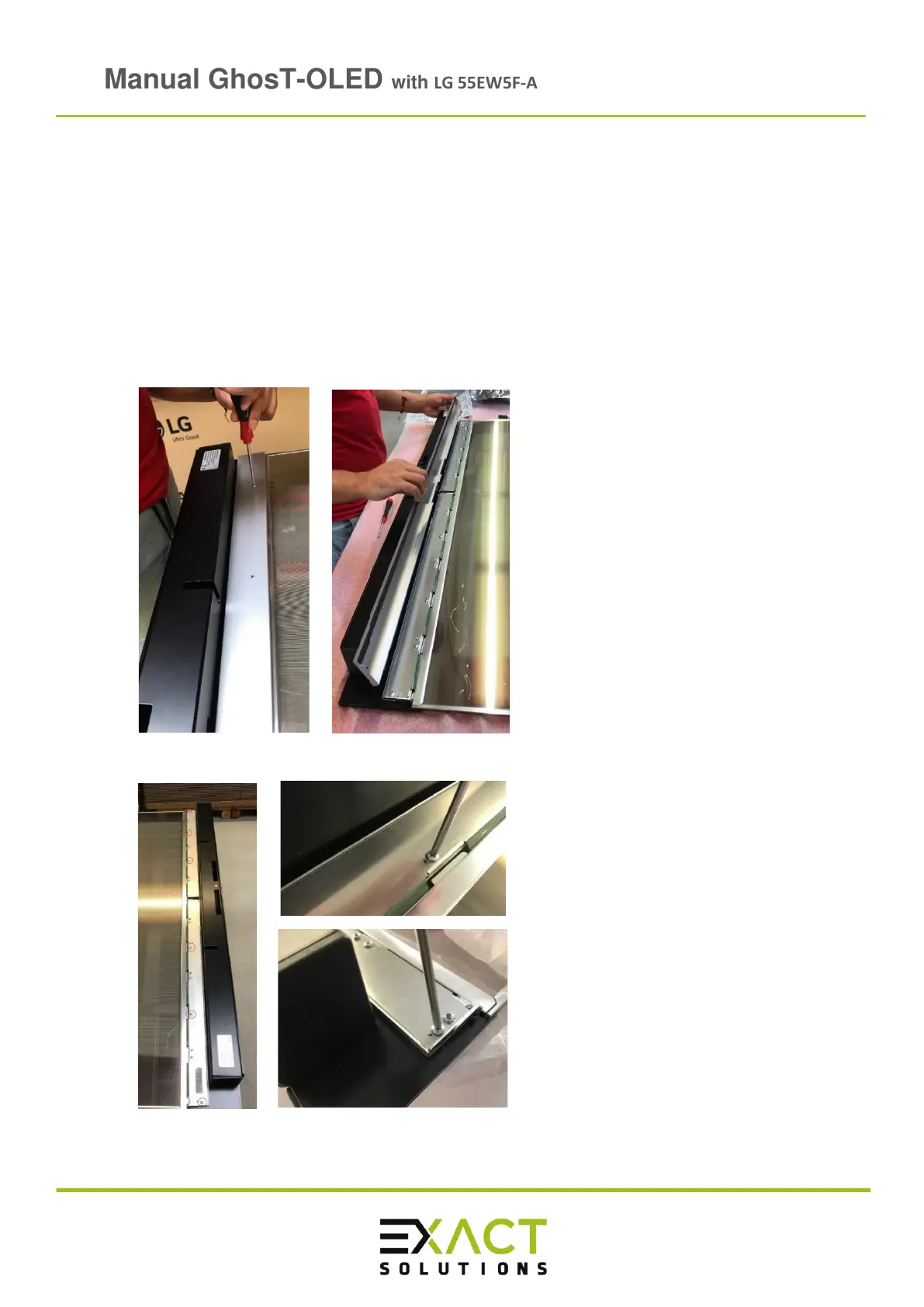
4.5 Connecting GhosT-OLED Half Kit and Half Kit PCAP panel unit with signage box
WARNING: Make sure the power cable is not connected, otherwise electric shocks may
occur and can harm humans and/or damage the device
Required Tools: Screw driver PH1 / isopropanol and clean soft cloth
Note: The flexible flat cables and especially the sockets are very sensitive. If a socket
breaks this results in a total loss
➢ Gently place the GhosT-OLED panel unit on a padded clean surface
➢ Remove the silver outside cover:
➢ Remove the screws with the green mark to rise the inside PCB covers:



 To Next Page