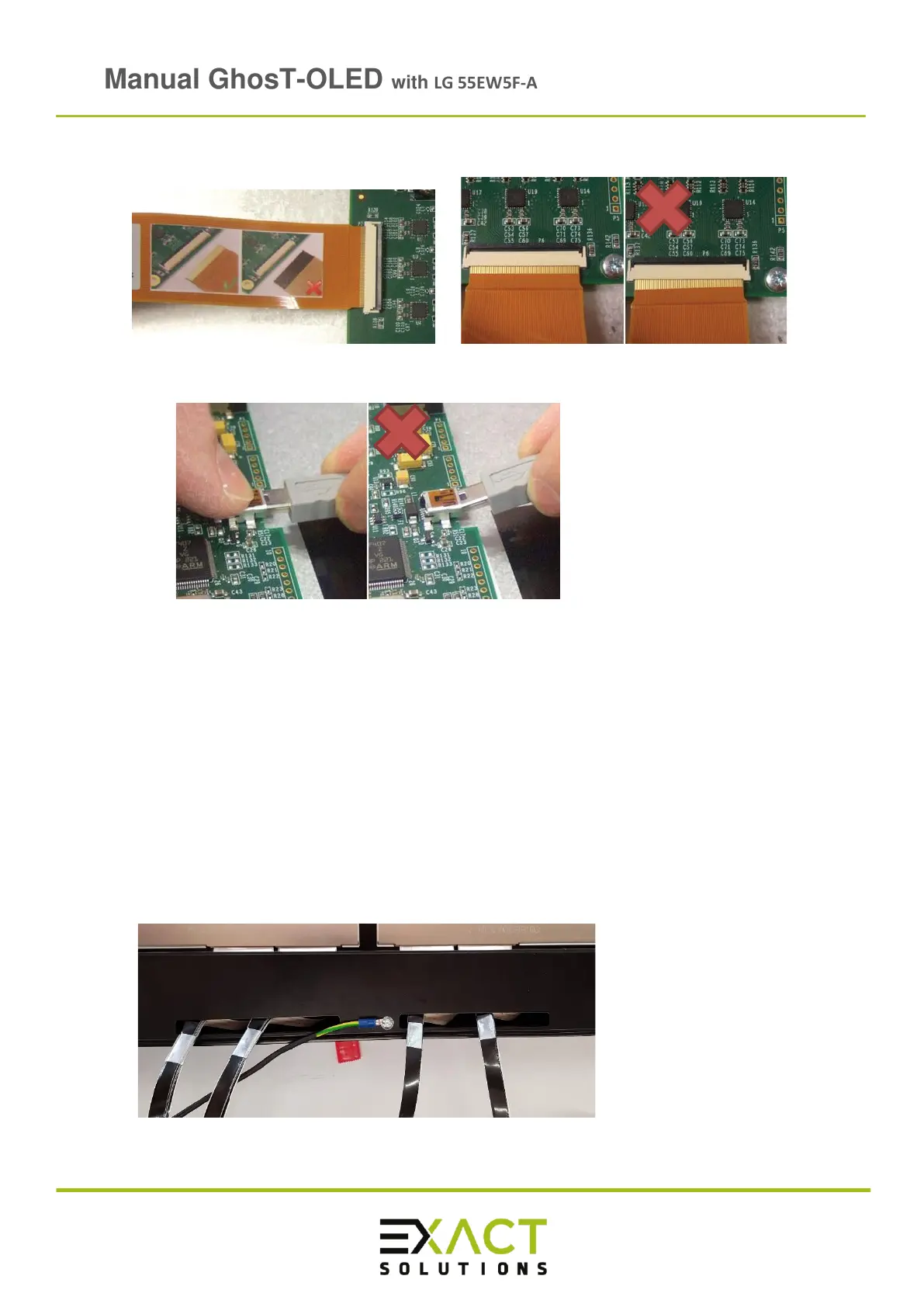
o Carefully connect the 6 flexible flat cables with each socket of the controller:
o Connect the USB mini connector to the USB port at the controller:
Note: Avoid breaking the sockets by wrong handling
o Connect the other end of the USB cable to your PC
WARNING: The flexible flat cables and especially the sockets are very sensitive. If a socket
breaks this results in a total loss of the controller.
Note: Take care of an appropriate grounding of the controller
➢ Reinsert the screws with the green mark and the outside cover.
➢ Connect the ground cable to the M4 thread in the middle of the metal rod.
➢ Connect the other end of the ground cable to a sufficient ground connection at the
installation place.



 To Next Page