8
1 Drinking Water 2 Metals 3 Pool & Spa 4 Pond/Aquarium (Fresh)
AL — Alkalinity, Total (fresh)
CH — Chloride
CL — Free/Combined/Total
Chlorine
F — Fluoride
PH — pH
THH — Total Hardness High
THL — Total Hardness Low
Al — Aluminum
CU — Copper
CR — Chromium
FE — Iron, Total
MN — Manganese
Mo — Molybdate
Mt — Metals
+2
AL — Total Alkalinity
bG — Biguanide
CA — Calcium Hardness
CHH — Chloride High Range
CL — Free/Combined/Total
Chlorine
CU — Copper
Cy — Cyanuric Acid (III)
PH — pH
PO4 — Phosphate
AL — Total Alkalinity (fresh)
CA — Calcium
NH — Ammonia
NO2 — Nitrite
NO3 — Nitrate (fresh)
PO4 — Phosphate
PPH — pH-BT (fresh)
THH — Total Hardness High
5 Marine 6 Sanitizers 7 Miscellaneous 8 Transmission
AL — Total Alkalinity (marine)
CAH — Calcium UH (marine)
NH — Ammonia
NO2 — Nitrite
NO3 — Nitrate (marine)
PO4 — Phosphate
PPH — pH-BT (marine)
THU — Total Hardness UH
(marine)
bR — Bromine
Cd — Chlorine Dioxide
CL — Free/Combined/Total
Chlorine
CLH — Total Chlorine High
HP — Hydrogen Peroxide
O — Ozone
PA — Peracetic Acid
PM — Permanganate
qA — Quaternary Ammonia
CN — Cyanide
PHA — pH, Acid
S — Sulfi de
SO4 — Sulfate
TR1 — Transmission (525nm)
TR2 — Transmission (638nm)
LCD Message Description Corrective Action
HI In READ mode: test sample concentration is above the
measurement range (test specifi c).
Dilute and retest. Dilution kit available
(Part No. 487200)
LO In READ mode: test sample concentration is below the
measurement range (test specifi c).
Sample value is below
measurement range.
LO In ZERO mode: sample absorbency (due to a cloudy
or colored sample or a dirty cell) is too high to zero, the
meter will read “LO” or low battery
Dilute sample, fi lter sample or clean
cell. One of these options should
remedy the problem. You may need
to replace batteries if low battery
indication.
ER Excessive stray light detected. Normally this does not
occur, even when testing in sunlight.
Place the light blocking CAP over the
CELL for zeroing and for reading result.
Moving to a shaded can also fi x
this problem.
Low battery indication during testing
(meter may not zero)
Replace batteries immediately. Otherwise
meter may read LO while testing.
Flashing result
on LCD
Lost connection to eXact iDip
®
app
Press ON/ZERO to stop fl ashing. Remove
and replace the battery cover if fl ashing
continues for future tests.
Select group overview
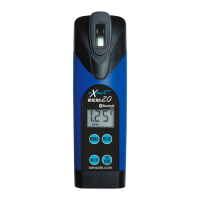
eXact
®
Micro 20 meter messages
Below is a list of Menu and selection choices with abbreviations.
The following are some of the common messages that may display on your photometer, including error
messages. If an error message other than those listed below is displayed, please contact technical
support in the USA at (803) 329–0162 (ext. 0).


 To Next Page