22
©2016, Industrial Test Systems, Inc. Printed in USA
CHLORIDE (as NaCl)
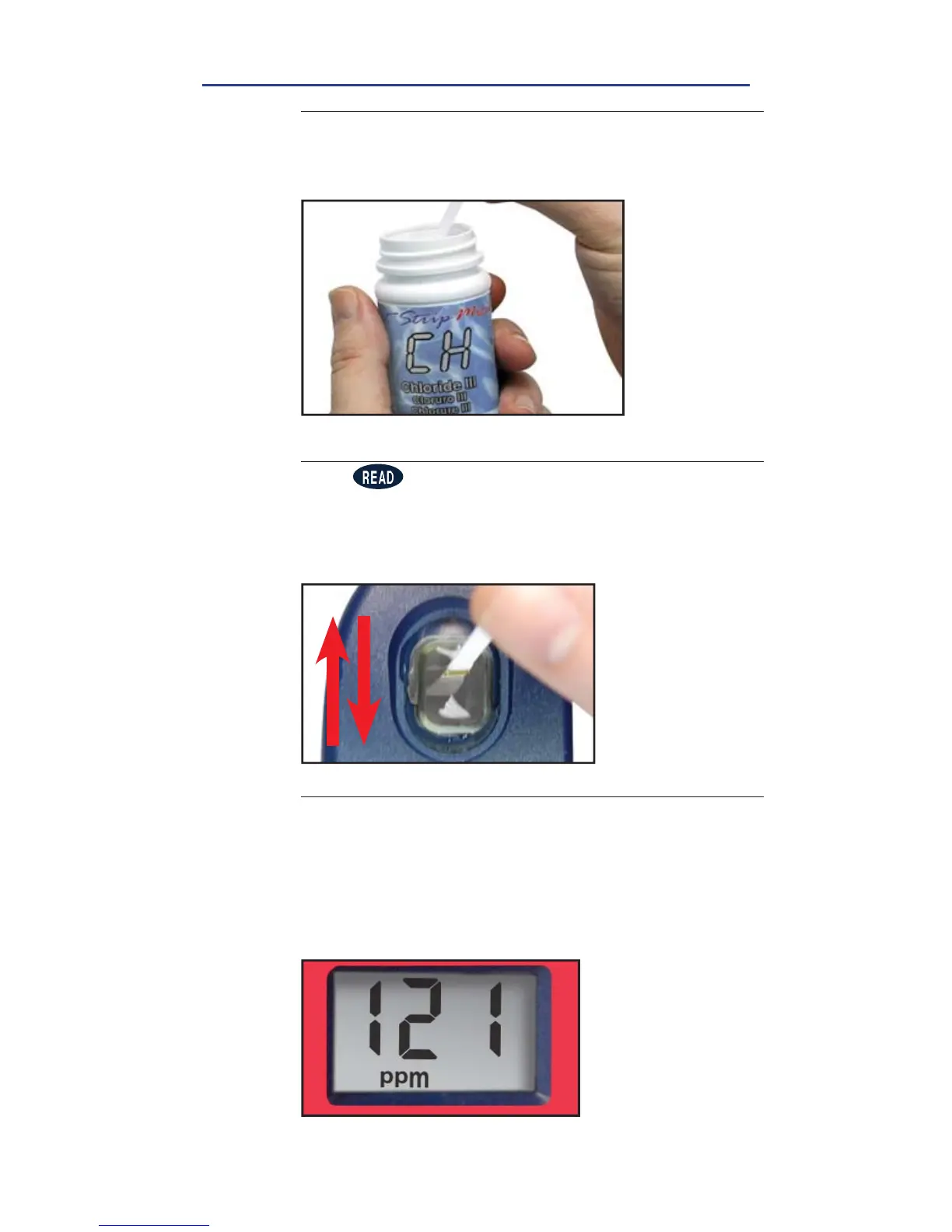
REMOVE STRIP
Remove one eXact
®
Strip Micro CH Chloride III and set
in a dry, convenient place. Replace cap on bottle
5
DIP STRIP AND PRESS READ
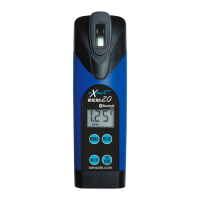
Press to initiate a 20 second countdown and
simultaneously DIP the eXact
®
Strip by submerging all
pads in the sample then use a gentle, constant, back
and forth motion (2 strokes per second) until the timer
displays
‘1’
. Remove and discard the strip.
6
READ RESULTS
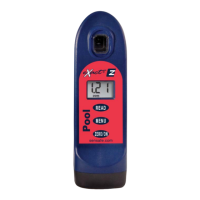
READ result displayed as Chloride. Due to the limit
of three digits on the Pool eXact
®
EZ photometer, you
should add a “0” to the end of the result on the LCD
(ex. 121 = 1210 ppm). This result is automatically stored
in the CHH menu. After testing is complete, rinse the
sample cell immediately with cleaning brush.
7
FILL, DIP, READ


 To Next Page